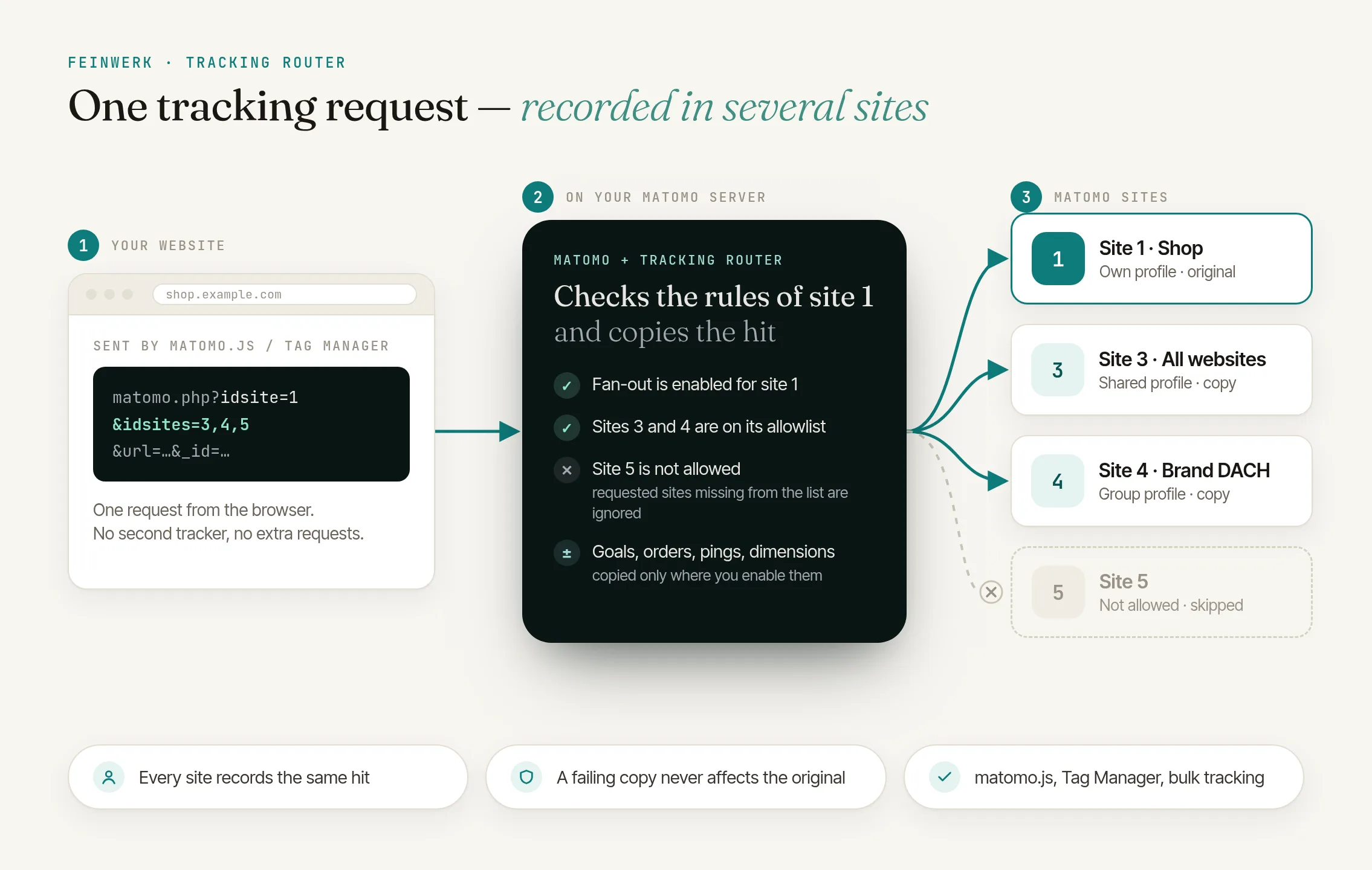
The problem: one hit, several recipients
In Matomo, every tracking hit belongs to exactly one website, set by the site ID in the tracking code. That works as long as each website stands on its own. Often, though, visits should also show up elsewhere: in a roll-up for the whole group of companies, or the careers pages in a website only the HR team can access.
Matomo alone
- One tracker per website on the same page, so several requests per action
- All trackers must stay configured alike on every page
- Different cookie domains or the order of the calls can cause conflicts
With TrackingRouter
- One tracker, a single tracking request
- Matomo forwards the hit on the server
- Roll it out page by page
How TrackingRouter solves it
With TrackingRouter, an idsites parameter names the websites that also receive the hit. Matomo processes it as usual for the actual website, the primary site, and on the server creates a copy with the same visitor ID for each allowed extra site.
Each extra site is a normal Matomo website with its own visits, which makes it a good roll-up: the visits log, reports and access permissions work like anywhere else.
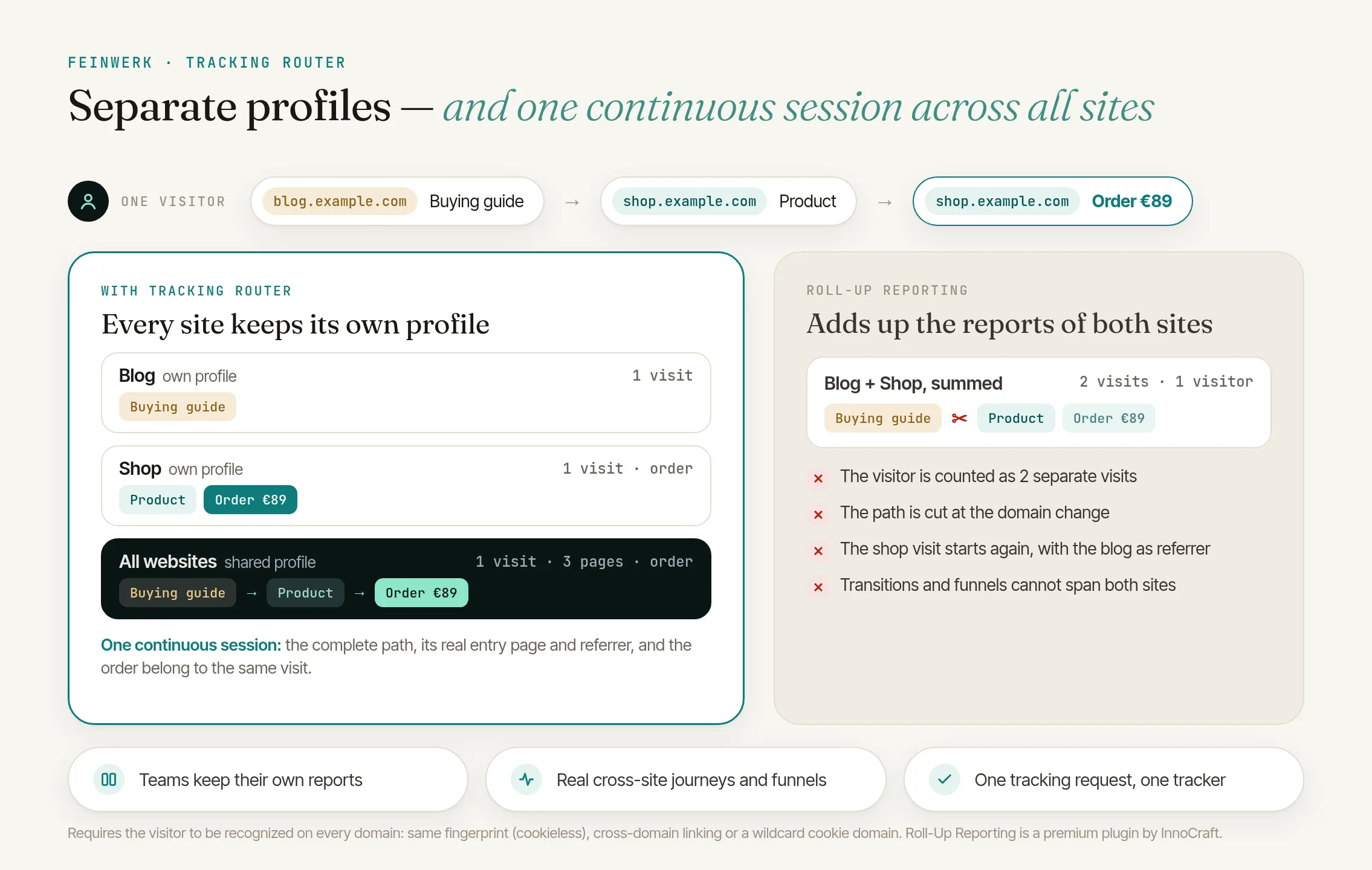
Forwarding set per primary site
Ecommerce data, manual goal conversions, heartbeat pings and custom dimensions stay in the primary site by default, so revenue, for example, is not counted twice.
A privacy switch
Nothing is forwarded until you explicitly confirm on the primary site that your visitors' consent also covers the extra sites.
How it works
- Allow extra sites. On the primary site, choose which websites may also receive data, up to ten.
- Confirm consent. On the same website, turn on the consent setting if consent also covers the extra sites.
- Choose what is forwarded. Optionally enable individual kinds of data such as ecommerce or custom dimensions.
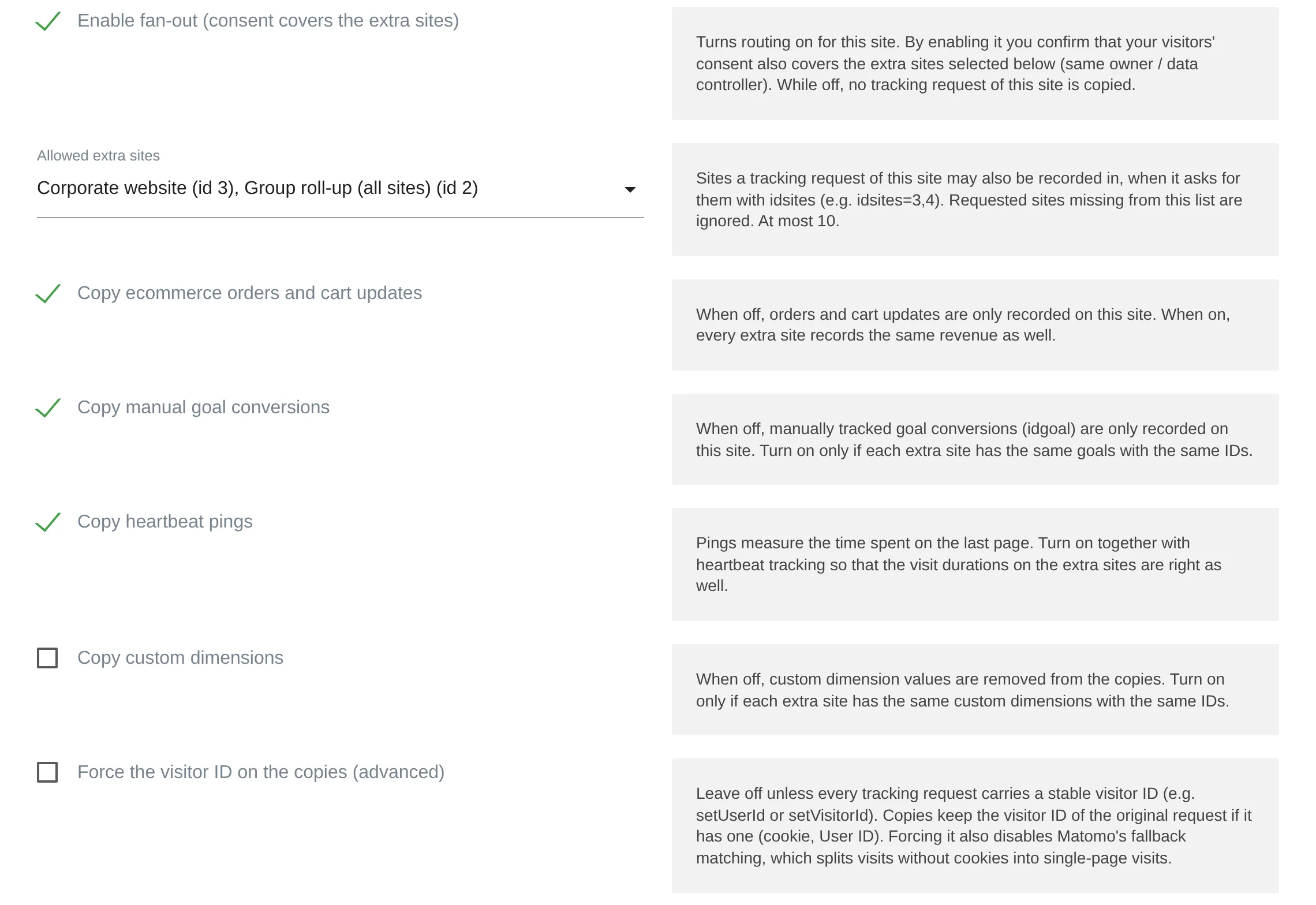
TrackingRouter: fan-out, allowed extra sites and what is copied, in the website settings - Extend the tracking code. Set
idsiteson the pages concerned, such asidsites=1for a group roll-up. - Analyse. Every hit shows up in the primary site and in the allowed extra sites.
Who is TrackingRouter for?
Groups of companies
with several brand websites that also need an overall view in Matomo.
Organisations
where individual teams should only see their own section of a large website.
Portals
whose sections are analysed in different Matomo websites.
Anyone who runs Matomo themselves
and wants to avoid several trackers on one page.
Frequently asked questions
Can I track multiple websites at once with Matomo?
Yes. Without a plugin, you do it with several trackers on the page. With TrackingRouter, one tracker is enough: the idsites parameter forwards each hit on the server to up to ten more websites.
How do I build a roll-up report with it?
Create a separate website in Matomo for the overall view and allow it as an extra site on each individual website. Every website sends idsites with the ID of the overall view. The roll-up website then contains all visits and can be analysed like any other website.
Do I have to change the tracking code on every page?
No. Only pages that send the idsites parameter are forwarded. Matomo processes all other requests unchanged.
What about privacy?
Each extra site stores the data of the visit. That is why TrackingRouter only forwards once you confirm on the primary site that consent also covers the extra sites, for example because all websites have the same data controller.