When bots look like real visitors
Visits jump overnight, but enquiries, orders and events stay flat. Automated traffic is often behind it: scripts that drive a real browser and run JavaScript. To Matomo, these are perfectly normal tracking requests from people.
Matomo alone
- On its own, every bot visit looks like a human one
- Fixed lists of IP ranges or data centres only catch sources already on them
- Decisions rest on skewed visit counts, bounce rates, time on site and conversion rates
With TrackingSpamScore
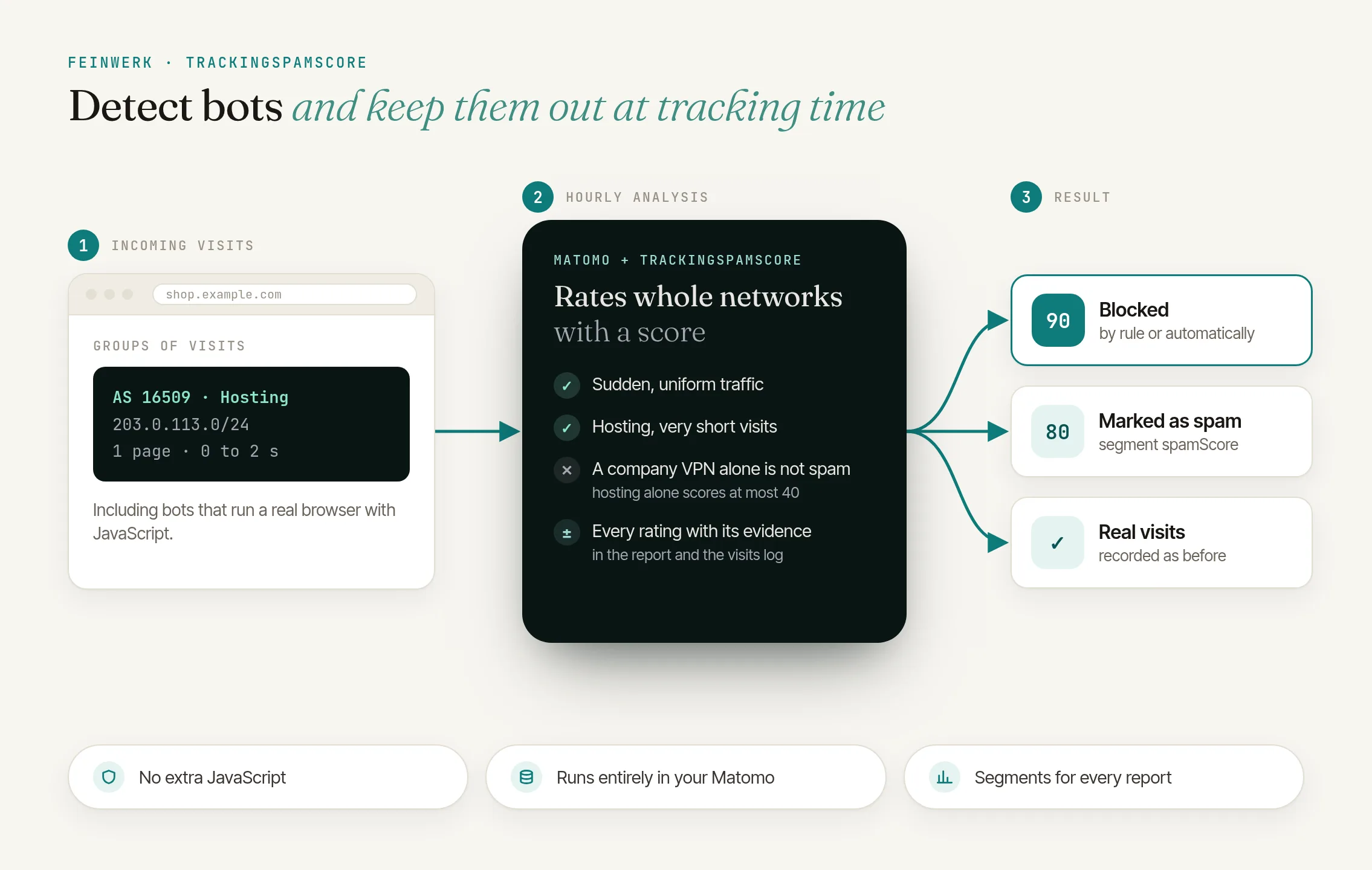
- Judges whole groups of visits
- Spam score from 0 to 100, with evidence
- Blocked while tracking, by hand or automatically
Judge groups, not single visits
TrackingSpamScore judges groups of visits: a whole network (an autonomous system, such as an internet provider or a hosting company), a network in one country, a device profile in a network, or an IP range. A hosting network whose visits arrive suddenly, look strikingly alike and never interact is spam; a varied crowd from a residential internet provider is not.
Each suspicious group gets a spam score from 0 to 100 with evidence such as "Hosting network", "Sudden traffic surge", "Uniform behaviour", "No interactions" or "Outdated or automated client".
Never one signal alone
A high score takes several signals that confirm each other.
Orders count
E-commerce orders lower the score; visits with an order never count as spam.
All on your server
No additional JavaScript, no fingerprinting, no external service.
How it works in four steps
- Assign networks. A free ASN database (DB-IP IP to ASN Lite or MaxMind GeoLite2-ASN) tells the plugin each visit's network during tracking.
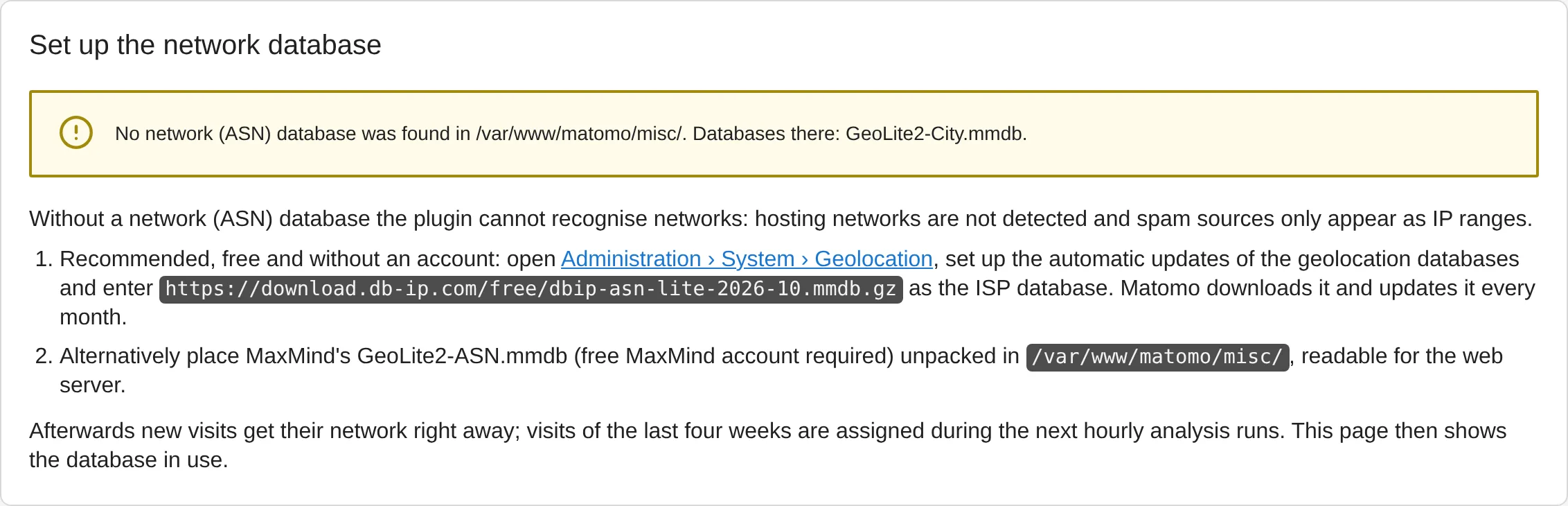
TrackingSpamScore: setting up the network database - Analyse every hour. The plugin compares each website's traffic with its own normal values of the last 28 days and assigns spam scores.
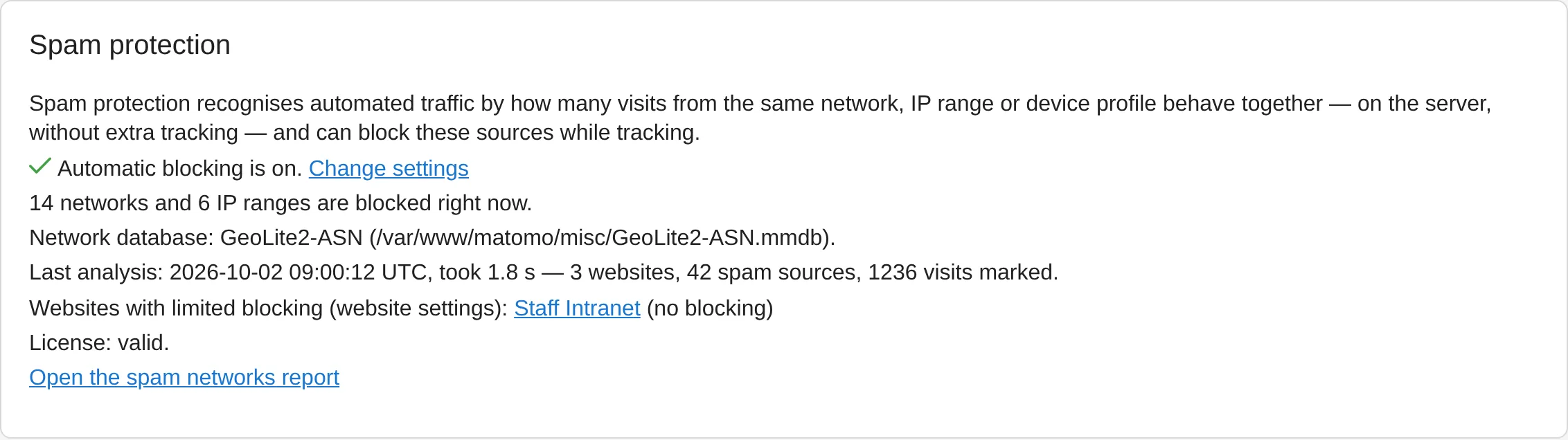
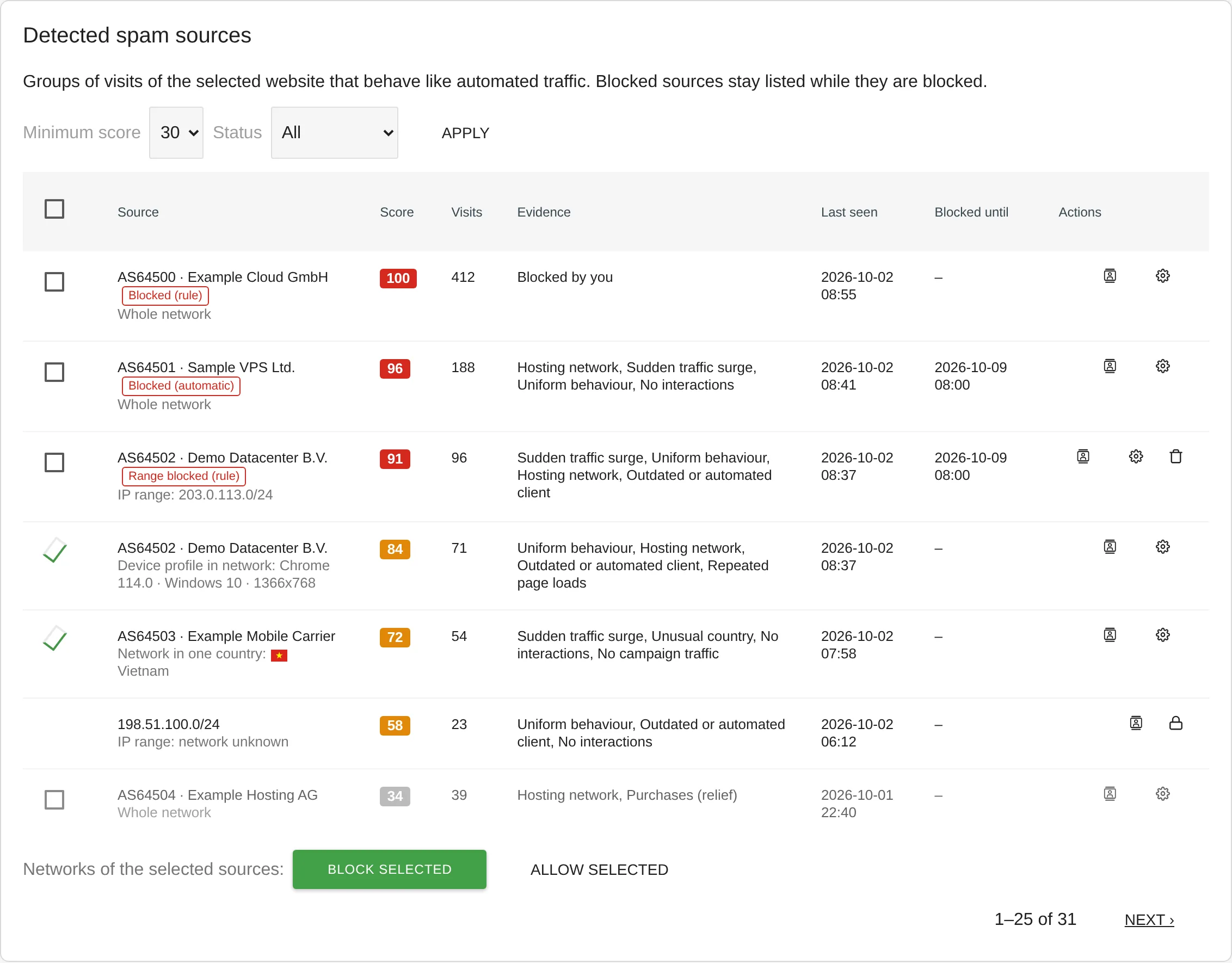
TrackingSpamScore: status page showing the filter effect - Review and filter. The Spam networks report under Visitors → Networks & spam shows visits, spam visits and spam rate per network. The segments
spamScoreandspamAsnfilter any report, and the Visits Log shows score and reasons per visit.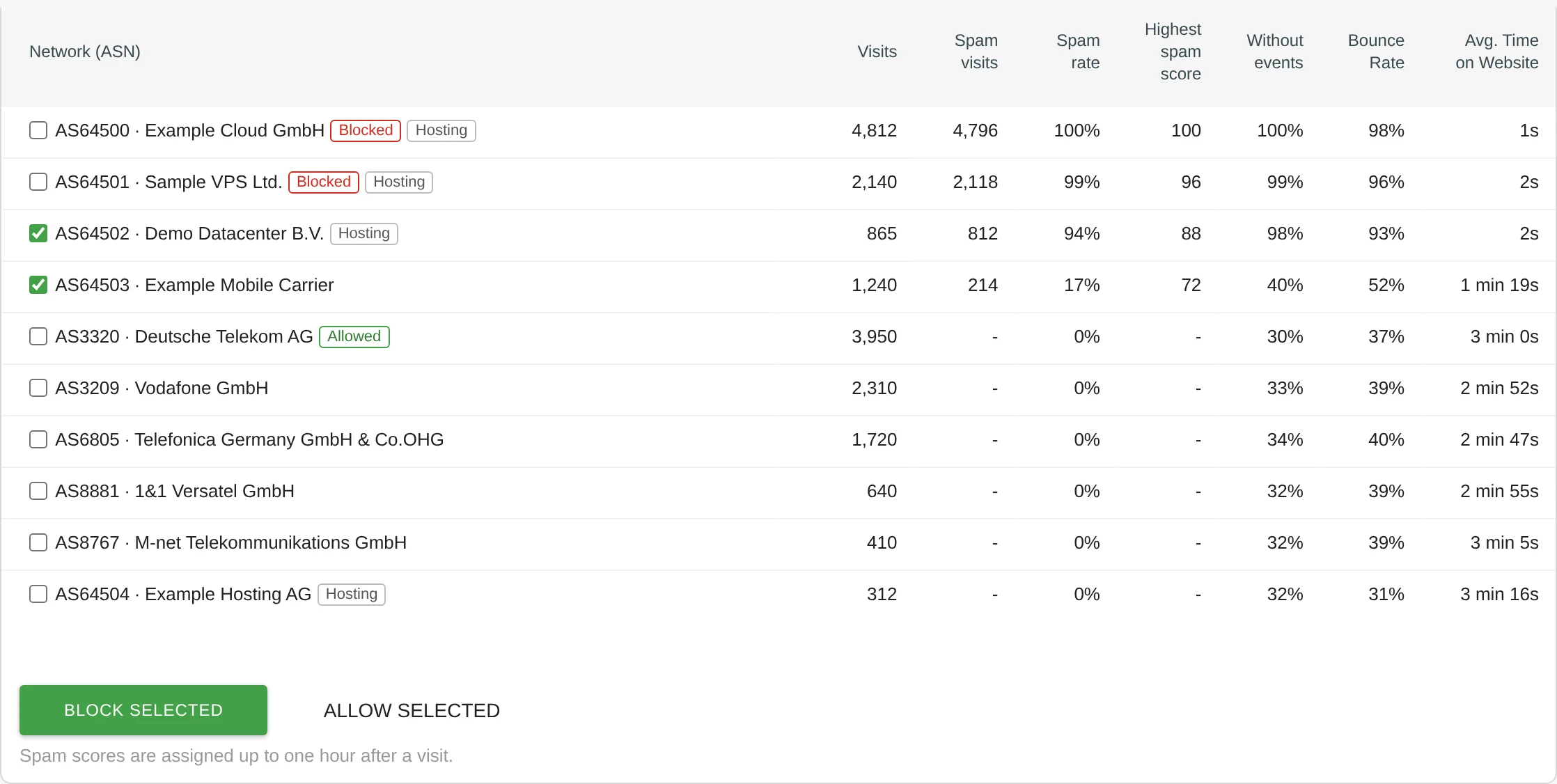
TrackingSpamScore: report of networks with suspicious traffic - Exclude the bots. Block networks individually or in bulk, just one IP range when the rest is real visitors, or turn on automatic blocking. Blocked sources are no longer tracked from the next request on. The free DeleteVisitsFilter deletes spam already tracked, even thousands of visits at once.
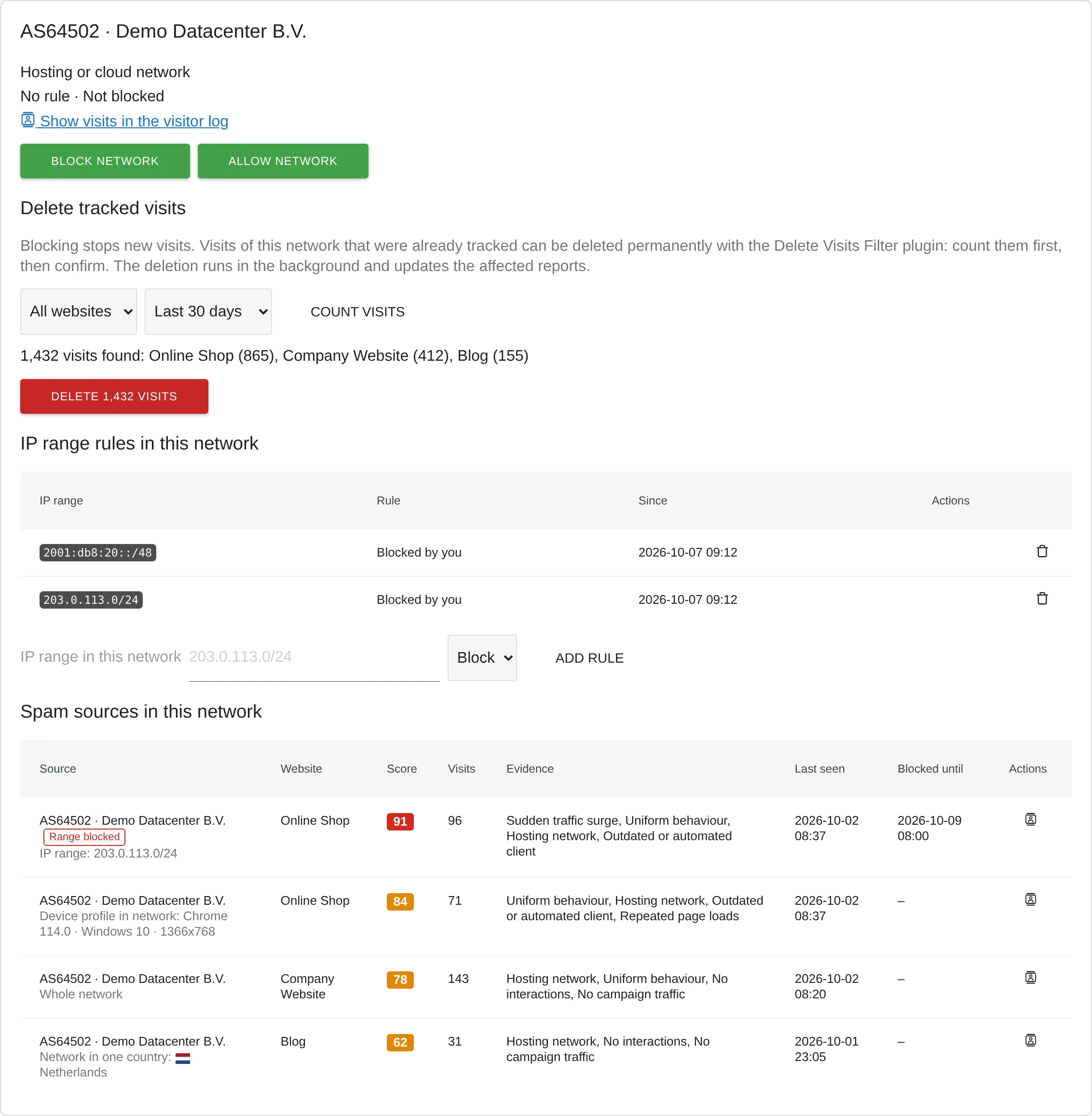
TrackingSpamScore: details of a network
The TrackingSpamScore documentation explains the setup.
Who it is for
Websites and online shops
whose visit numbers no longer match revenue and enquiries.
Agencies and analytics leads
who want to filter spam in Matomo without extra scripts on their websites.
High-traffic instances
The analysis uses grouped statistics in the background; no page reads raw visits one by one.
Self-hosted Matomo 5
with scheduled tasks running via cron or browser-triggered archiving.
Frequently asked questions
Can I watch first, before anything gets blocked?
Yes. Automatic blocking is off by default. Until you turn it on, the plugin only reports the spam it detects. You mark visits as bot or human in the Visits Log and see from precision and detection rate how well the detection fits your website.
Can real visitors get locked out?
Networks you allow are never flagged or blocked, and an IP range you allow (say, your office or monitoring service inside a cloud network) is never blocked, even if you block the rest of that network. Automatic blocks need several matching signals and last 7 days. Each website can also be set to monitor only. E-commerce orders are always tracked, even from blocked networks.
What about spam that is already in my data?
Blocking only affects new tracking requests. Visits the plugin has detected as spam carry their spam score, so you can filter them with a segment. To delete them for good, install the free DeleteVisitsFilter: the plugin's network card then counts a network's visits and deletes them after you confirm. Matomo's GDPR Tools work too, with the segment the network card shows.
Do I need additional tracking code?
No. The plugin works with the data Matomo already collects. All you need is an ASN database in Matomo's GeoIP folder, which you get free of charge from DB-IP or MaxMind.