The problem: ad platforms only see part of your conversions
Google Ads, Meta, LinkedIn, X and Microsoft Advertising optimise your campaigns on reported conversions, often via pixels or tags on your website.
Matomo alone
- Counts goals and orders reliably, but the platforms never see them, or only through third-party scripts
- Ad blockers, browser tracking protection and declined cookies swallow a noticeable share of pixel data
- The platforms optimise on incomplete data, and the cost per conversion looks too high
With the Conversions API
- Conversions straight from your server
- Only with consent, per platform
- No extra pixels
How the Conversions API solves it
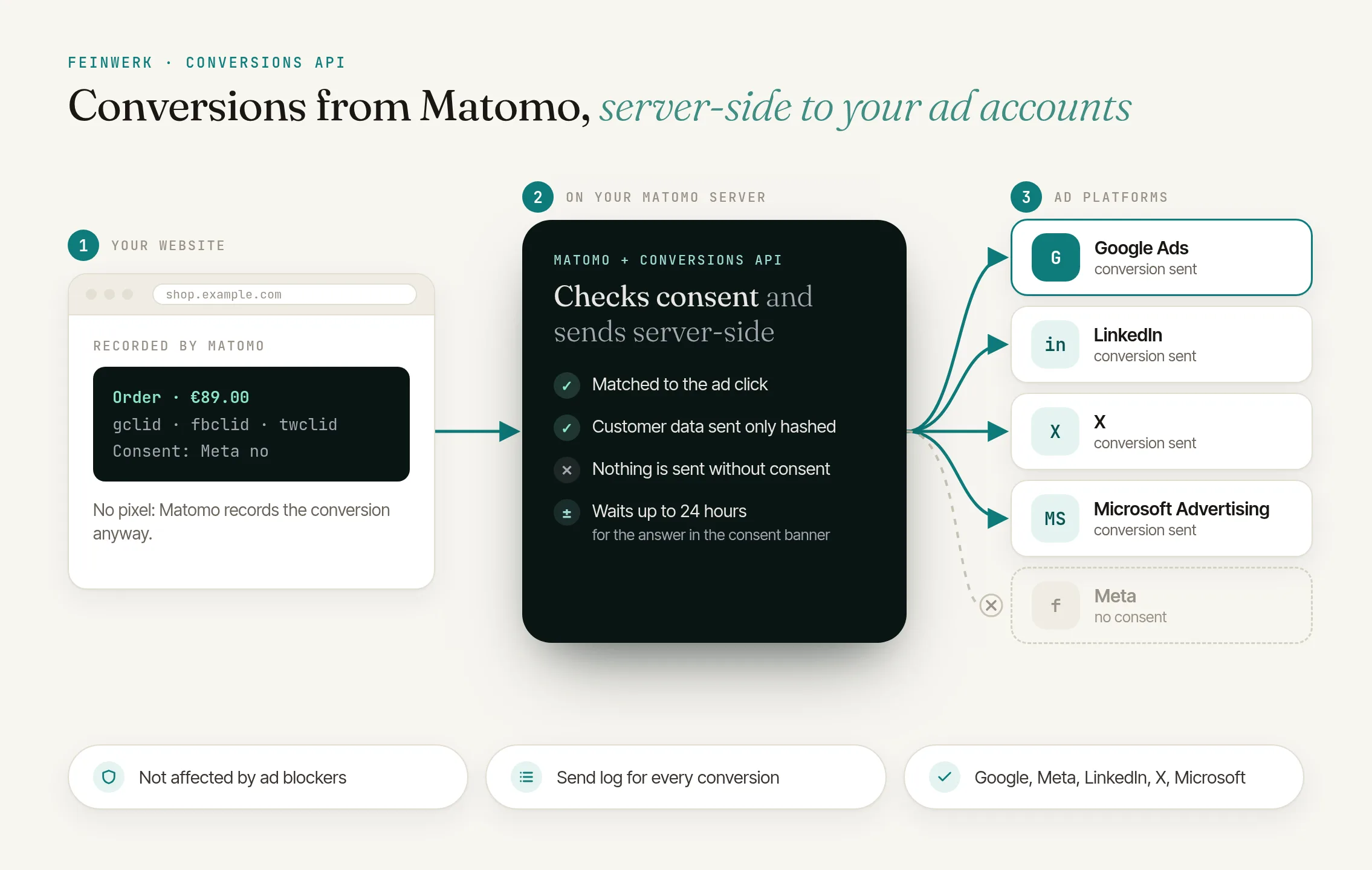
The Conversions API sends Matomo's conversions to the platforms' interfaces: the Google Ads Data Manager API, Meta Conversions API, LinkedIn Conversions API, the web conversions of the X Ads API and Microsoft Advertising's UET Conversions API. Per website you decide which Matomo goal is reported as which conversion, with revenue, a fixed value or no value.
Ad clicks recognised
Clicks from Google (gclid, gbraid, wbraid), Meta (fbclid), LinkedIn (li_fat_id), X (twclid) and Microsoft (msclkid) are attributed to later conversions, across visits and after a login.
Hashed customer data
Matomo hashes customer data your website passes, such as the email address, before sending; plain text is never stored.
Consent per platform
From your consent banner via Matomo Tag Manager, Google Consent Mode or the JavaScript API. Conversions wait up to 24 hours for a late answer; a withdrawal stops everything not yet sent.
How it works
- Install the plugin, add the cron job. The job sends the conversions, ideally every minute.
- Add a destination. Enter the access, test the connection.
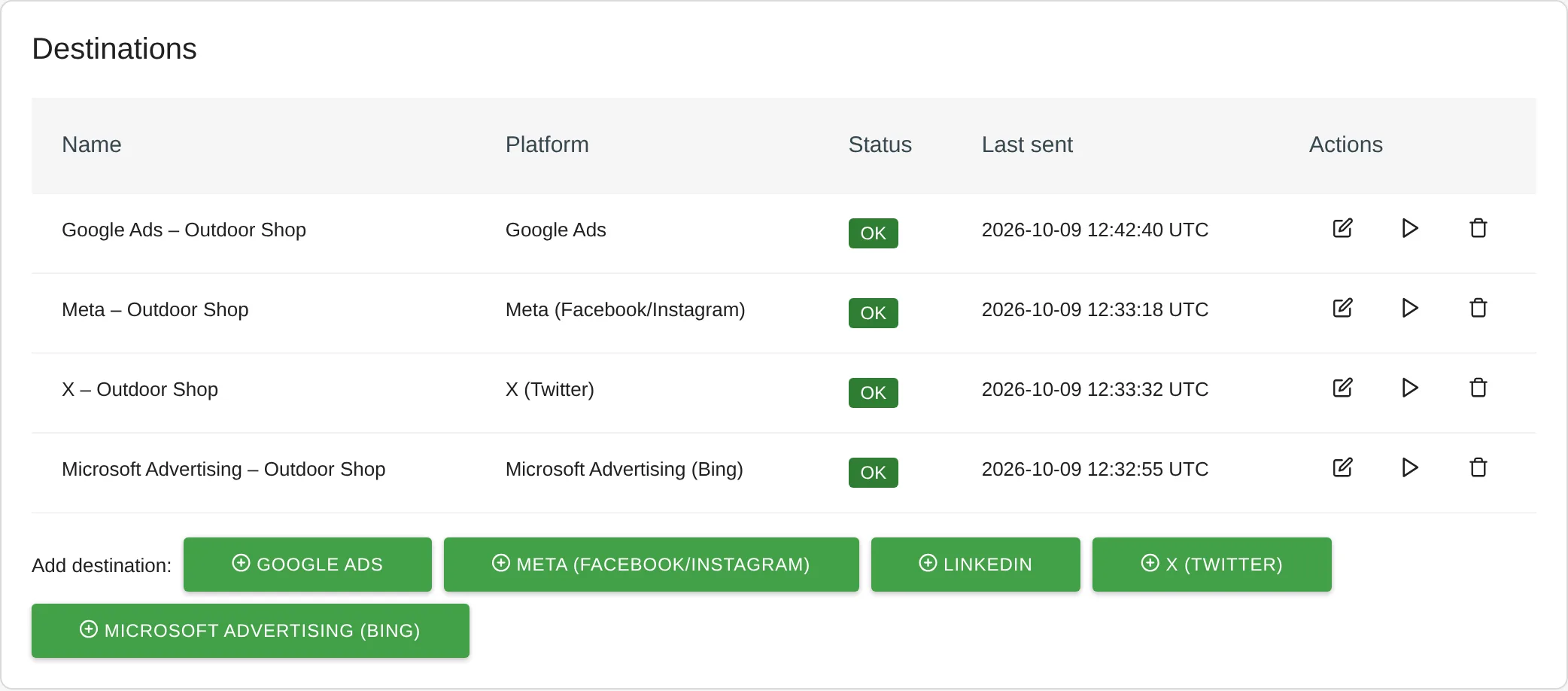
Conversions API: destinations for Google Ads, Meta, X and Microsoft Advertising - Assign goals. Map Matomo goals and the ecommerce order to platform conversions.
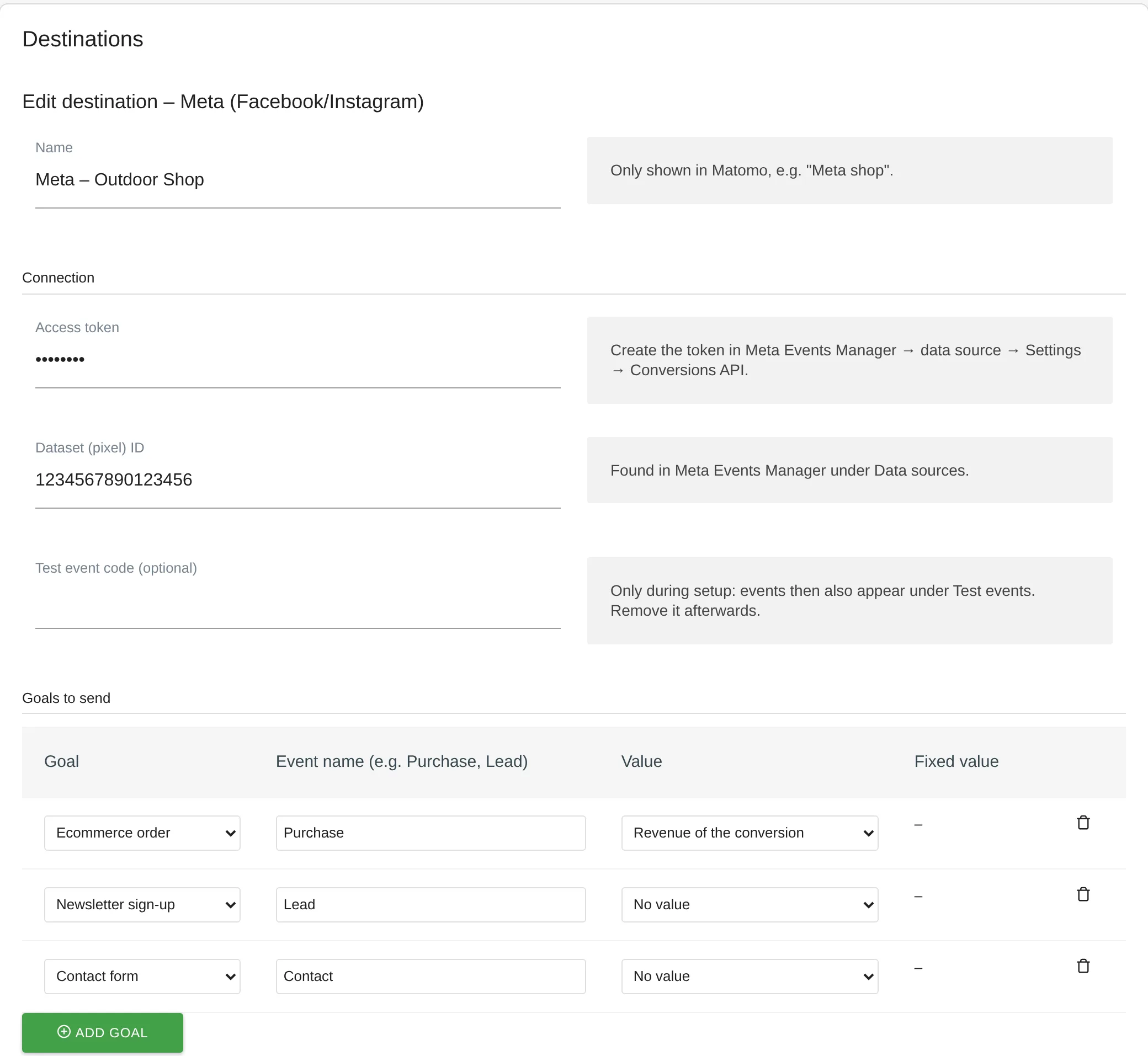
Conversions API: destination with Matomo goals mapped to platform events - Connect your website. Pass consent, and customer data on the order confirmation page, via Matomo Tag Manager. The plugin page shows the code.
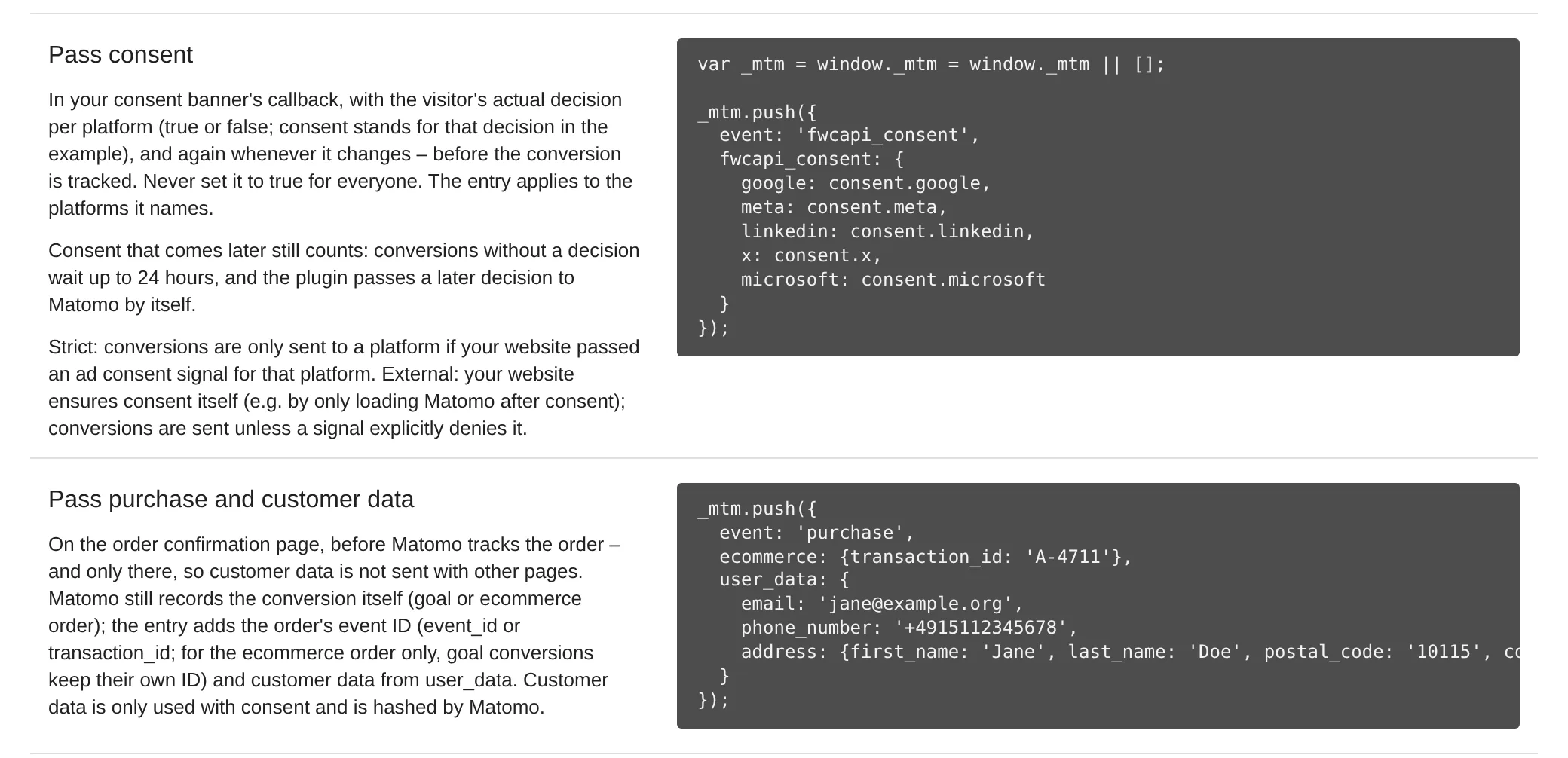
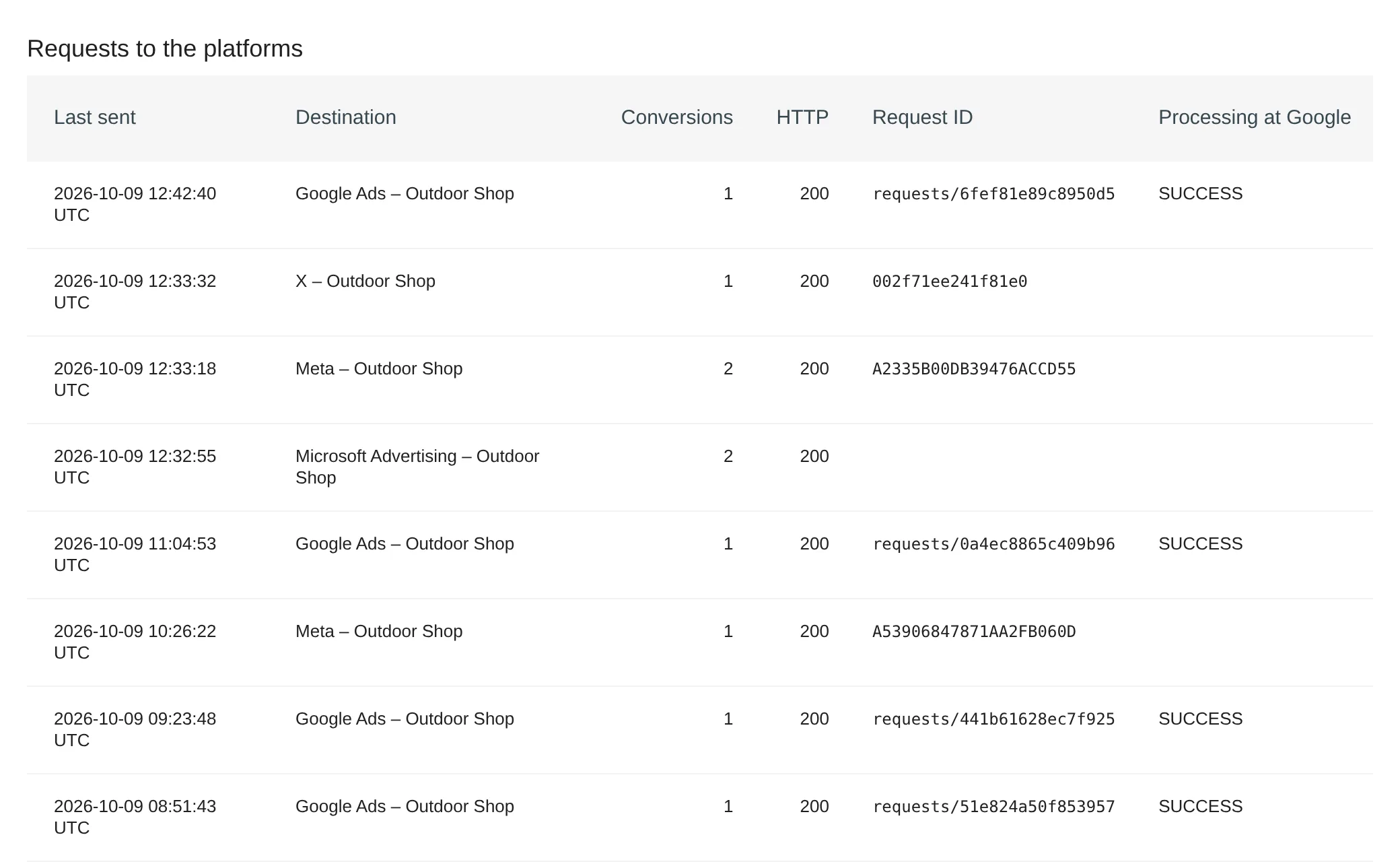
Conversions API: code for consent and customer data via Matomo Tag Manager - Check the send log. Each transfer's status, the platform's error message and, for Google, the processing status.
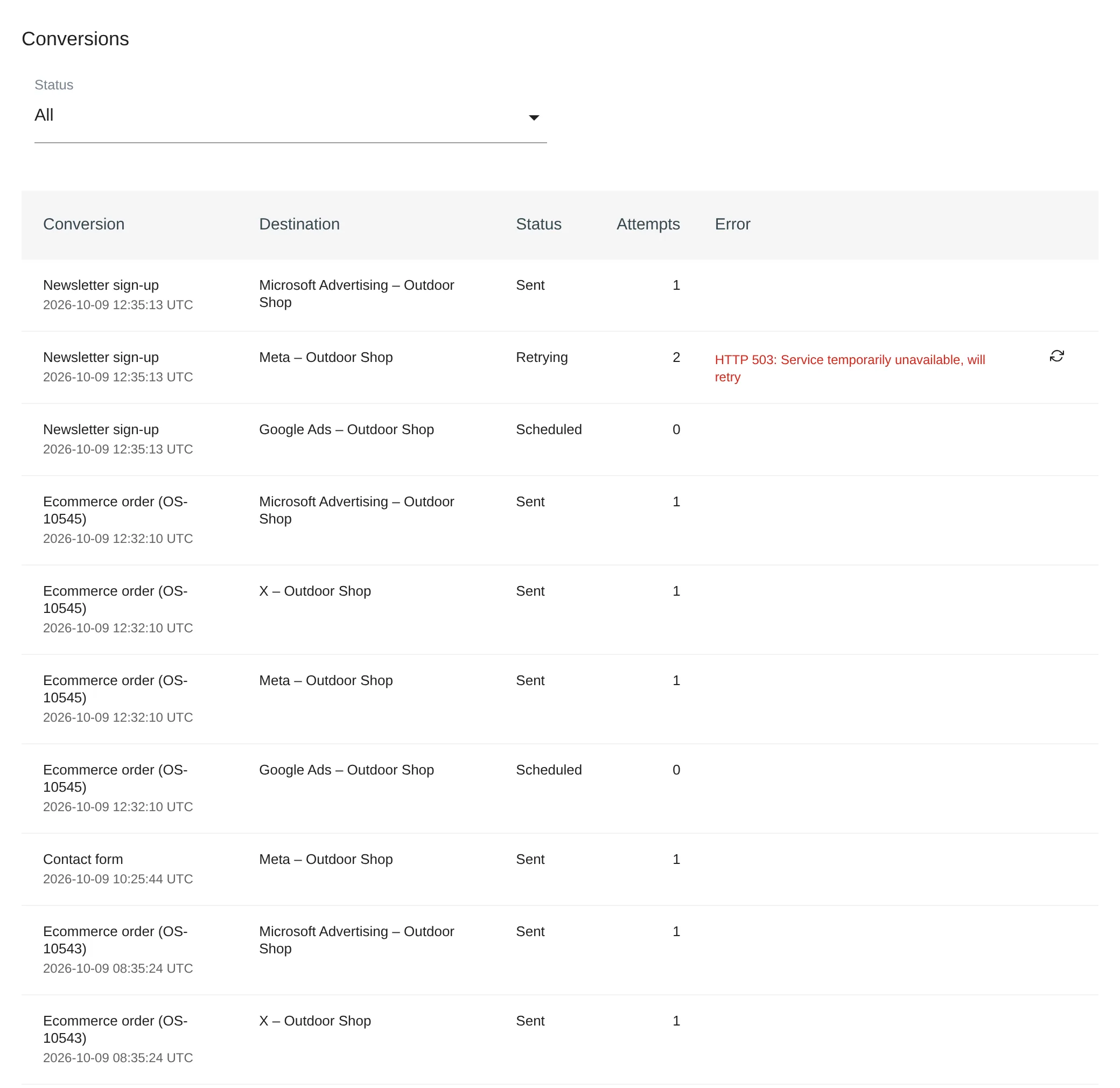
Conversions API: individual conversions with status and the platform's error message
Who is the Conversions API for?
Online shops and lead websites
advertising on Google, Meta, LinkedIn, X or Microsoft and hosting Matomo themselves.
Teams
wanting to drop ad pixels or measure independently of ad blockers.
Agencies
reporting conversions of several client websites to the ad accounts.
Companies
for which consent and data minimisation are non-negotiable.
Frequently asked questions
Do I need Google Tag Manager?
No. You pass consent, customer data and order ID through Matomo Tag Manager or Matomo's JavaScript API. If your website uses Google Tag Manager or Google Consent Mode, the plugin reads those entries as well.
Can I keep the pixel running in parallel?
Yes. The platforms deduplicate via a shared event ID, either the order ID or an ID your website passes to the pixel and to Matomo.
What happens if the visitor consents only after the conversion?
The conversion waits up to 24 hours. If the visitor agrees, the plugin sends it; if they decline or do not answer, it is dropped and its data deleted. Meanwhile, IP address and user agent are kept encrypted, only for the platforms you set up for the website.
Does the Conversions API run in Matomo Cloud?
No. The plugin needs a self-hosted Matomo 5 with PHP 8.1 or newer, because Matomo Cloud does not allow installing your own plugins.