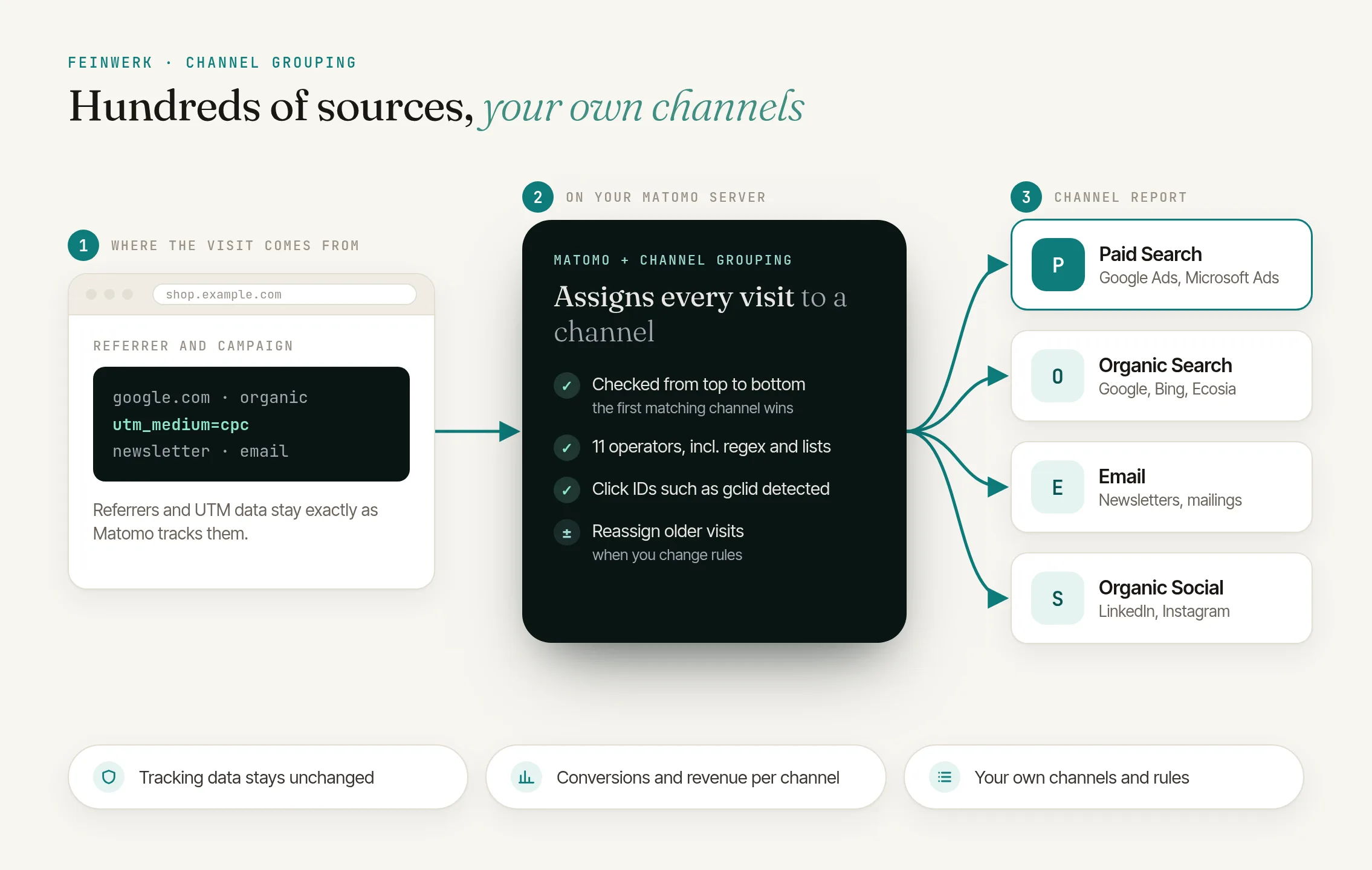
The problem: channel types are not marketing channels yet
Matomo assigns every visit to a fixed channel type. That is fine for a first overview. Steering marketing needs a finer split, and every team needs a different one: the shop wants affiliates, the publisher the newsletter, the B2B company its LinkedIn campaigns.
Matomo alone
- Fixed channel types such as Direct Entry, Search Engines and Campaigns
- Newsletter, search ad and social ad all land in Campaigns
- Comparing paid search with email means pulling numbers together by hand
With ChannelGrouping
- Your own channels, defined by rules
- Paid Search, Paid Social, Email and Affiliates apart, with conversions and revenue
- Every channel is also a segment for all other reports
The solution: channel grouping for Matomo
Under Acquisition → Channel Grouping you get a dedicated report with visits, actions, bounce rate, conversions and revenue per channel, plus a graph over time. Click a channel to see the sources behind it. The report, goals, segment and Visits Log show the same channel for every visit.
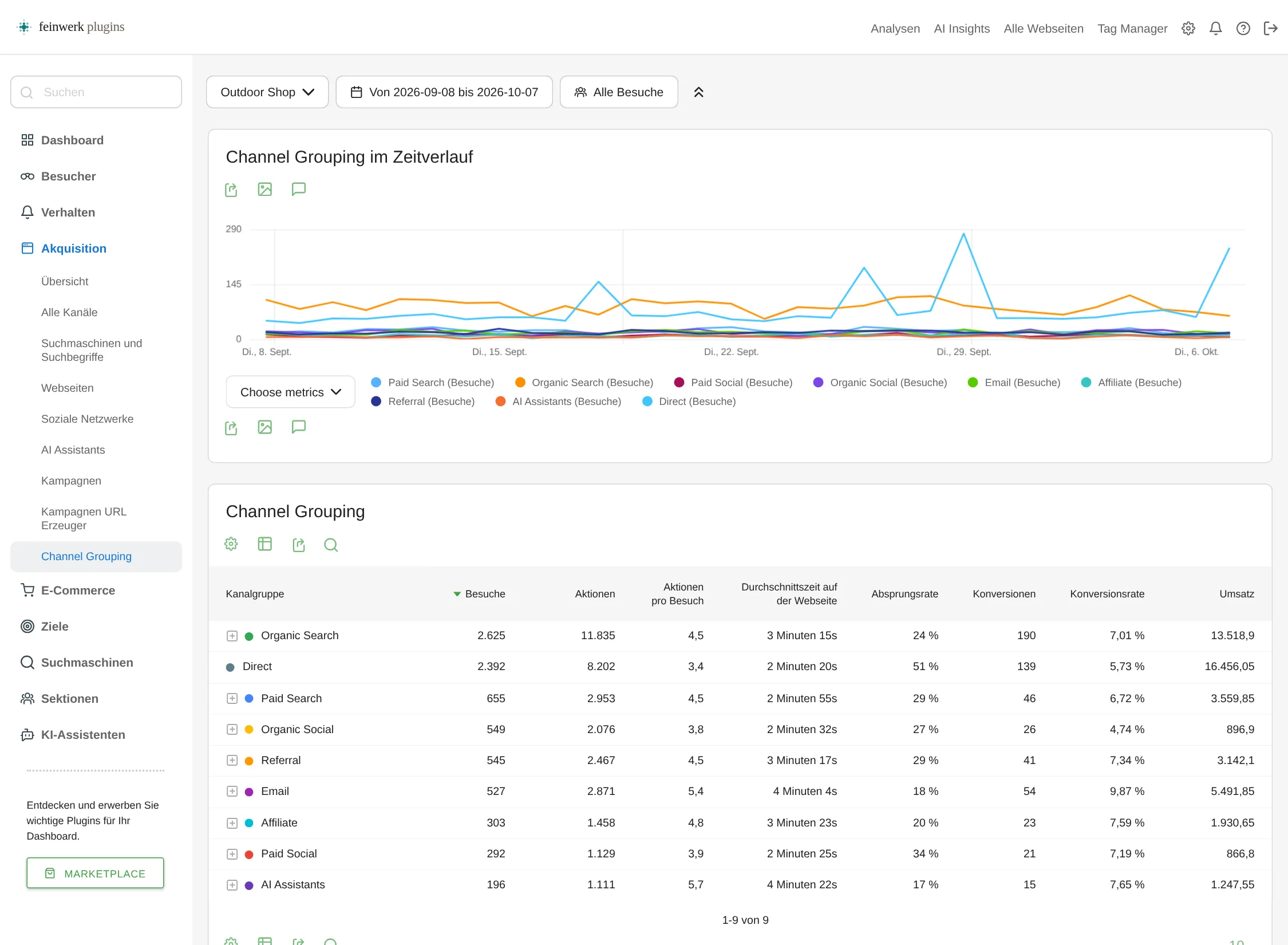
To start, there is a default grouping modelled on Google Analytics 4, with source lists for Germany, Austria and Switzerland. Adjust it or replace it with channels of your own.
Ad clicks without UTM
The plugin recognises click IDs such as gclid from Google Ads or msclkid from Microsoft even without UTM parameters. Only the type of click ID is stored, never its value.
Revenue per channel
Shops see orders, revenue, order value and products purchased per channel under Ecommerce → Sales.
Purchase on a later visit
Channel (last non-direct touch) and Channel (first touch) show which channel brought a buyer, with a 90-day lookback.
How channel grouping in Matomo works
- Install the plugin. It needs Matomo 5.3 or later. The free MarketingCampaignsReporting plugin provides the UTM fields the default grouping uses to recognise all campaigns.
- Create a grouping. The default grouping with one click, or your own, for one, several or all websites.
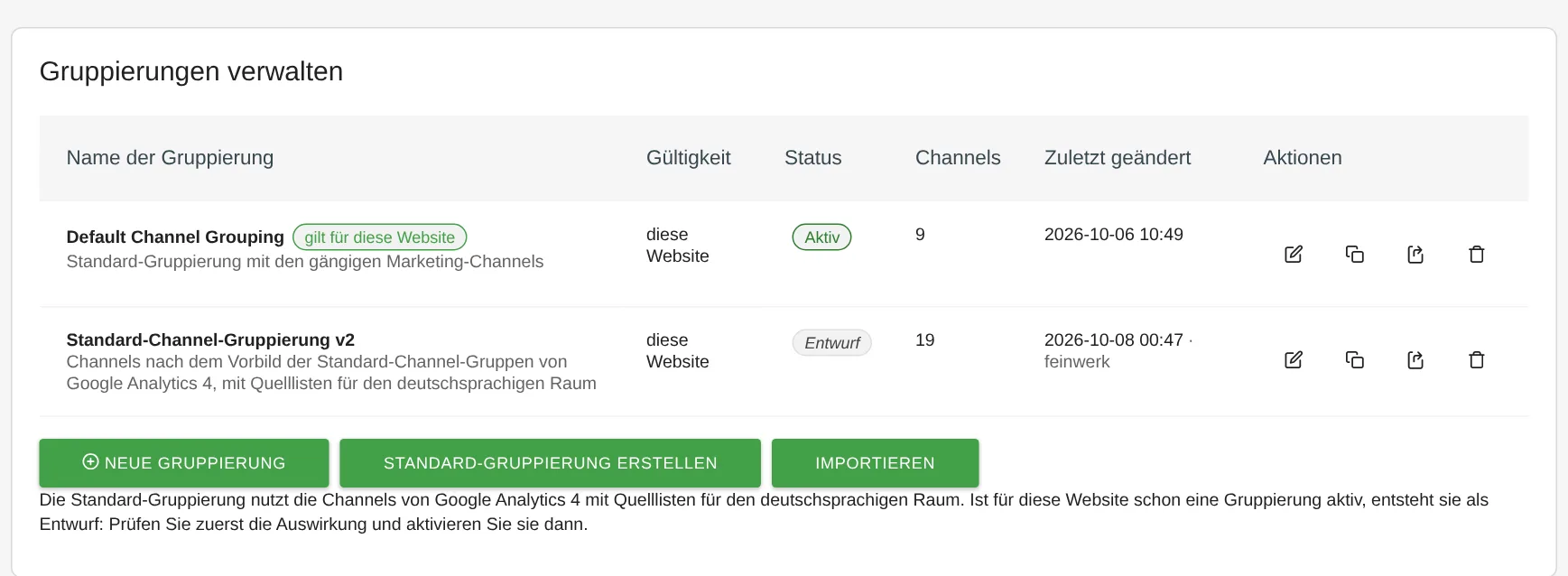
ChannelGrouping: admin page with an active grouping and a draft - Define rules in the editor. Each channel gets rules made of a dimension, an operator and a value, such as Medium equals email. The plugin suggests values from your visits.
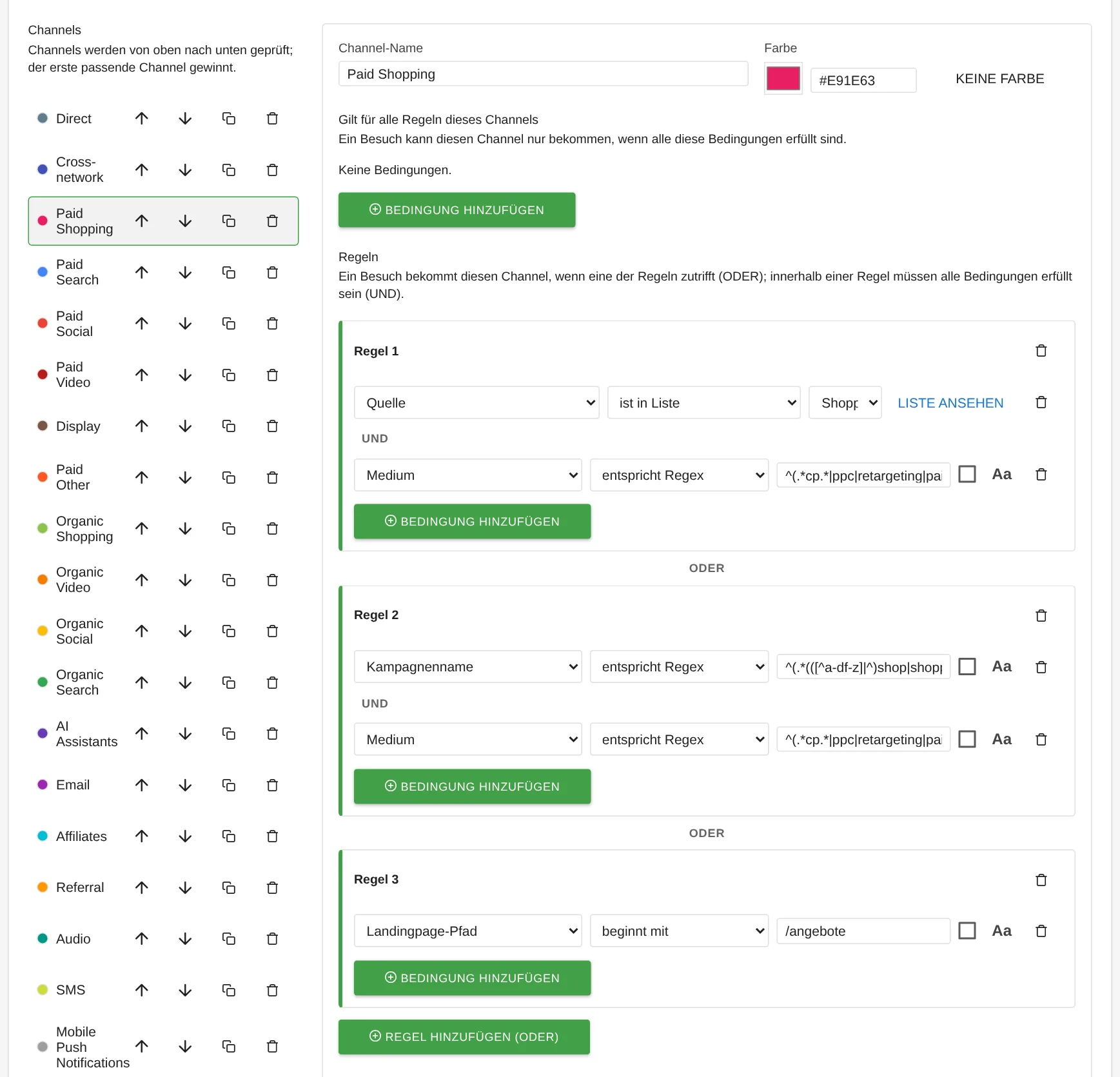
ChannelGrouping: editor with channel list and rules, value suggestions for the campaign source - Check before saving. A test visit shows which channel applies to a URL and why. The impact view compares the last 30 days before and after.
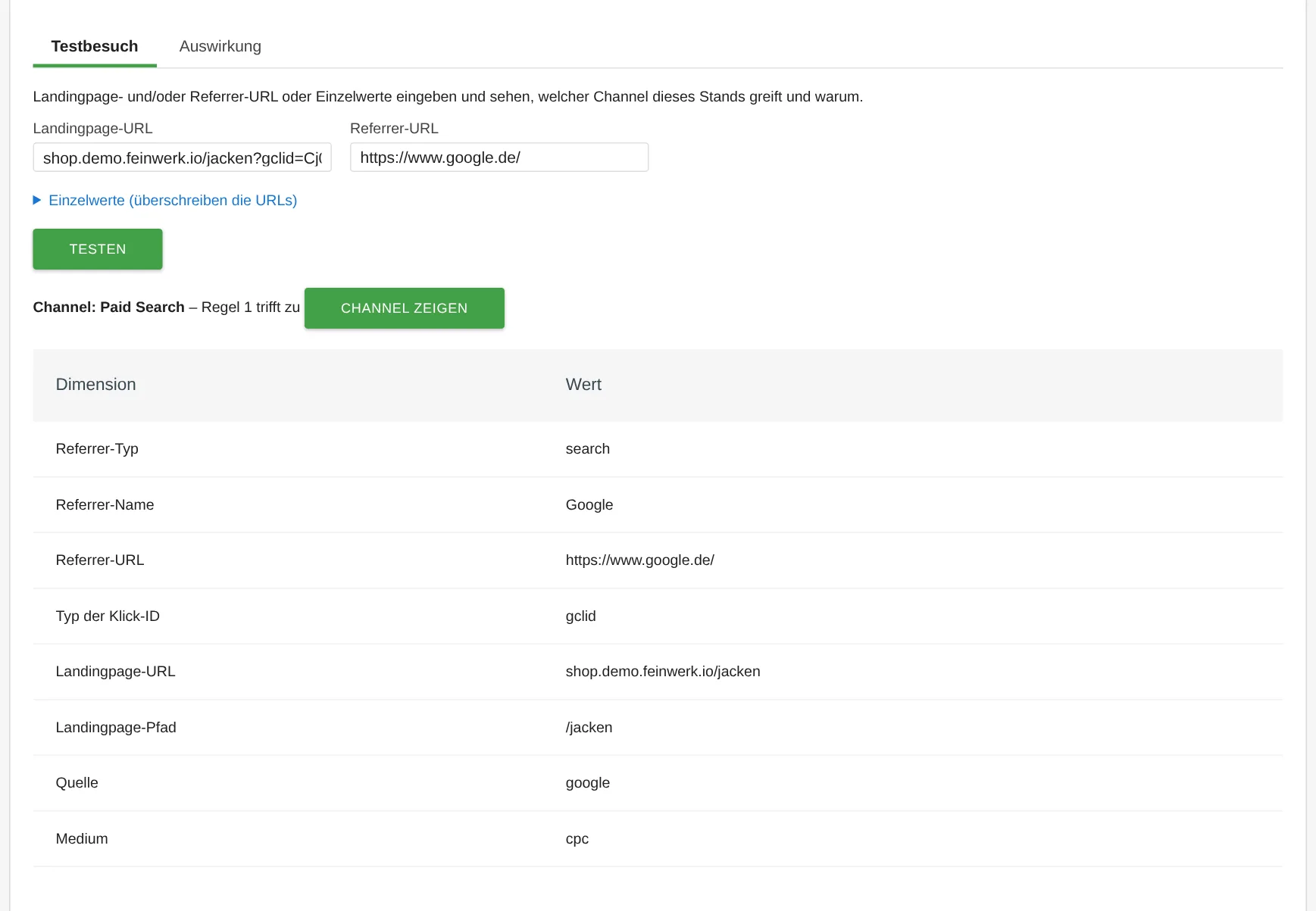
ChannelGrouping: test visit with a Google Ads click, result Paid Search with derived source and medium - History follows by itself. When saving, you choose whether the change applies only to new visits or from a day of your choice. The plugin re-assigns past visits in the background.
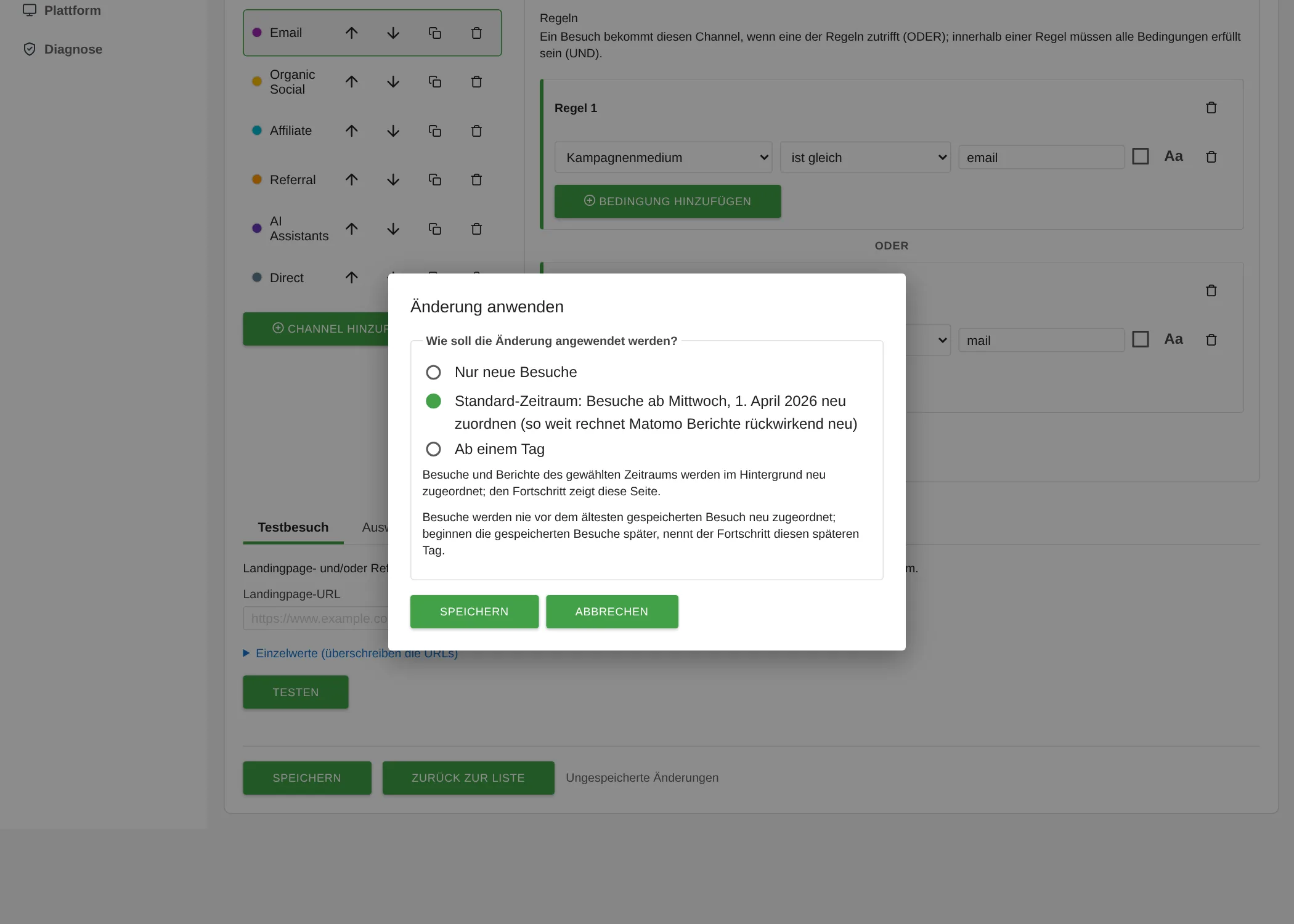
ChannelGrouping: save dialog choosing from when the change applies
The plugin documentation walks you through each step in detail.
Who it is for
Marketing teams
that split budgets across channels and compare results per channel.
Shops
that want conversions and revenue by channel instead of by individual referrer.
Agencies and companies with several websites
that maintain one channel definition centrally, across Matomo instances via export and import.
Everyone who uses UTM parameters consistently
and wants to turn their naming convention into a readable report.
Frequently asked questions
Do I need any other plugins?
We recommend the free MarketingCampaignsReporting plugin for campaign fields such as utm_source and utm_medium. Without it, the default grouping recognises campaign links only by click IDs; other campaigns appear as "Not assigned". The plugin requires Matomo 5.3 or later.
How do I separate paid social ads from organic social traffic?
Tag paid ads with utm_medium=paid_social and the network as utm_source, such as facebook or linkedin. The default grouping recognises the network through its source list and assigns such visits to the Paid Social channel, while unpaid visits from social networks go to Organic Social.
Are Google Ads clicks recognised without UTM parameters?
Yes. The plugin recognises click IDs from Google, Microsoft, Meta, TikTok, LinkedIn, X, Snapchat, Pinterest and Yandex as well as Mailchimp in the landing page URL. A Google Ads click with gclid therefore lands in Paid Search instead of Organic Search. Only the type of click ID is stored, never its value.
Which channel gets a purchase made on a direct visit?
In the Channel Grouping report the channel of the visit with the purchase counts, so Direct. The report Channel (last non-direct touch) credits the purchase to the channel the visitor last came through instead, Channel (first touch) to the channel of their first visit. The plugin recognises visitors, like Matomo, by their visitor ID; without cookies or a user ID an earlier visit may be missing.
Are visits from AI assistants recognised?
Yes. Visits that Matomo identifies as coming from AI assistants such as ChatGPT or Perplexity get their own AI Assistants channel in the default grouping.
What about visits from before the installation?
As soon as you create a grouping, the plugin assigns past visits in the background and has the reports recalculated. This reaches as far back as Matomo re-archives reports, 6 months by default. For even older periods there is a command for the command line.