One segment for the whole dashboard
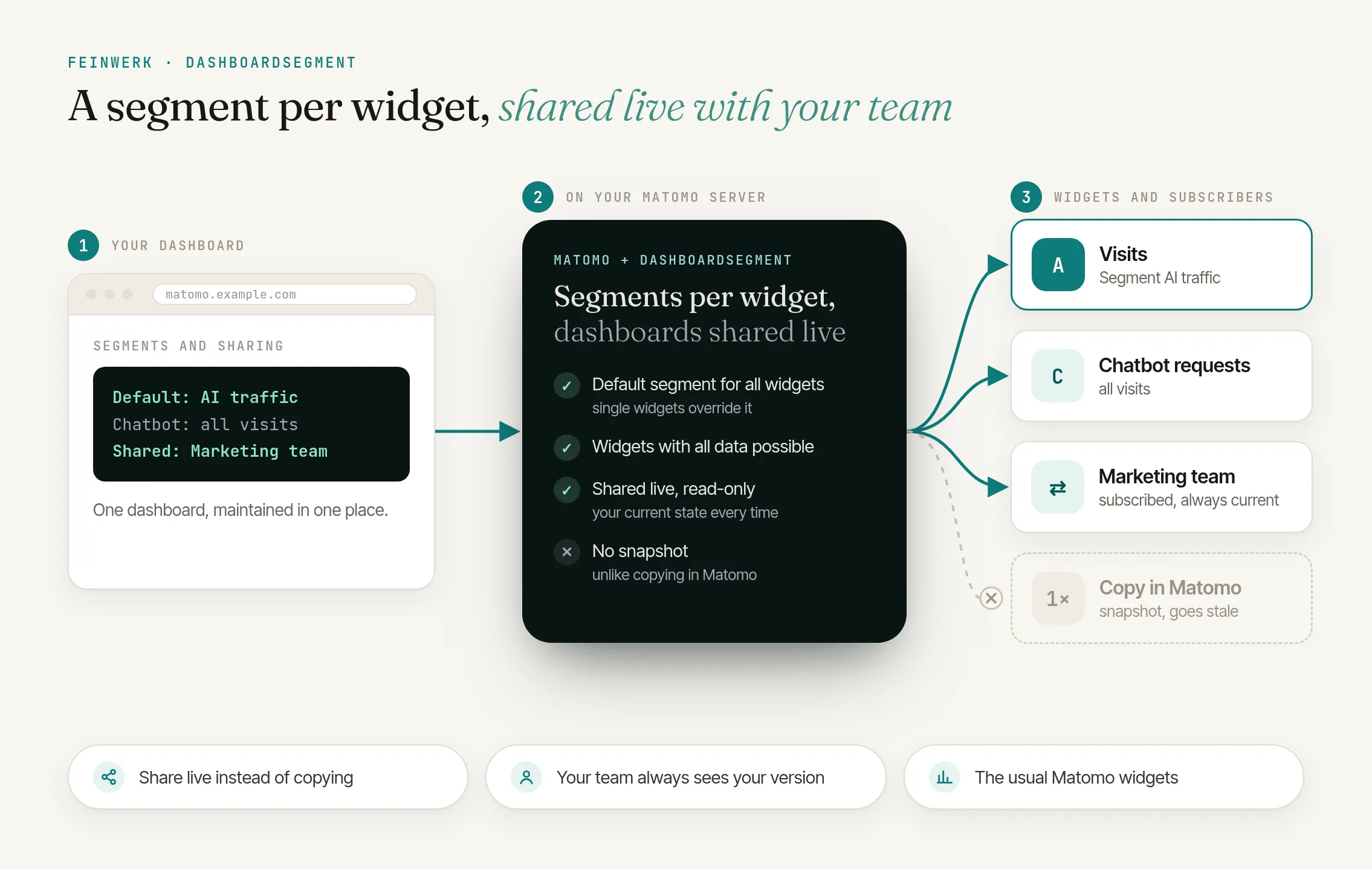
In Matomo, the segment selector at the top applies to all widgets of a dashboard. That suits many questions, but not mixed dashboards: on an AI traffic dashboard, most widgets should show only visits with an AI referrer, while the widgets about your own AI chatbot need all data, because that data has no AI referrer and would be empty in the segment.
Matomo alone
- One segment for all widgets
- Comparing audiences means switching the segment, noting numbers or maintaining a dashboard per segment
- Copy dashboard to user needs admin access and creates a snapshot
With DashboardSegment
- A segment per widget, plus a dashboard default
- Audiences side by side on one page
- Dashboards shared live, read-only and always current
The solution: a segment per widget
DashboardSegment gives every supported widget its own segment picker in the widget header, plus a default segment for the dashboard. Each widget follows that default, uses a specific segment or explicitly shows all data. The widget's choice wins over the default, and the default wins over Matomo's segment selector. A slim bar below the widget header always shows the segment and time range that apply. Matomo's own files stay untouched.
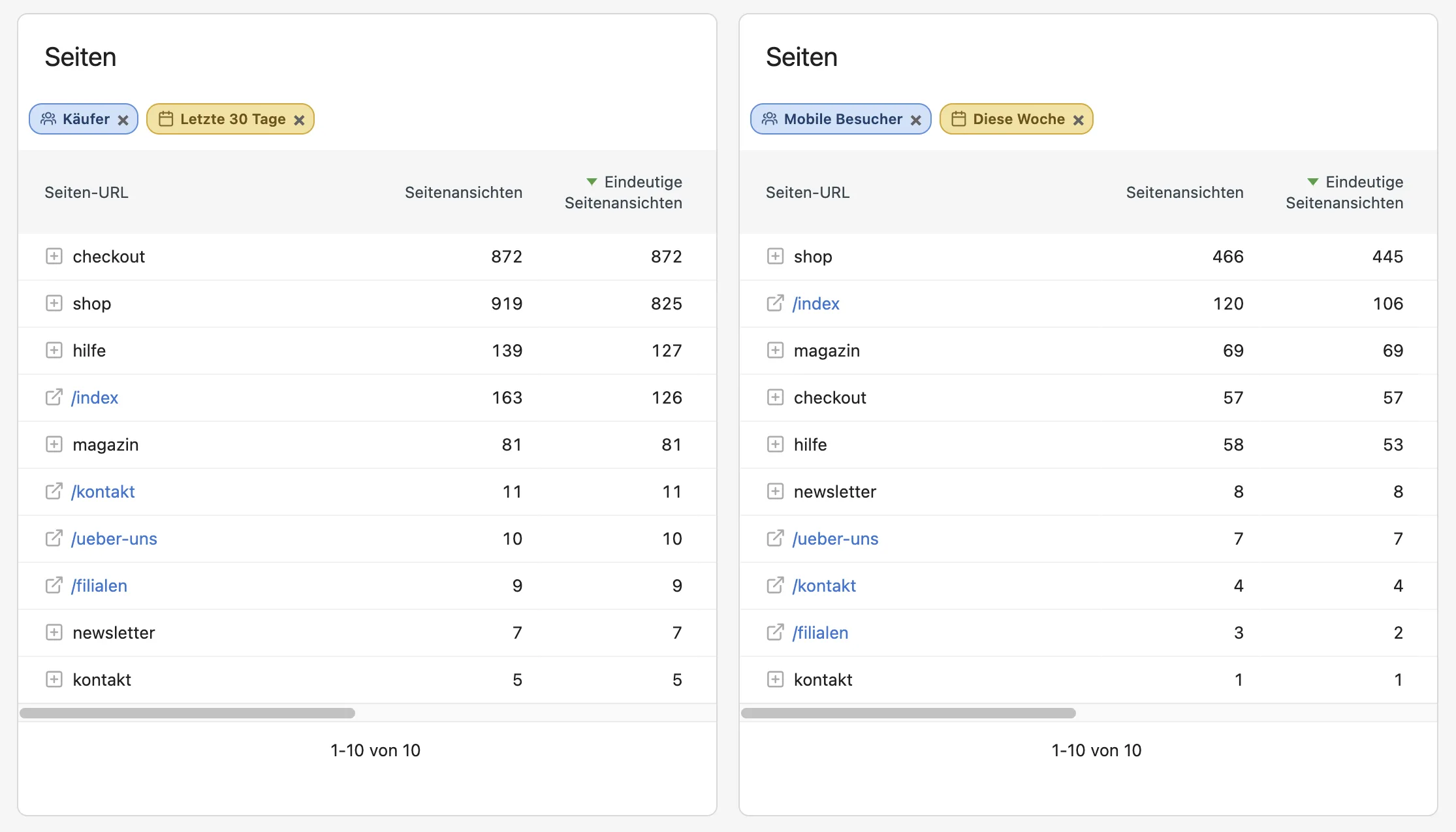
The same widget more than once
A report sits on the dashboard twice, once with the segment "Smartphone" and once with "Desktop".
A time range per widget
One widget shows yesterday, another the last 30 days, and the rest follows the selected period.
Per website
Each website keeps its own choices and offers only the segments available there.
Share dashboards live instead of copying them
Change a widget after Copy dashboard to user and the recipient never sees it, so you copy again. DashboardSegment shares dashboards live instead:
Share
With all users or with selected colleagues.
Subscribe
Colleagues add the dashboard to their dashboard list with one click.
Always current
Each time it opens, the subscription takes over your state: widgets, layout, segments and time ranges.
Read-only
Subscribers see who the dashboard comes from and cannot change its segments and time ranges. It is maintained only by you.
How it works in four steps
- Create segments. Save the segments you need once in Matomo's segment editor, for example for visits with an AI referrer or mobile devices.
- Pick a segment on a widget. Click the segment icon in a widget's header and choose a segment or "No segment (all data)". The widget reloads right away.
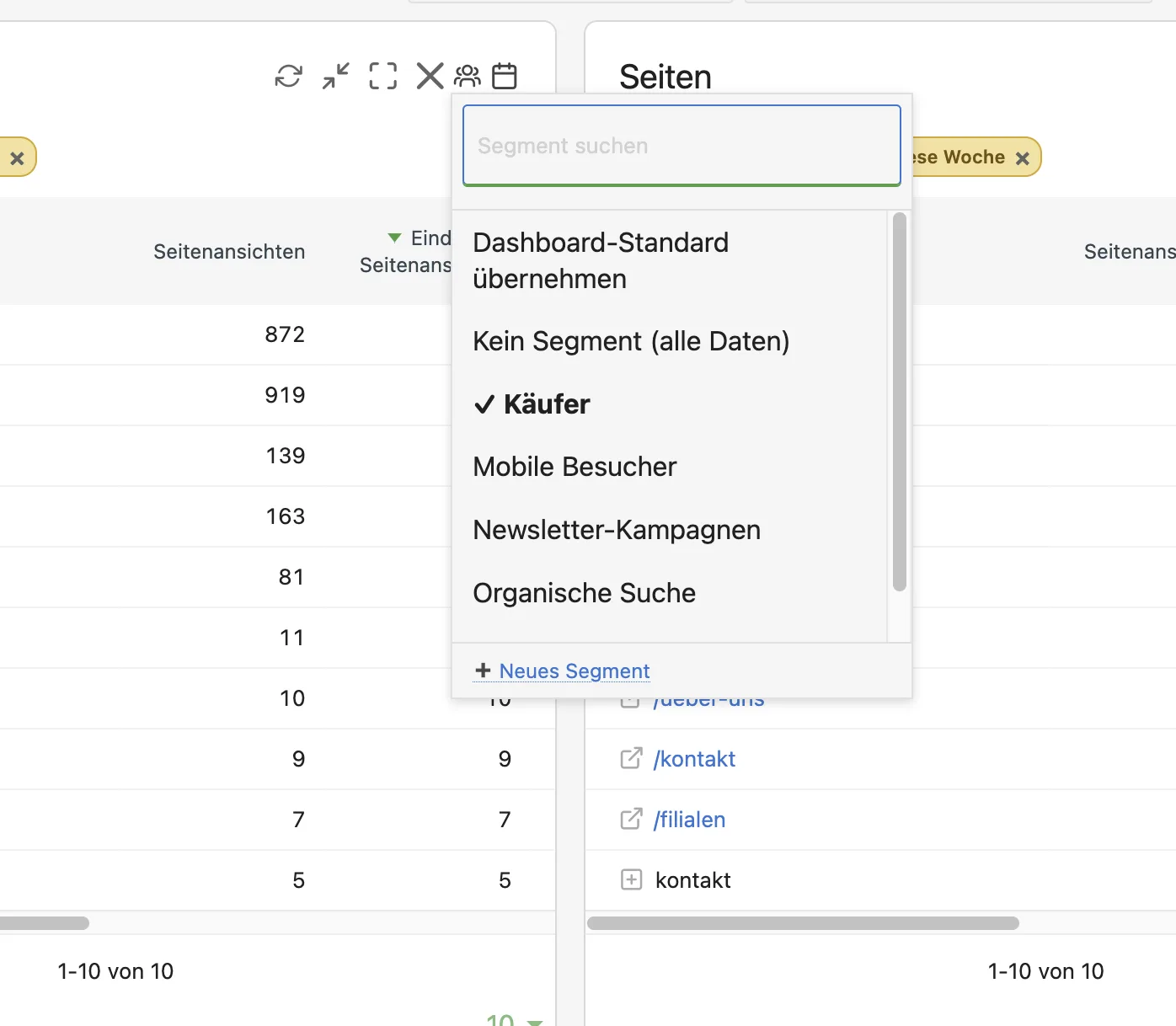
DashboardSegment: choosing a segment per widget, such as buyers - Set the dashboard default. Above the widgets, use "Dashboard default segment" to choose the segment for all other widgets.
- Share live. "Share this dashboard" publishes it, colleagues subscribe under "Import a shared dashboard" and from then on always see your current version.
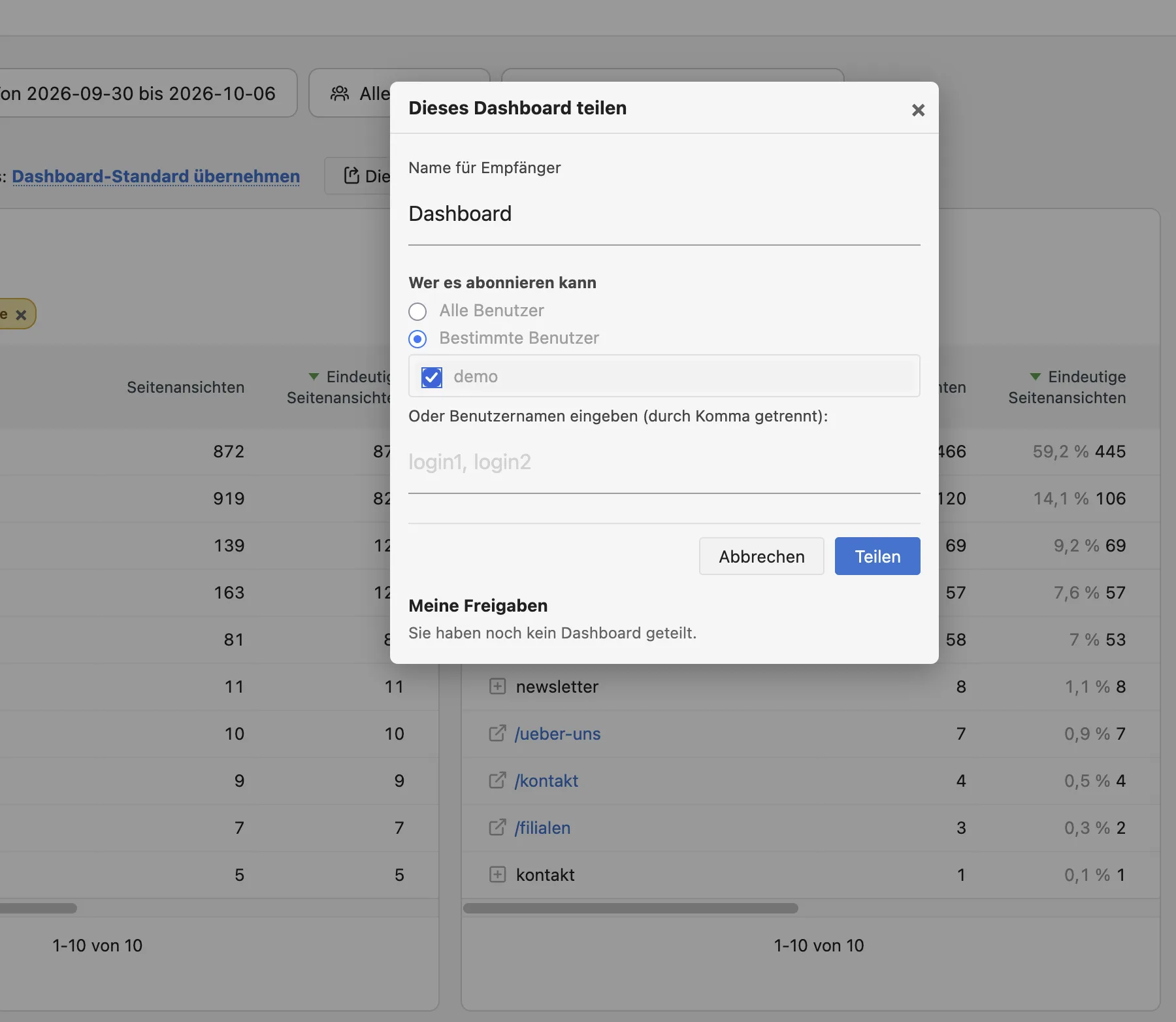
DashboardSegment: sharing a dashboard with selected users
Every step is described in the DashboardSegment documentation.
Who it is for
Marketing teams
that put channels, campaigns or audiences side by side on one dashboard.
Analysts
building mixed dashboards, for example on AI traffic, where not every widget needs the same segment.
Agencies with several websites in one Matomo
that use their own segments per website.
Teams and agencies
that maintain a dashboard in one place and pass it on live to colleagues or client logins.
Frequently asked questions
Does it work with every widget?
With most report widgets, yes. Widgets that load their data themselves in the browser, such as visits in real time, the visitor maps, sparklines and evolution graphs, show no picker and keep following Matomo's segment selector.
Does the plugin change my existing dashboards?
No. As long as you give no widget a segment and set no dashboard default, every dashboard behaves as before.
Do my colleagues see my choices?
No, your choices apply only to your login. To let others see them, share the dashboard with them.
What is the difference from "Copy dashboard to user"?
Matomo's copy is a snapshot and needs admin access. A shared dashboard stays linked to your original: subscribers see it read-only and in your current version every time they open it.
Which segments can I use?
Any saved segment that is available to you in Matomo for the current website. Create new segments as usual in the segment editor, and they appear in the picker.