


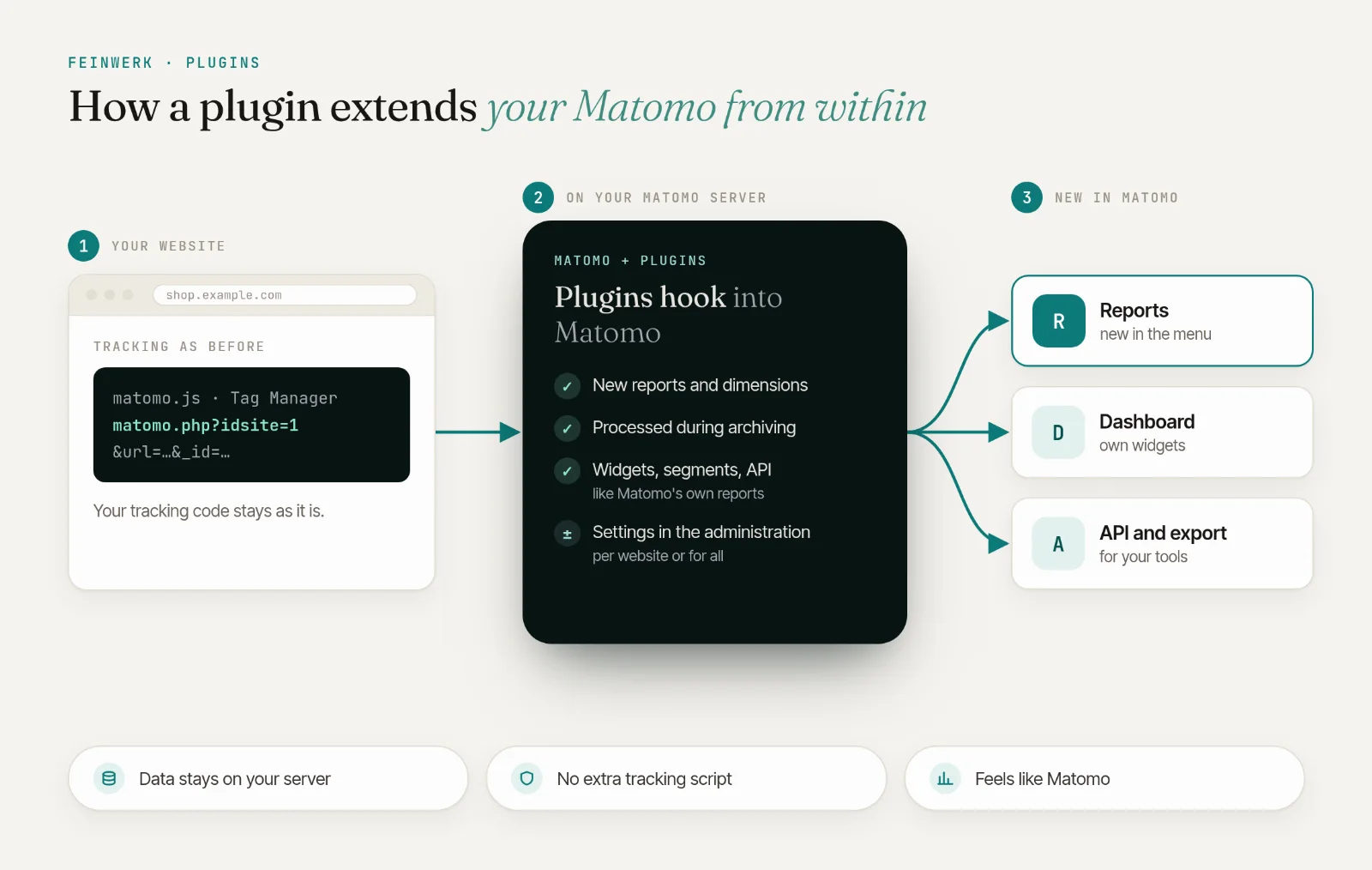
The Feinwerk Connector is now in the Matomo Marketplace. Install it right inside Matomo, no download, no FTP. Read the news · Here is how →
Remove bot traffic and junk visits from Matomo for good.
Pick websites, a date range and a Matomo segment, check the matches, then delete them, even millions of visits at once.
Latest v6.1.0 · Matomo ≥ 6.0.0
Running on 24 Matomo instances
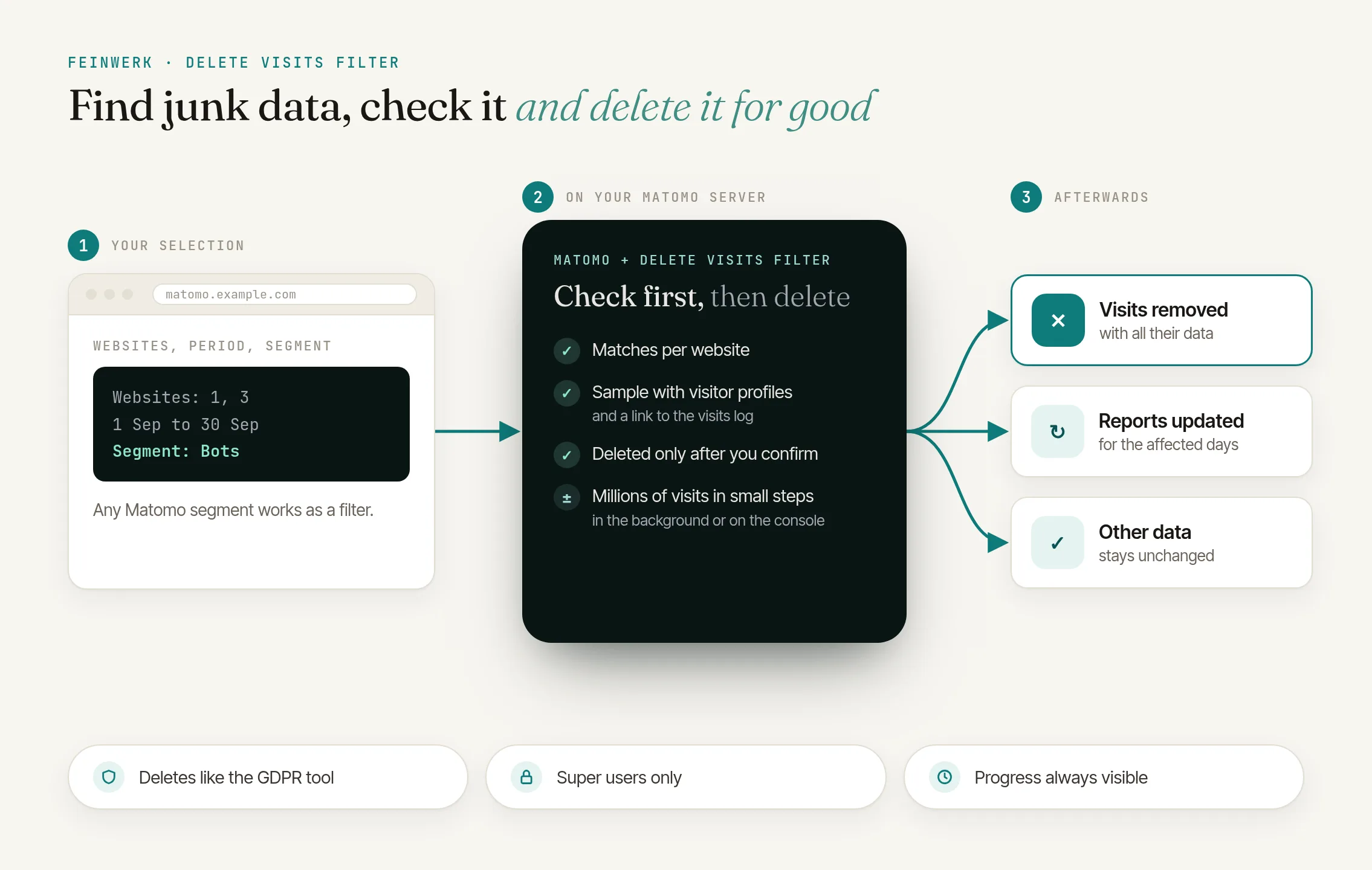
See before you delete
Check matches shows the visits per website, a sample with visitor profiles and a link to the visitor log. Nothing is deleted until you confirm.
Built for large clean-ups
Deletions run as jobs in small steps. Close the page and they continue in the background; very large ones run on the console without a time limit.
Reports stay correct
Visits are removed with all their data, with the same routine as Matomo's GDPR tool, and the affected days are processed again automatically.
Click to enlarge
Remove bot traffic, spam and test data from Matomo after the fact
Remove bot traffic, referrer spam or test data from Matomo after the fact, by segment and across any number of websites, checked first and then deleted.
Read the use case →The GDPR tool is made for individual people: you look up a visitor and delete their data. Delete Visits Filter deletes every visit that matches a segment, across several websites and any date range, in one go, and keeps working in the background.
No. Deleted visits are gone for good. That is why the plugin shows the matches first, asks for confirmation and, from 10,000 visits on, asks you to type the number. Make a database backup before large deletions.
The days that contained deleted visits are marked for re-processing, including roll-ups. The next archiving run rebuilds their reports without the deleted visits.
Only super users. The history shows who started each deletion, and if the Activity Log plugin is installed, every deletion is recorded there too.
Yes. Delete Visits Filter is free and licensed under the GPL.
- 01 Install the Feinwerk Connector from Matomo's Marketplace: under Administration › Platform › Marketplace, search for "Feinwerk", install and activate it. Without the Marketplace: download the ZIP.
- 02 Open Feinwerk Plugins and click "Connect with Feinwerk account". If your browser cannot reach the store, enter your instance token in the connector settings instead.
- 03 Open the Feinwerk Plugins screen, find Delete Visits Filter, and click Install.
Prefer a manual install? Download the ZIP for your Matomo version and install it yourself: Matomo 6 (v6.1.0) · Matomo 5 (v5.1.0) · Documentation for Delete Visits Filter
Missing a feature in Delete Visits Filter? Tell us what you need →
Delete Visits Filter for Matomo
Remove bot traffic, referrer spam and test data from Matomo: choose websites, a date range and a segment, check the matches, then delete them for good.
The problem
Bots that look like real visitors, referrer spam or test traffic that slipped through: once such visits are in Matomo, they distort visits, bounce rate and conversion rates in every report. Matomo's GDPR tool can delete data, but it is made for individual people, not for thousands of visits across several websites and months.
The solution
Delete Visits Filter deletes every visit that matches a Matomo segment, on one website, several or all of them, in any date range. You see what will be deleted before anything happens, and large deletions keep running in the background until they are done.
Features
Choose exactly what goes
- Websites: one website, several (also all whose name contains a text) or all websites
- Date range: presets such as Last 30 days or Last year, or any range from the calendar, counted in each website's time zone
- Segment: a saved segment, Matomo's segment editor or plain text with a syntax hint and a character counter
- Any Matomo segment works, for example IP ranges, referrers, browsers or page URLs
Check before you delete
- Check matches shows the matching visits per website and in total
- A sample of matching visits with time, IP, browser, entry page and referrer, each with a link to the visitor profile
- A link to the visitor log for every website, filtered by segment and date range
- A confirmation that lists websites, date range and segment; from 10,000 visits on you type the number of visits
Built for large clean-ups
- Deletions run as jobs in small steps, so even millions of visits do not run into timeouts
- The progress shows the deleted visits, the current website, the speed and the estimated remaining time
- Reload or close the page: the deletion continues in the background
- Cancel at any time; visits deleted so far stay deleted
- Very large deletions run on the console without a time limit
Clean data, correct reports
- Visits are removed with all their data from Matomo's raw data tables, including those of other plugins, with the same routine as Matomo's GDPR tool
- The affected days are marked for re-processing, including roll-ups, so the next archiving run rebuilds the reports
History
- Every deletion with date, person, websites, segment, status, deleted visits and duration
- Filters by status and by where a deletion was started: admin page, console or API
- Details with the deleted rows per table
- Use as template fills the form with an earlier deletion, Try again continues a failed one
Console and API
./console feinwerkdeletevisitsfilter:delete 1,3 "visitIp>=192.0.2.0;visitIp<=192.0.2.255" 2026-01-01 2026-09-30 --dry-run
./console feinwerkdeletevisitsfilter:work
- Count, delete, list and cancel deletions from the command line or through the HTTP API
Fits into Matomo
- Works in Matomo's light and dark mode
- English and German
Technical details
Requirements
- Matomo 6, or Matomo 5 from 5.1. The connector installs the matching version for you: 6.x for Matomo 6, 5.x for Matomo 5.
- PHP 8.1 or newer
- Super user access
Upgrading from Delete Visits Filter
Up to version 1.x this plugin was called DeleteVisitsFilter. Activate FeinwerkDeleteVisitsFilter, then uninstall DeleteVisitsFilter. Nothing needs to be migrated, and the old console command deletevisitsfilter:delete keeps working.
-
v6.1.0Matomo 6 v5.1.0Matomo 5 Nov 24, 2026
The same for Matomo 6 and Matomo 5
- Deletions survive a short loss of the database connection ("MySQL server has gone away"): the plugin connects again and carries on. If the database stays away longer, the deletion is marked as failed and can be continued from the history; the next deletion then starts at once instead of after up to 10 minutes.
- The preview shows browser and operating system by name and spreads the sample visits over all websites with matches.
- For scripts and AI assistants:
createJobacceptsexpectedVisits(nothing is queued when the number of matches differs) anddryRun=1(only counts) and returns the created job;getJobsrefuses unknown filter values and names the allowed ones; the README shows example calls. - Easier to use: the last button of the confirmation dialog is red like the one on the page, the dialogs before deleting, stopping and continuing a deletion put the focus on the safe choice in every supported Matomo version, the selects line up, and an empty filtered history offers "Show all". The tabs work with the arrow keys, and screen readers get better labels.
- A deletion that makes no progress for two minutes says since when and that it continues by itself. The history keeps the outcome and the actions in view and shows each deletion as one block on narrow screens.
- The Feinwerk Connector tip leads super users to the one-click installer under Administration, Feinwerk Plugins; the installer shows its progress after the click.
-
v6.0.0Matomo 6 v5.0.5Matomo 5 Nov 23, 2026
In both versions
- Super users can now install and activate the free Feinwerk Connector with one click under Administration, Feinwerk Plugins, while it is not active. As with every plugin install, Matomo asks for your password;
connector_installer = 0hides the entry. - The plugin is now also available in French, Spanish and Italian.
- Super users see the Feinwerk Connector in the tip below the admin page only where Matomo can install it from its Marketplace, and the link then opens in the same tab.
Only in v6.0.0 (Matomo 6)
- First stable version for Matomo 6.
- Super users can now install and activate the free Feinwerk Connector with one click under Administration, Feinwerk Plugins, while it is not active. As with every plugin install, Matomo asks for your password;
-
v5.0.4 Nov 17, 2026
- The tip below the admin page now also recommends the Feinwerk Connector from the Matomo Marketplace while it is not installed and your Matomo can install plugins from its Marketplace. The link goes straight to the connector's page in your own Matomo Marketplace. Inside Matomo for WordPress this recommendation does not appear.
- The tip starts with the Feinwerk Plugins logo; on narrow screens only its round mark shows.
- The control that hides the tip always stays right after its link, also when other Feinwerk plugins are installed.
-
v5.0.3 Nov 15, 2026
- The feedback question and the tip below the admin page are quieter and always take a single line; the support link has a help icon.
- The Feinwerk tip on the start page of the administration now appears at the top of the page. Like the tips on matching reports, it shows the Feinwerk Plugins logo.
- API errors for scripts and integrations come with a fitting HTTP status: 400 for invalid input, 404 for an unknown deletion.
- "1 website added." instead of "1 websites added." when a name filter adds a single website.
-
v5.0.2 Nov 11, 2026
- The history shows date and time in the same form as the date ranges, and website names no longer wrap after every word.
- The total of the matching visits lines up with the counts above it.
- The confirmation field has room next to its label, and long names of saved segments no longer cover the arrow of the list.
v5.0.1
- The feedback question and tips now take a single compact line.
v5.0.0
- New version numbers that follow Matomo: version 5.x is for Matomo 5.
- Below the plugin's admin page you can tell us whether deleting visits works as expected. "Support" opens the Feinwerk contact form. You can switch the question off with feedback = 0 in config.ini.php.
- Short tips on other Feinwerk offers, for administrators only: one line under the admin page, one notice on the start page of Matomo's administration and one box at the end of the Campaigns, Ecommerce overview and Goals overview reports. Each tip can be hidden for 30 days; promotions = 0 switches them all off.
- The plugin's settings in General settings are now headed "Feinwerk Delete Visits Filter".
-
v2.2.3 Oct 15, 2026
- The admin page is polished: the history fits the page width, and wide tables scroll inside their box.
- The custom date range shows both calendars side by side.
- Labels and empty values are more consistent, and date ranges in the console and the Activity Log are easier to read.
-
v2.2.2 Oct 13, 2026
-
v2.2.1 Oct 6, 2026
-
v2.0.0 Sep 25, 2026
-
v1.0.0 Jul 27, 2026