Why Search Console data is missing in Matomo
Matomo shows visits and conversions from Google and Bing, but rarely the search terms behind them or which ones bring revenue: Google stopped passing search terms to web analytics years ago. The answers live in Google Search Console and Bing Webmaster Tools.
Matomo alone
- Search Engines & Keywords mostly shows Keyword not defined
- Search data at Google and Bing, needing access per property: switching tools or exports
- Search Console keeps 16 months, Bing about six; longer comparisons need your own backups
With SearchReport
- Keywords and estimated conversions per search term in Matomo
- Search data next to visits, for everyone who may view the site in Matomo
- Imported data stays with no time limit
How SearchReport brings the data into Matomo
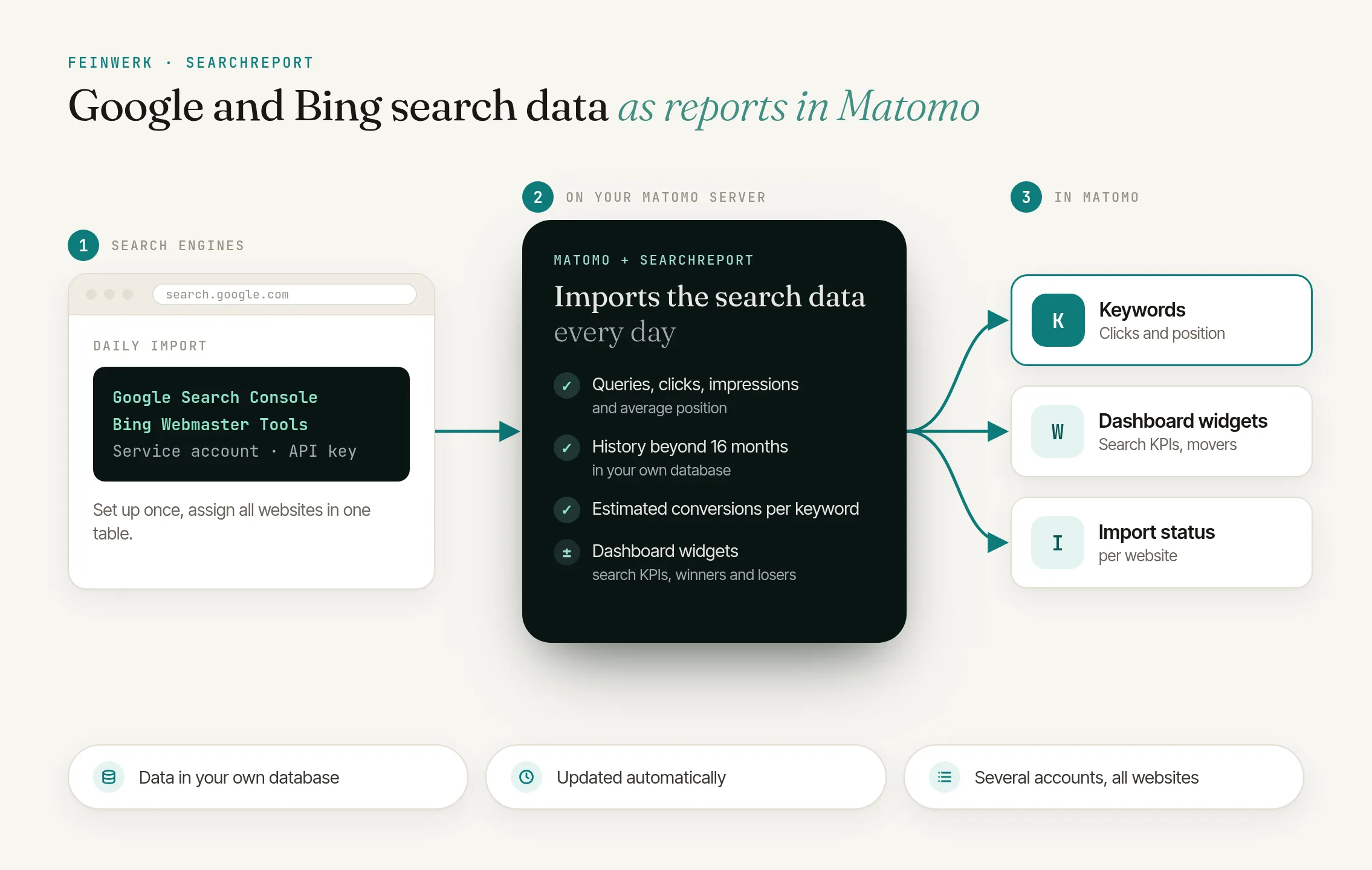
Through the official Google and Bing interfaces, SearchReport fetches impressions, clicks, click-through rate and position and shows them as Matomo reports under its own Search Engines menu. From Google: keywords, pages, countries, devices, search types (web, images, videos, news, Discover, Google News), search appearance, keywords ⇄ pages in both directions, sitemaps and optionally the URL index status of your most important pages. From Bing: keywords, pages, keywords ⇄ pages for the 50 most clicked pages, crawl statistics and sitemaps.
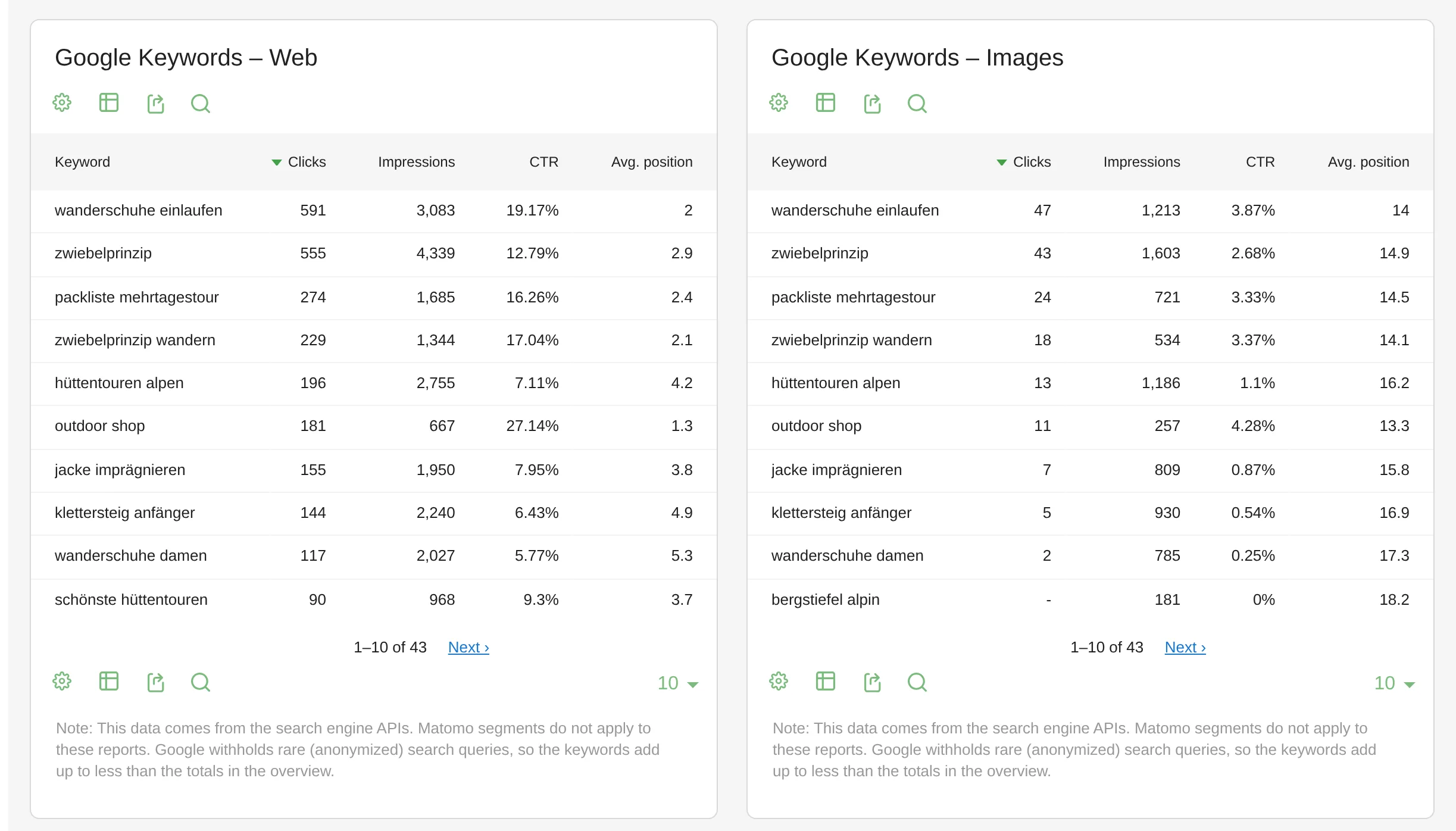
The overview has key-figure tiles for Google and Bing, an evolution graph, ranking distribution and the biggest keyword movers, also as dashboard widgets. Row evolution, flat view, export and period comparison work as in any Matomo report. SearchReport only reads from Google and Bing and changes nothing there.
Keyword conversions
Matomo's conversions and revenue from Google and Bing visits, estimated per search term by its share of clicks on each entry page.
Also in Matomo's own report
Acquisition → Search Engines & Keywords also shows the keywords from Google web search and Bing.
History that stays
SearchReport loads the last 16 months from Google automatically; imported data then stays in your Matomo database with no time limit.
How it works
- Install the plugin. Easiest via the Feinwerk connector; all options in Installing plugins.
- Create access. A Google Cloud service account with a JSON key, added as a Search Console user (the Restricted permission is enough), plus a Bing Webmaster Tools API key.
- Connect in Matomo. Under Administration → Websites → Search engine access, paste your access data and assign all websites at once in one table. If exactly one property matches the domain, it is preselected.
- The import runs on its own. Hourly, each data area refreshed once a day; the history loads in the background in stages.
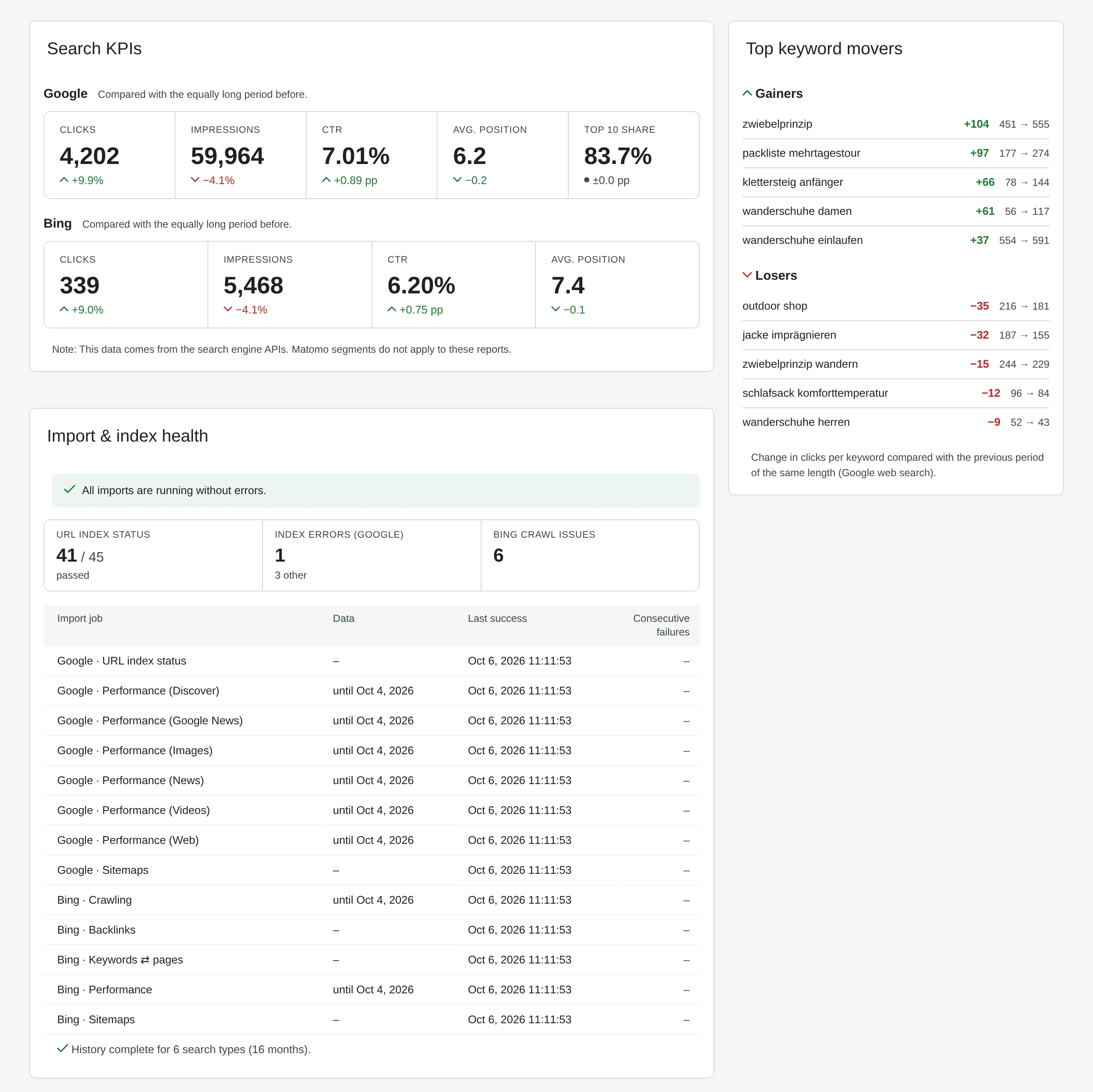
SearchReport: dashboard widgets with search KPIs and keyword movements - Analyse under Search Engines in Matomo.
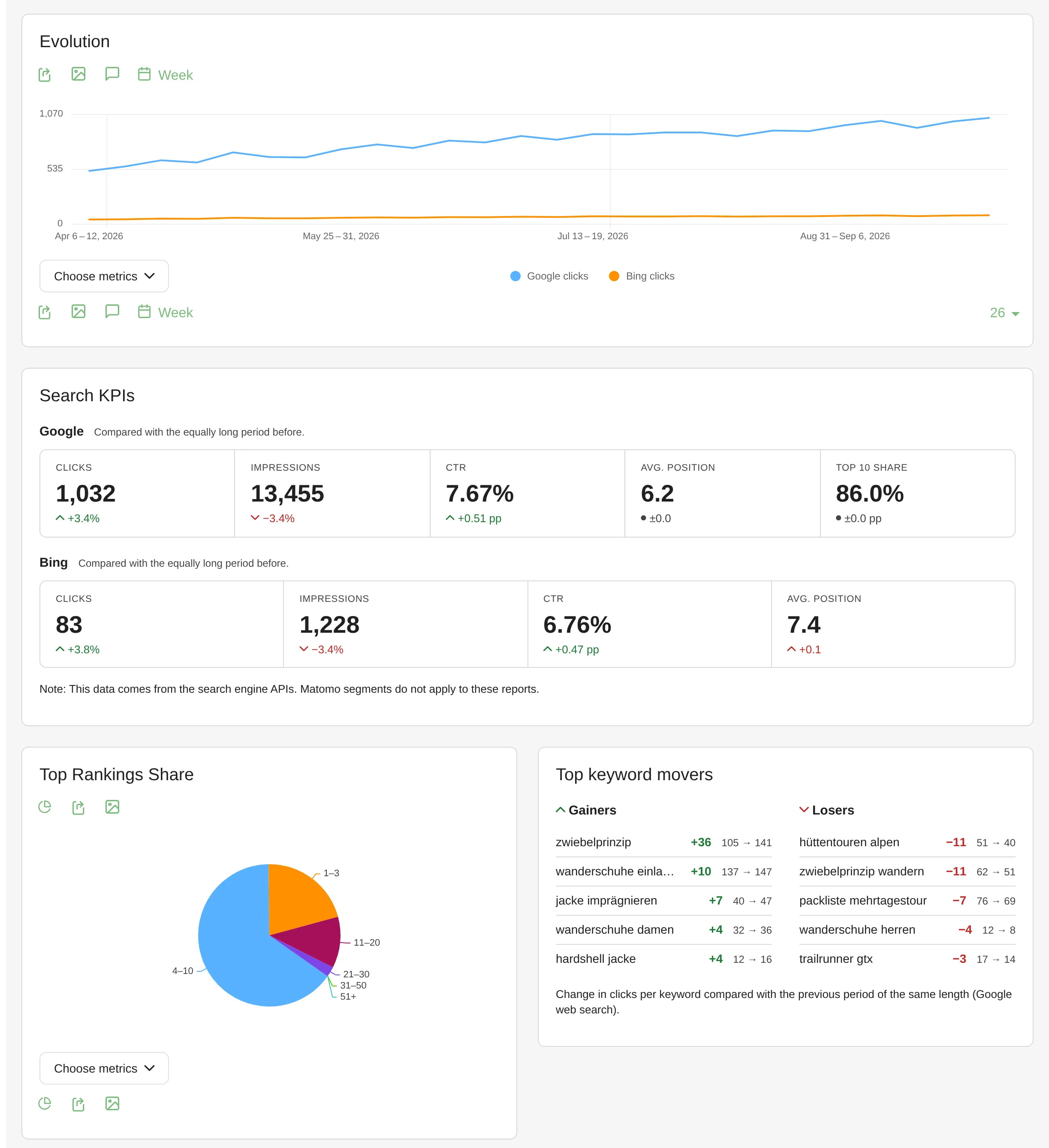
SearchReport: organic search overview with clicks, impressions and position
The documentation walks through every step and setting.
Who is SearchReport for?
SEO and marketing teams
that analyse search data, visits and conversions in one tool.
Shops and websites with goals
that want to know which search terms bring orders and leads.
Agencies and owners of several websites
that store any number of encrypted service accounts and API keys, for example per client; the plugin finds the access that can read each property.
Colleagues, clients and management
who should see search data without Search Console access of their own: anyone who may view a website in Matomo also sees its search engine reports.
Frequently asked questions
Do I need both Google and Bing?
No. You can connect just one of the two sources. Menu pages only appear for connected sources.
How current is the Search Console data in Matomo?
Google delivers its data with a delay of about two days, and Bing provides keyword and page figures as weekly totals. SearchReport refreshes each data area once a day.
How accurate are the keyword conversions?
They are an estimate: if an entry page has 10 conversions from Google visits and 60% of its Google clicks came from one keyword, that keyword gets 6. Anonymised queries and pages without clicks go into the Not attributable row. The reports appear for websites with goals or ecommerce.
What happens to data older than 16 months?
It stays in Matomo, even after Search Console no longer shows it. Imported data is only deleted when you uninstall the plugin; to pause, deactivating is enough.