


Unwanted visits stay in Matomo
A bot network from a data centre, referrer spam or a test system that tracked with the real website ID: visits like these distort visitor numbers, bounce rates and conversion rates. An exclusion in Matomo only works from now on; whatever has been recorded stays in the reports. Matomo itself deletes raw data only by age or entirely for a date range, and its GDPR tools are built for requests from individual people.
Matomo alone
- Exclusions only apply to new visits
- Raw data can be deleted by age or entirely for a date range
- GDPR tools for individual people, not for big clean-ups
With DeleteVisitsFilter
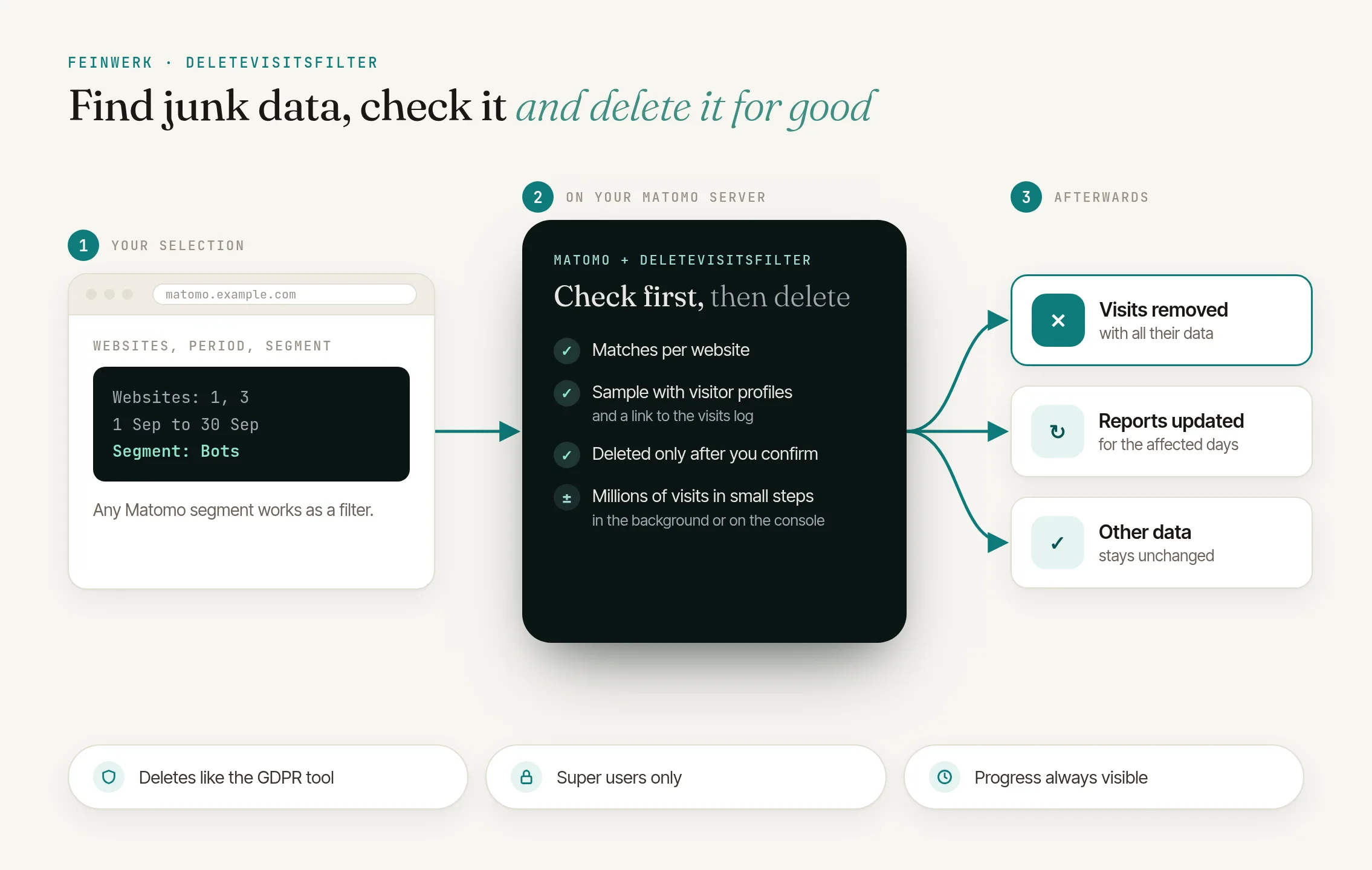
- Targeted by Matomo segment, for one, several or all websites
- Check the matches first, then delete, even millions of visits
- Affected days are processed again automatically
The solution: find by segment, check, delete
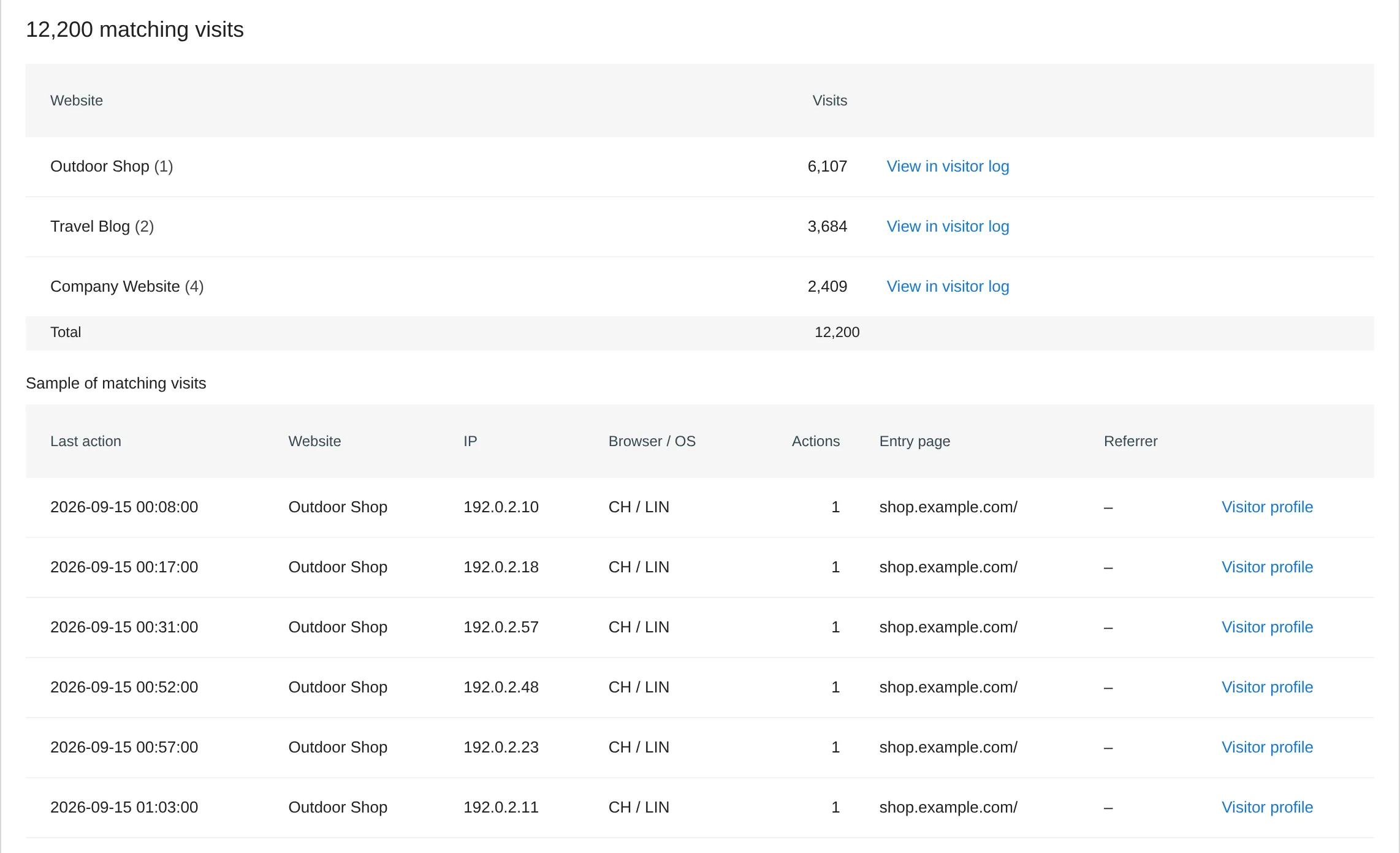
DeleteVisitsFilter adds the page Administration → Diagnostics → Delete Visits to Matomo. You choose websites, a date range and a Matomo segment, such as an IP range or a spam domain as referrer. Check matches shows how many visits per website are affected, with a sample whose visits you can open one by one in the visitor profile. Nothing is deleted until you confirm, and then it happens in small steps in the background. The plugin marks the affected days for reprocessing so your reports add up again.
Bot networks
Visits from a data centre's IP range, across all websites in one go.
Referrer spam
Unknown domains as referrers whose visits opened just one page.
Your own visits
Visits from the office network from before you excluded it in Matomo.
Test data
Visits from a staging system that tracked with the real website ID.
How it works in four steps
- Choose websites and date range. One, several or all websites, plus a range such as "Last 30 days" or "Entire period".
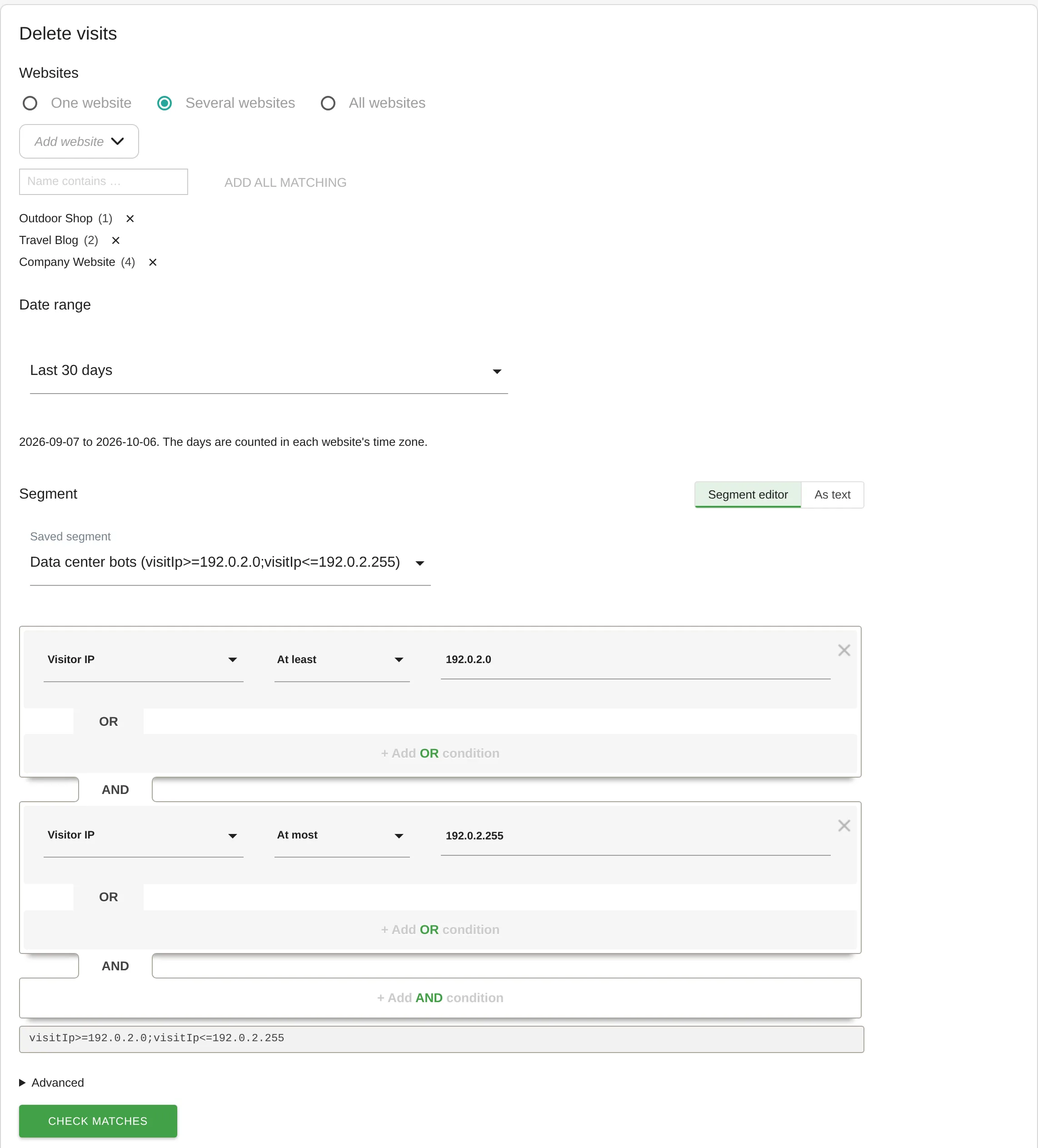
DeleteVisitsFilter: form with filter and date range - Set the segment. A saved segment, one from the segment editor or the definition as text, such as
visitIp>=192.0.2.0;visitIp<=192.0.2.255for an IP range.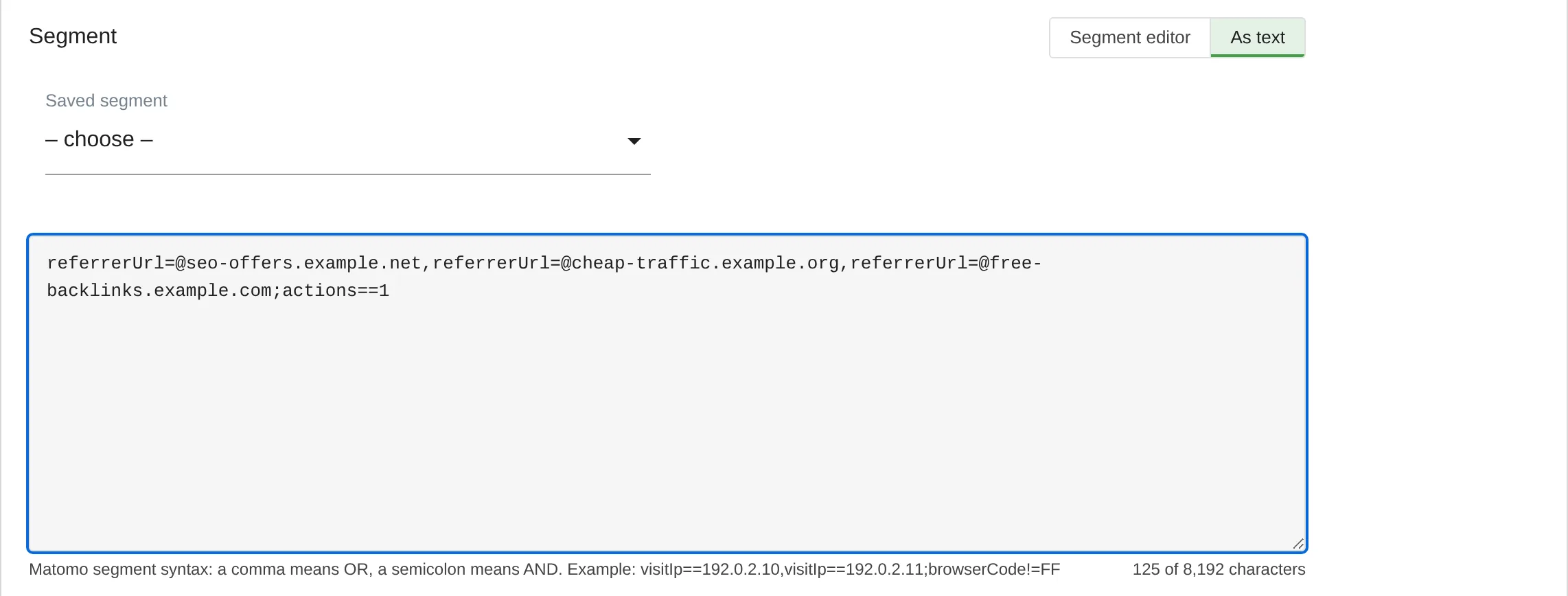
DeleteVisitsFilter: filter as segment text - Check the matches and confirm. You see the visits per website and a sample; nothing has been deleted yet. The confirmation lists websites, date range and segment, and from 10,000 visits on you type the number to confirm.
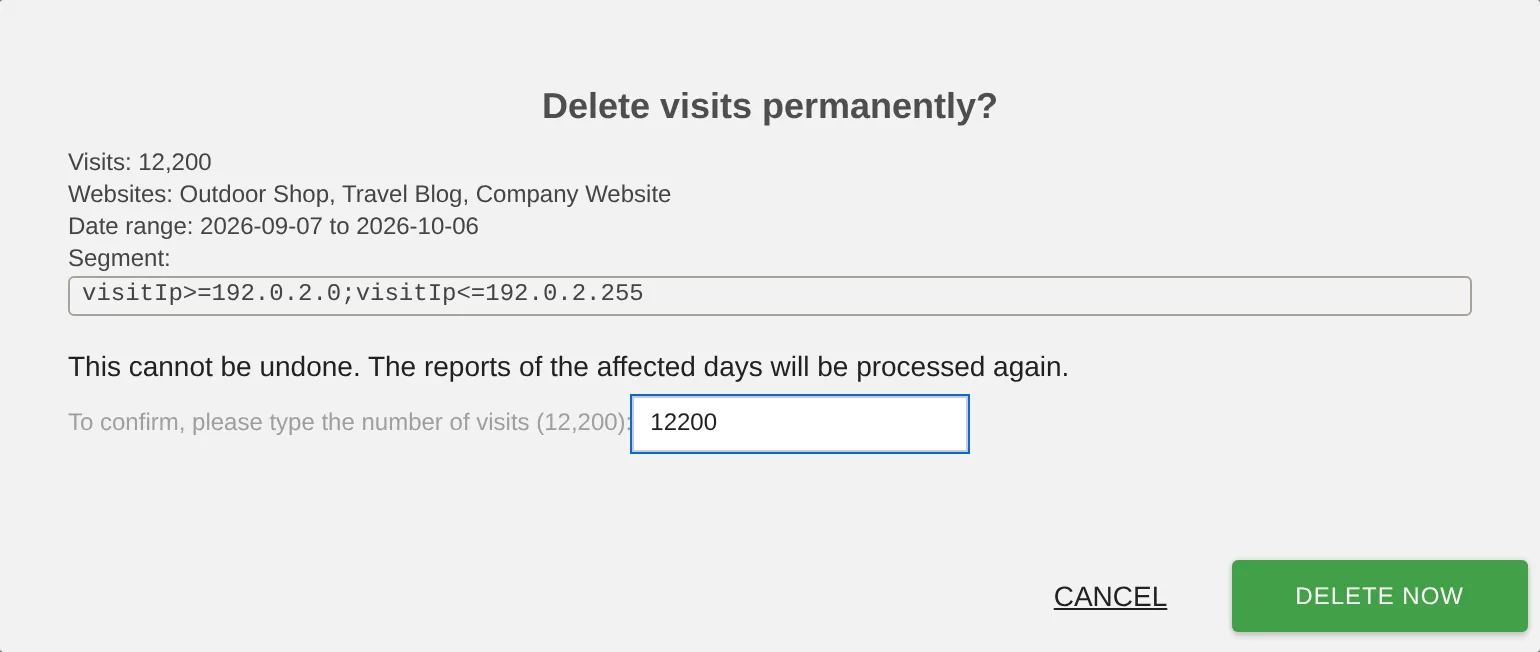
DeleteVisitsFilter: confirmation before deleting - Let it delete in the background. The deletion carries on even if you close the page. The history records every deletion with count, duration and who started it.
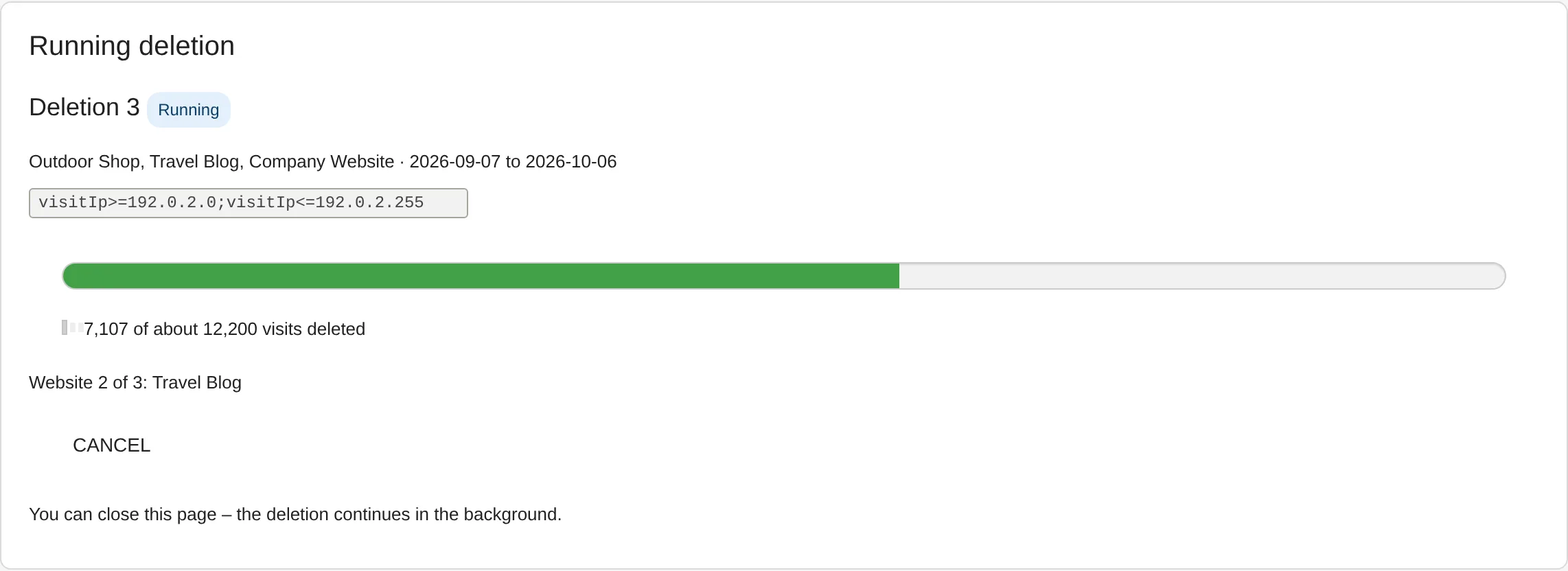
DeleteVisitsFilter: progress of a deletion job
Every step, the settings and the console commands are described in the DeleteVisitsFilter documentation.
Together with TrackingSpamScore
TrackingSpamScore detects spam networks and blocks them at tracking time, but only for new visits. With DeleteVisitsFilter installed, TrackingSpamScore's network card counts the visits a network has already left and deletes them after you confirm. On the Delete Visits page you can also use TrackingSpamScore's segments, such as spamScore>=90. More in the use case Detect bot traffic in Matomo.
Who it is for
Matomo administrators
cleaning up the numbers after a wave of bots or spam.
Agencies
with many websites in one Matomo that need the same clean-up across all of them.
Teams after a tracking mistake
such as a test system that tracked into the real website.
Frequently asked questions
Can deleted visits be restored?
No, deleted visits are gone. That is why the plugin always shows the matches first and asks you to confirm. Make a database backup before large deletions.
Does the plugin delete only the matching page views?
No, always the whole visit with all its page views, events and conversions, even if the segment only concerns one page. The visits are removed from all of Matomo's raw data tables, with the same routine as the GDPR tool.
Will my reports be right afterwards?
Yes. The plugin marks the days with deleted visits for reprocessing, roll-up websites included. The next archiving run calculates the reports without the deleted visits.
Who can delete?
Super users only. The history shows who started which deletion.
Can the plugin handle very large deletions?
Yes. It deletes in small steps in the background, even millions of visits. Very large deletions can also run without a time limit on the console.
What does DeleteVisitsFilter cost?
Nothing, the plugin is free.