


In Matomo, every dashboard belongs to one user
Each Matomo user has dashboards of their own. If you have built a dashboard your colleagues should see as well, they have to rebuild it. Matomo's Copy dashboard to user only goes halfway: a user with admin access pushes a one-off copy to a colleague. Change a widget afterwards, and that colleague never finds out.
Matomo alone
- Every dashboard belongs to one user
- Copy dashboard to user for admins only
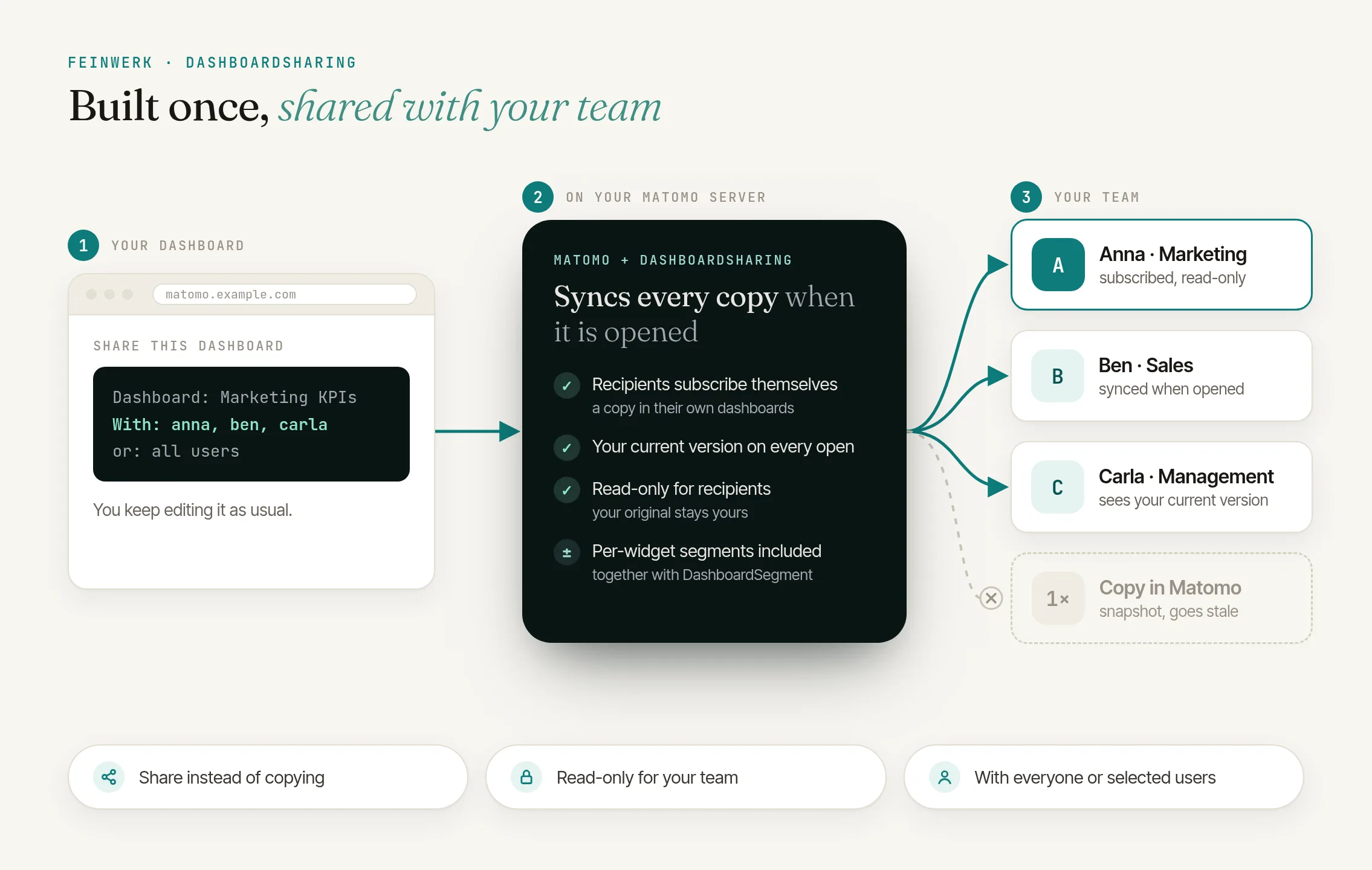
- The copy goes stale with the next change
With DashboardSharing
- Every signed-in user shares their own dashboards
- Share with everyone or with specific logins
- Subscribers see your current version every time they open it
The solution: share and subscribe
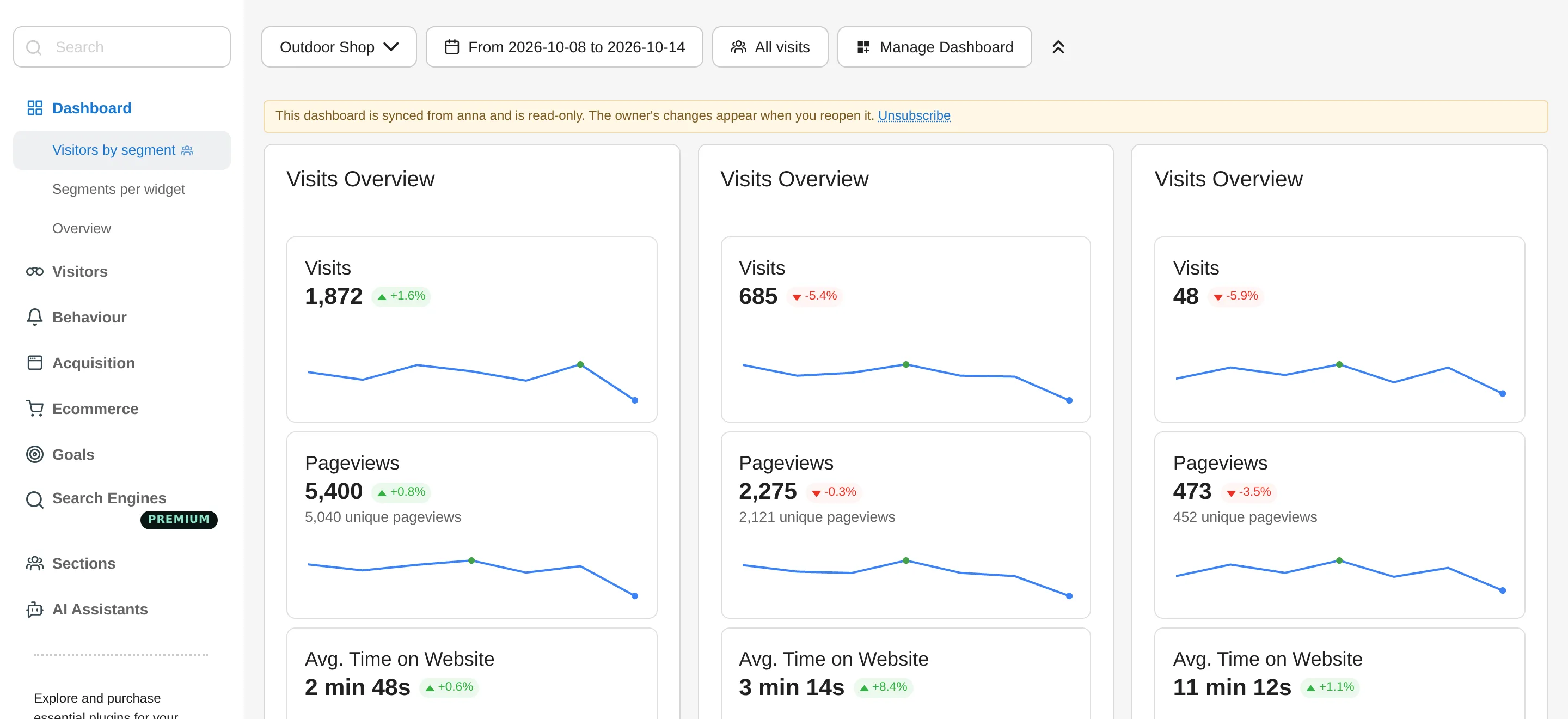
DashboardSharing adds Share this dashboard to the dashboard. Your colleagues subscribe under Import a shared dashboard and get a read-only copy of their own. Every time they open it, the copy is synchronised with your original, and a notice above the widgets shows who it comes from. Matomo's own files stay untouched.
For everyone or selected colleagues
Share a dashboard with all users or only with specific logins.
Always your current version
Every time it opens, the copy takes over your widgets and their layout.
Read-only
Subscribers cannot change the copy. Only your original is maintained.
With segments per widget
If DashboardSegment is installed as well, the segments and time ranges per widget come along.
How it works in three steps
- Share the dashboard. Open the dashboard, click "Share this dashboard" above the widgets, give it a name for recipients and choose "All users" or "Specific users".
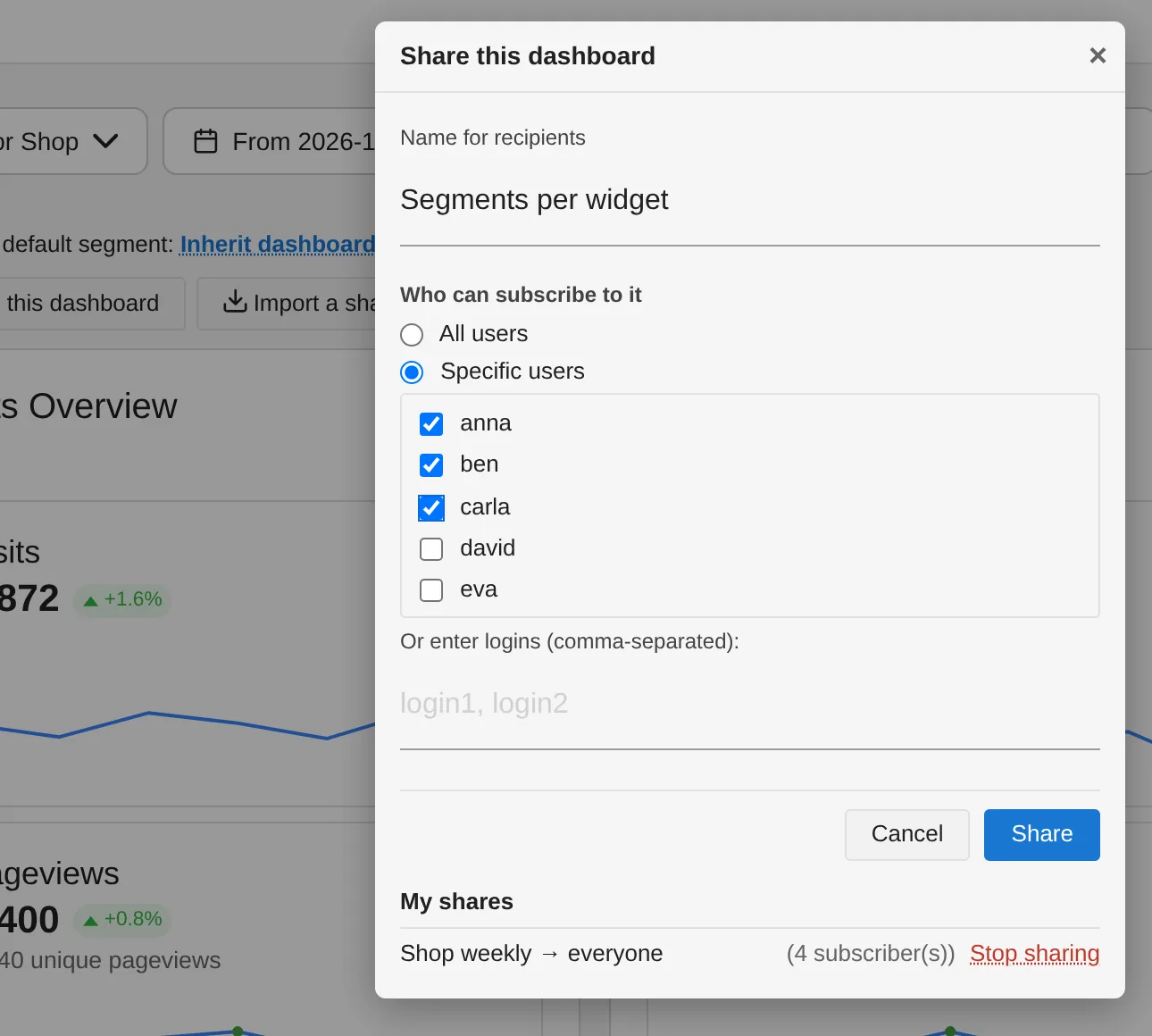
DashboardSharing: share a dashboard with all users or selected colleagues - Let colleagues subscribe. They click "Import a shared dashboard" above the widgets of one of their dashboards, pick your dashboard and click "Subscribe". It appears in their list of dashboards.
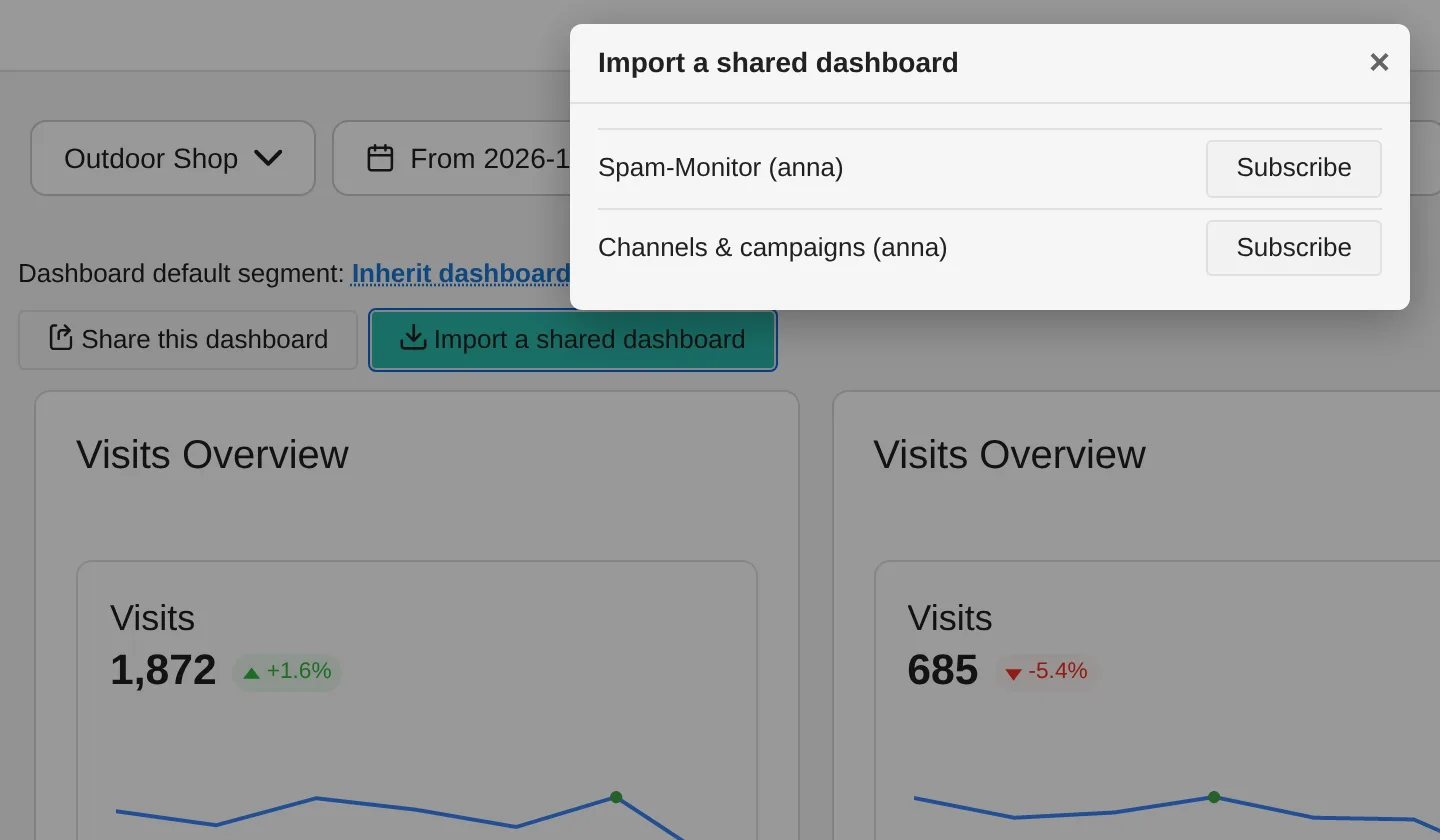
DashboardSharing: subscribing to a shared dashboard - Keep working on it. You change your dashboard as usual. Your colleagues see the new version the next time they open it.
Every step is described in the DashboardSharing documentation.
Who it is for
Teams with a shared view
of campaigns, shop or content, maintained by one person.
Agencies
that give clients a dashboard in Matomo and keep it current in one place.
Matomo owners
who offer new colleagues a ready-made starter dashboard to subscribe to.
Frequently asked questions
Who can share dashboards?
Every signed-in user can share their own dashboards, with all users or with specific logins. Only admins see the list of users to tick; everyone else enters the logins, separated by commas.
Do subscribers see my changes straight away?
The next time they open the dashboard. The copy is synchronised whenever a subscriber opens it, not while it is already open.
Can subscribers change the dashboard?
No, their copy is read-only. "Unsubscribe", next to the notice above the widgets, removes the dashboard from their list again.
Do subscribers see my data?
No. What is shared is the layout of the dashboard, meaning widgets and their arrangement, with DashboardSegment also each widget's segment and time range. Every subscriber sees the numbers with their own permissions, only for the websites they can access in Matomo.
What happens when I stop sharing?
Subscribers keep the last version they received, but it is no longer synchronised; the copy becomes an ordinary dashboard of their own. New subscriptions are no longer possible. If you delete the original, subscribers keep the last version as well.
How is this different from "Copy dashboard to user"?
With Matomo's copy, a user with admin access pushes a one-off snapshot to a colleague. With DashboardSharing, your colleagues subscribe themselves and stay connected to your original, and every user can share.
Do I need DashboardSegment for this?
No, DashboardSharing works on its own. If DashboardSegment is installed, subscribers also get the segments and time ranges per widget.