


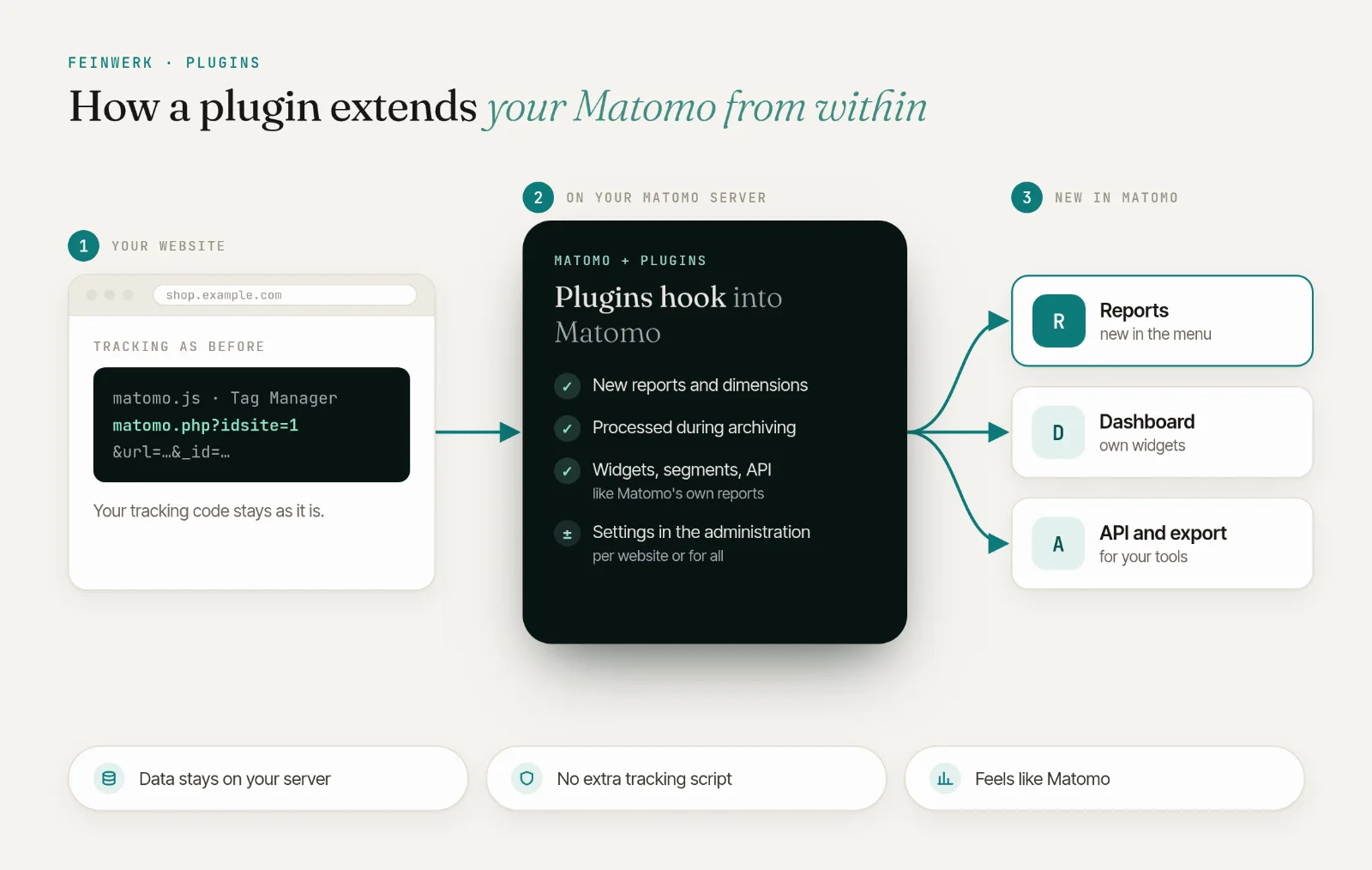
Two gaps between Matomo and Google Ads
With auto-tagging, Google Ads adds a click ID, the gclid, to every ad click, but no UTM parameters. Matomo removes the gclid from the tracked URLs and attributes the visit to the search engine Google, in other words to organic search. Your paid visits disappear among the unpaid ones.
The second gap is on the other side: Google Ads learns nothing about the goals and orders Matomo counts. Its bidding strategies only learn from what a Google tag on the website reports, and that is often missing because of ad blockers or declined consent.
Matomo alone
- Google Ads clicks without UTM parameters appear as organic Google search
- With UTM parameters, every campaign lands in the same channel type Campaigns, whether search ad, newsletter or social ad
- Google Ads sees no Matomo conversions
With ChannelGrouping and Conversions API
- Clicks with a
gclidland in Paid Search, even without UTM - Paid Search with visits, conversions and revenue next to your other channels
- Goals and orders go to Google Ads server-side, only with consent
Part 1: recognise Google Ads clicks in Matomo
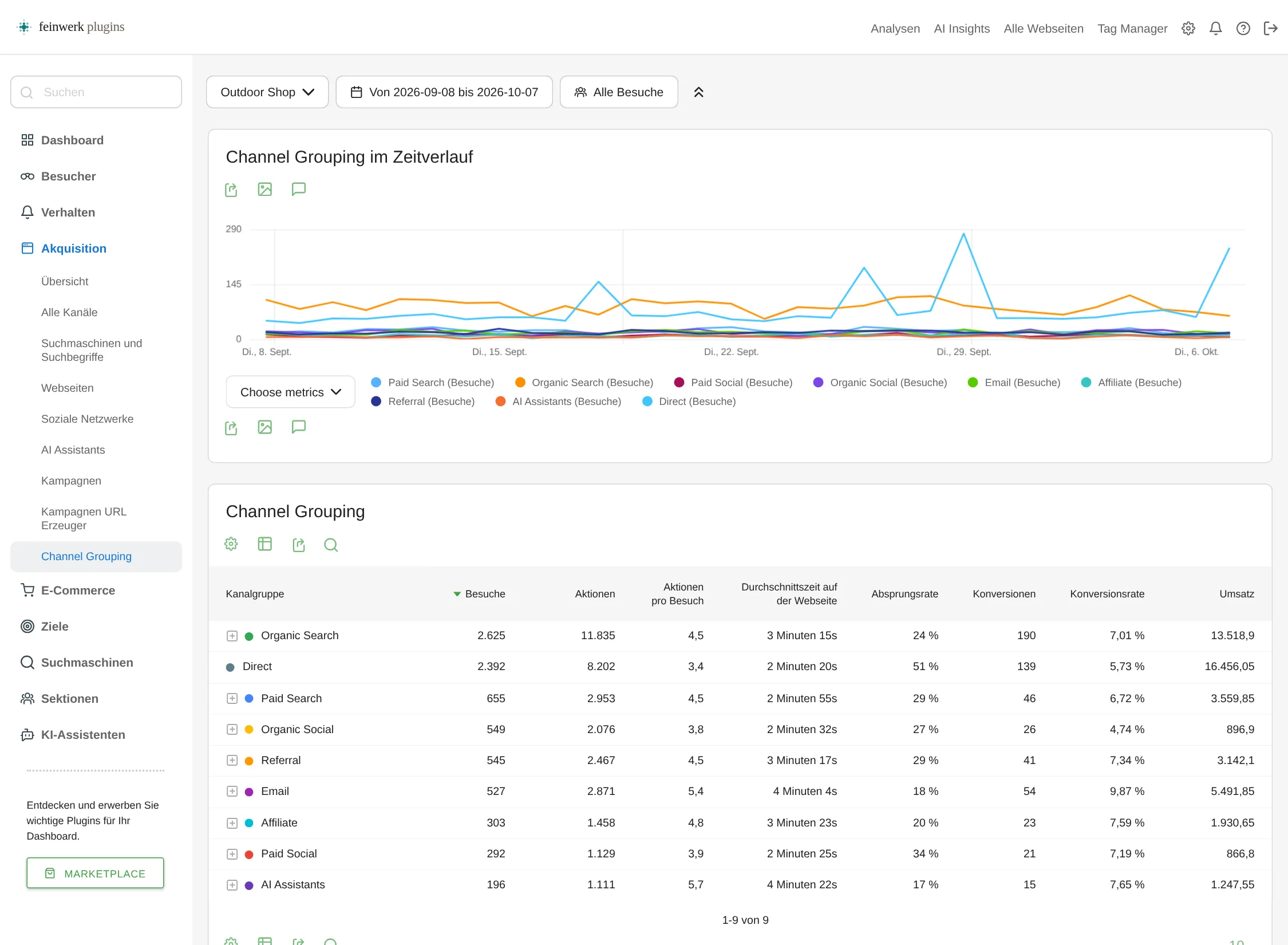
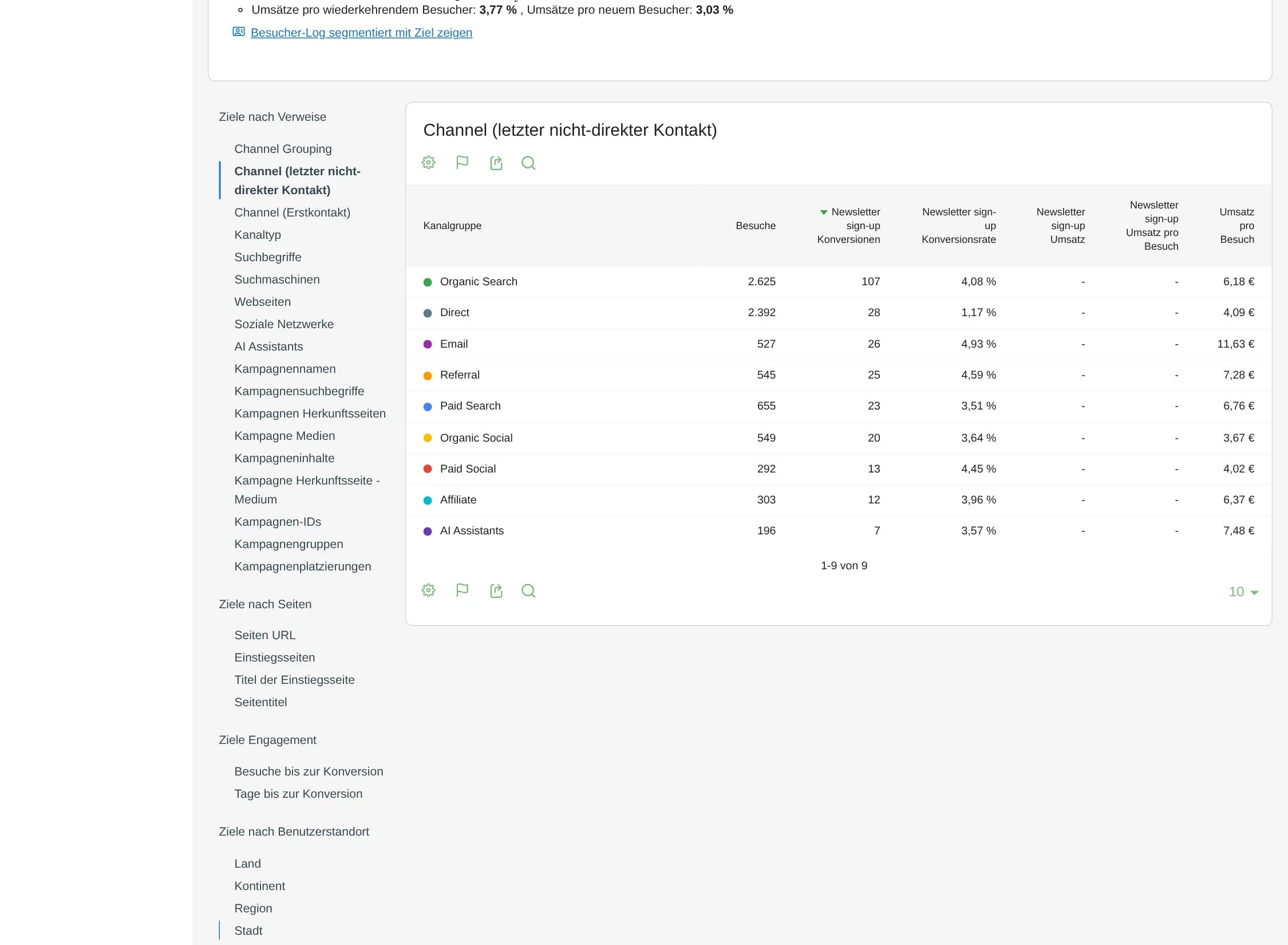
ChannelGrouping recognises ad clicks by the click ID in the landing page URL, even without UTM parameters. In the default grouping, modelled on Google Analytics 4, a click with a gclid lands in Paid Search instead of Organic Search. Only the type of click ID is stored, never its value. The report shows visits, conversions and revenue per channel, so Paid Search sits right next to Organic Search, email or social.
Part 2: report conversions to Google Ads
The Conversions API sends your Matomo goals and e-commerce orders to a conversion action in Google Ads through Google's Data Manager API. The plugin matches clicks with a gclid, gbraid or wbraid to later conversions, also across visits and after a login.
No Google tag
The conversions come from your Matomo server. Ad blockers in the browser do not swallow them.
Only with consent
The plugin reads the decision from your consent banner, for example through Google Consent Mode or Matomo Tag Manager, and only sends what the visitor agreed to.
Traceable
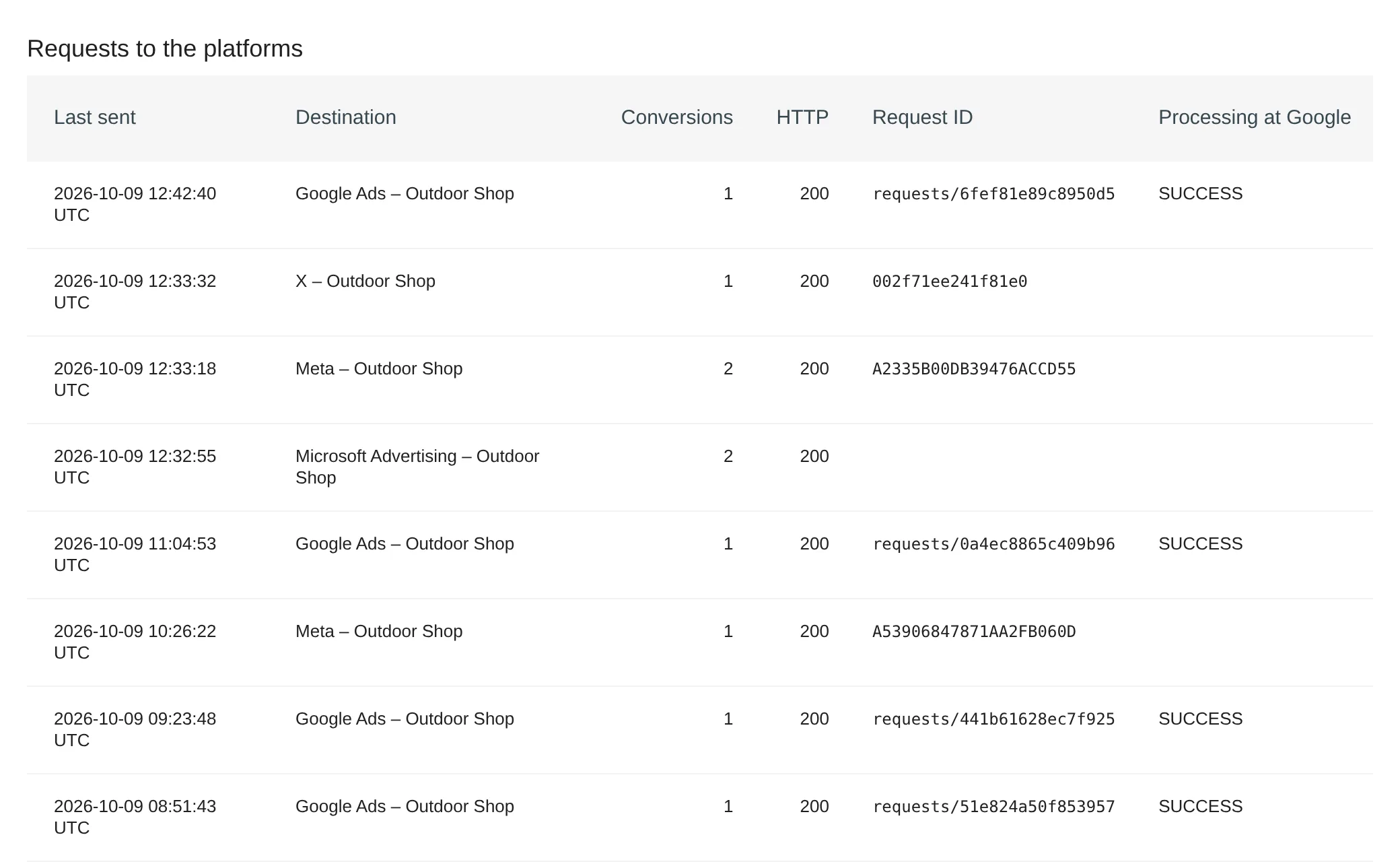
The send log shows every transmission with its status, error text and Google's processing status.
How to set it up
- Create the default grouping. In ChannelGrouping, under Administration → Websites → Channel Grouping, click Create Default Grouping. You get 19 channels, Paid Search among them.
- Check it with a test visit. On the Test visit tab, enter a landing page URL with a
gclid. The plugin shows source, medium, click ID and the channel that applies.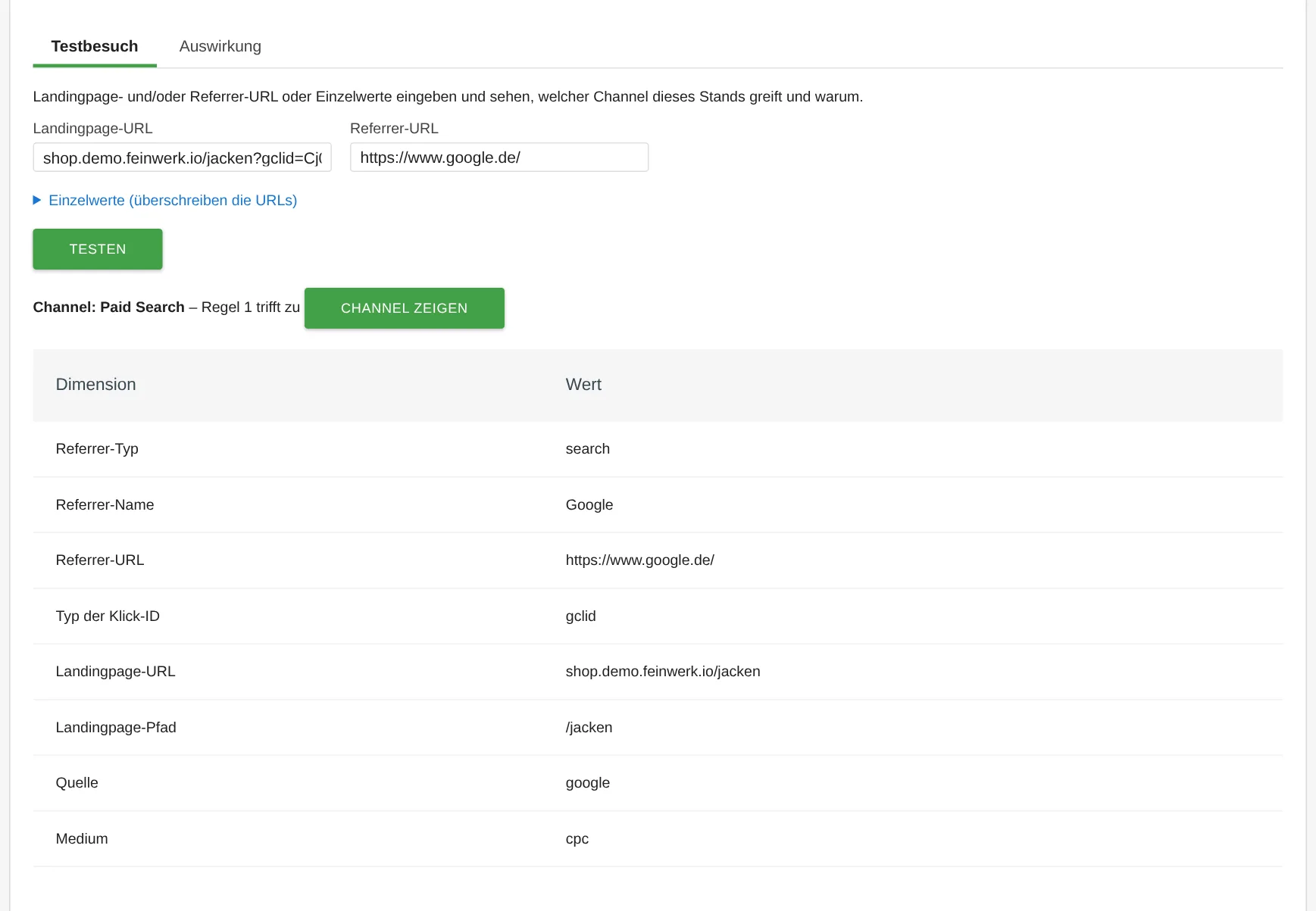
ChannelGrouping: test visit with a Google Ads click, result Paid Search with derived source and medium - Add Google Ads as a destination. In the Conversions API, enter access through a service account with Google's Data Manager API and test the connection.
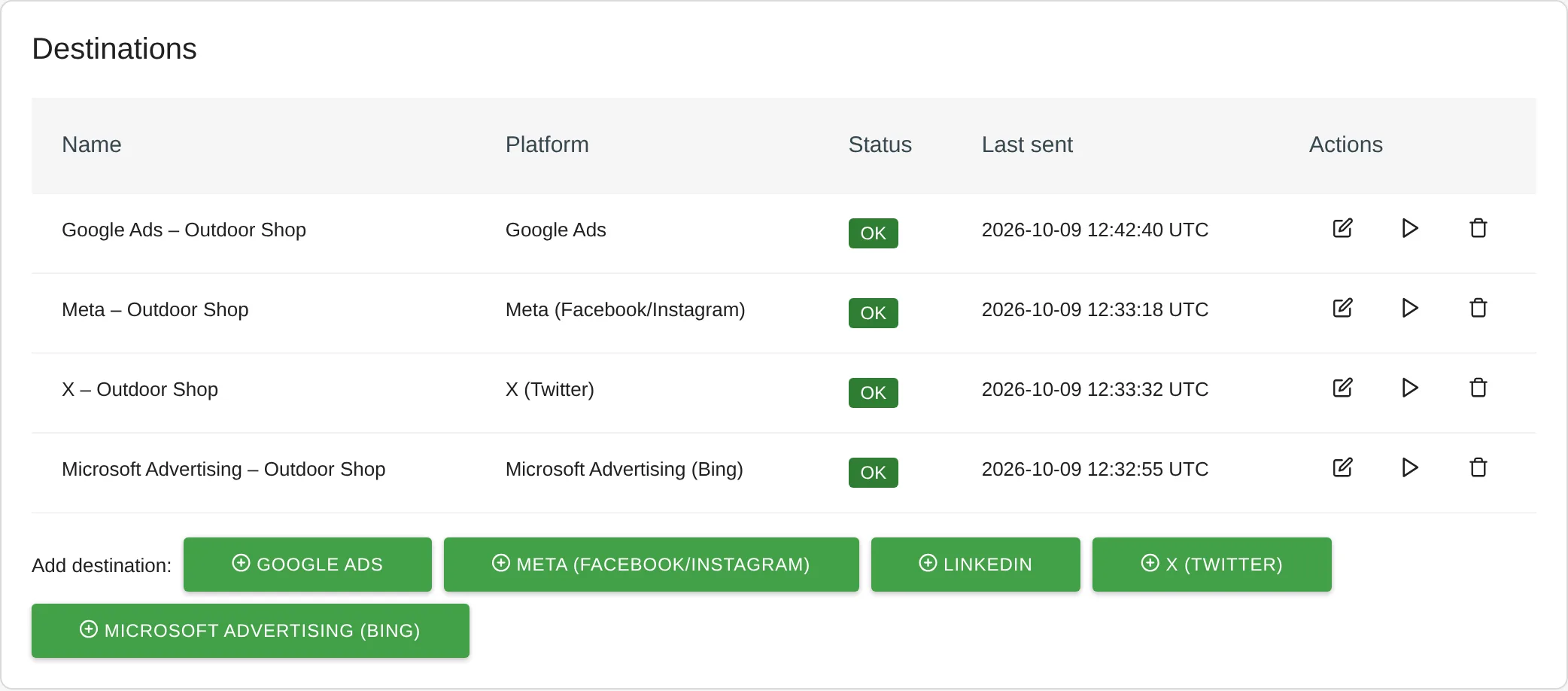
Conversions API: destinations for Google Ads, Meta, X and Microsoft Advertising - Map your goals. In Google Ads, create a conversion action of type Import from clicks and map the Matomo goal or the e-commerce order to it.
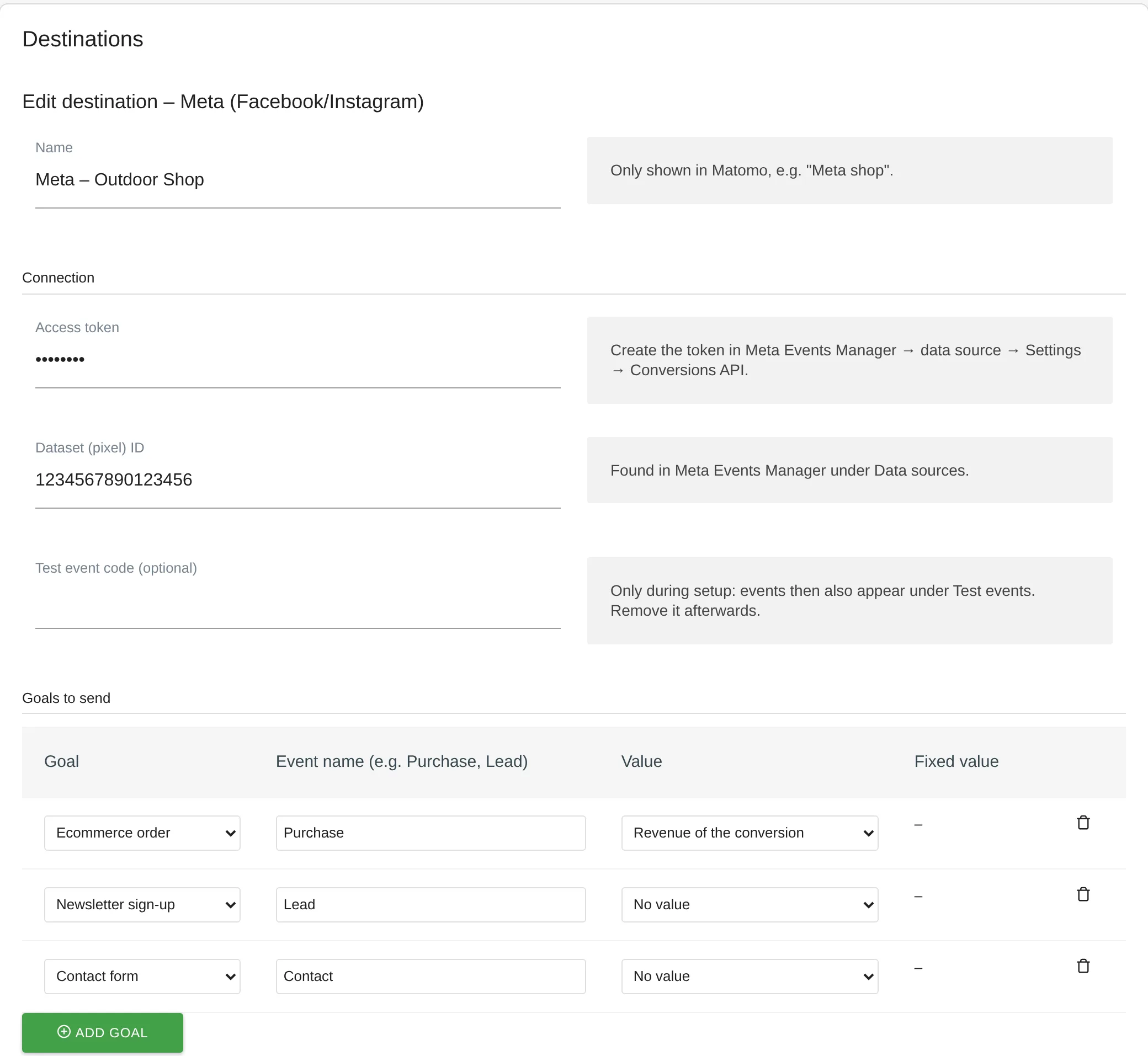
Conversions API: destination with Matomo goals mapped to platform events - Check the sending. Google recommends a send delay of about six hours so that fresh clicks are known to Google. The plugin presets it. Until then, the conversions show as Scheduled in the send log.
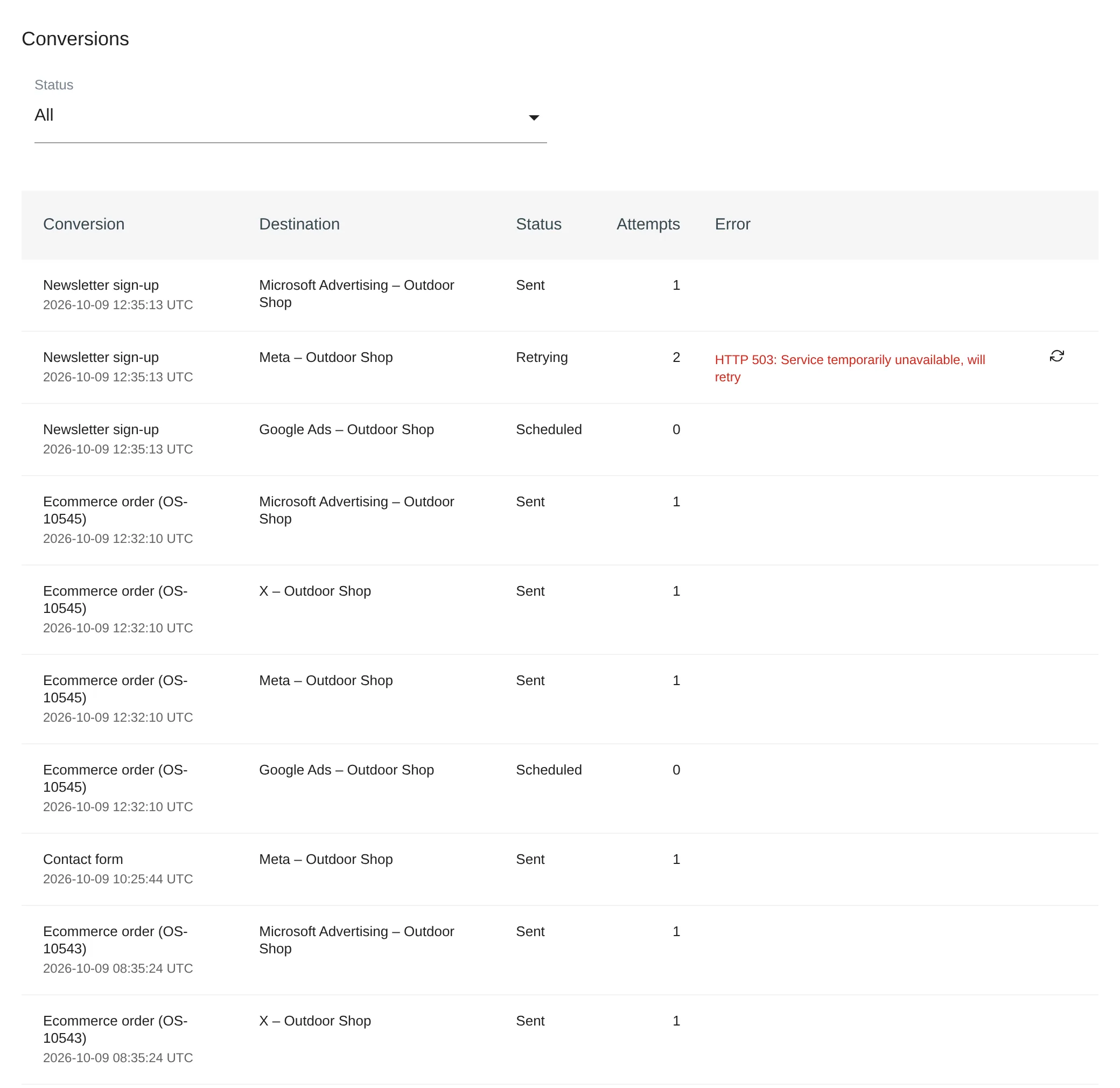
Conversions API: individual conversions with status and the platform's error message
Every step is described in detail in the documentation for ChannelGrouping and the Conversions API. The Conversions API also reports to Meta, LinkedIn, X and Microsoft Advertising, see the use case Conversions to Google Ads, Meta and LinkedIn.
Who it is for
Online shops
that want to see in Matomo what search ads bring in revenue, and want bids optimised for real orders.
Lead websites
whose form submissions count as goals in Matomo and should arrive in Google Ads as conversions.
Agencies
that run Google Ads campaigns for clients with a self-hosted Matomo.
Frequently asked questions
Do I need UTM parameters in my ads?
No. With auto-tagging in Google Ads, Google adds a gclid to every click, and that is how ChannelGrouping recognises the ad click. You only need UTM parameters to analyse campaigns by name, source and medium. For source and medium in the rules, we recommend the free MarketingCampaignsReporting plugin.
Does this replace the Google tag on my website?
You need no Google tag for the conversions. If you also report the same conversion through a Google tag, set only one of the two conversion actions as primary in Google Ads, so bidding does not count it twice.
Why does Google Ads show different numbers from Matomo?
Google Ads counts clicks, Matomo counts visits: several clicks can be one visit, and visits without tracking are missing in Matomo. Google Ads also attributes conversions to the day of the click, Matomo to the day of the conversion.
Does this work in Matomo Cloud?
No. Both plugins need a self-hosted Matomo installation, because Matomo Cloud does not allow installing your own plugins.