


The problem: Matomo counts pages, not paths
Matomo shows exactly how often each page is viewed, where visits enter and where they leave the website. What happens in between stays open: do visitors go from the home page to a category and then to a product, or do they drop off after the category? The Transitions report shows the step before and after a single page. A path across several steps you piece together by hand, page by page or visit by visit in the Visits Log.
Matomo alone
- Pages, entry pages and exit pages as separate lists
- Transitions shows one step before and after a single page
- Whole paths only visit by visit in the Visits Log
With VisitJourney
- Whole paths across several steps in one flow chart
- Pages, events and goals as equal steps
- Backwards from every goal: the steps before the conversion
The solution: path analysis right inside Matomo
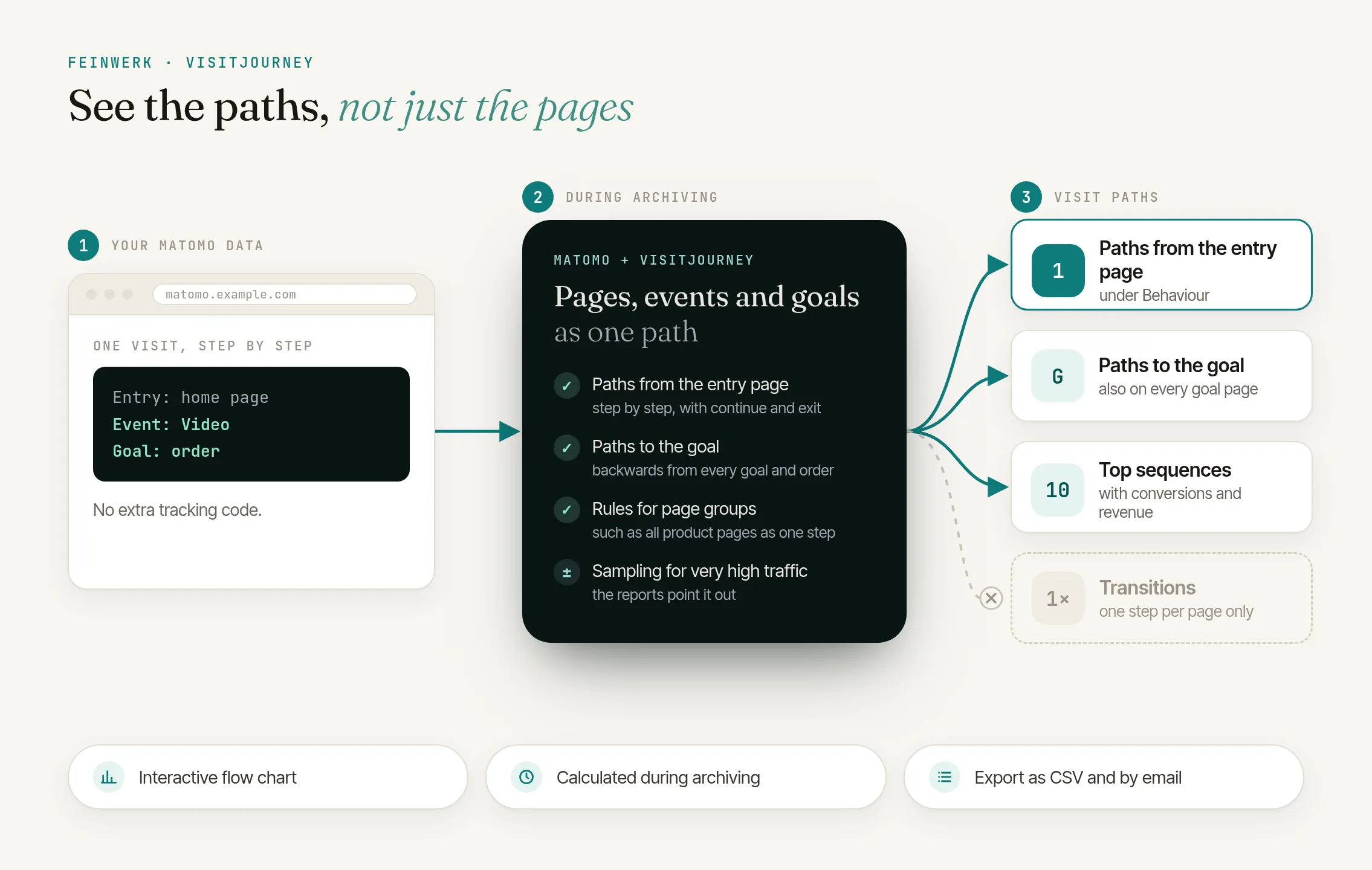
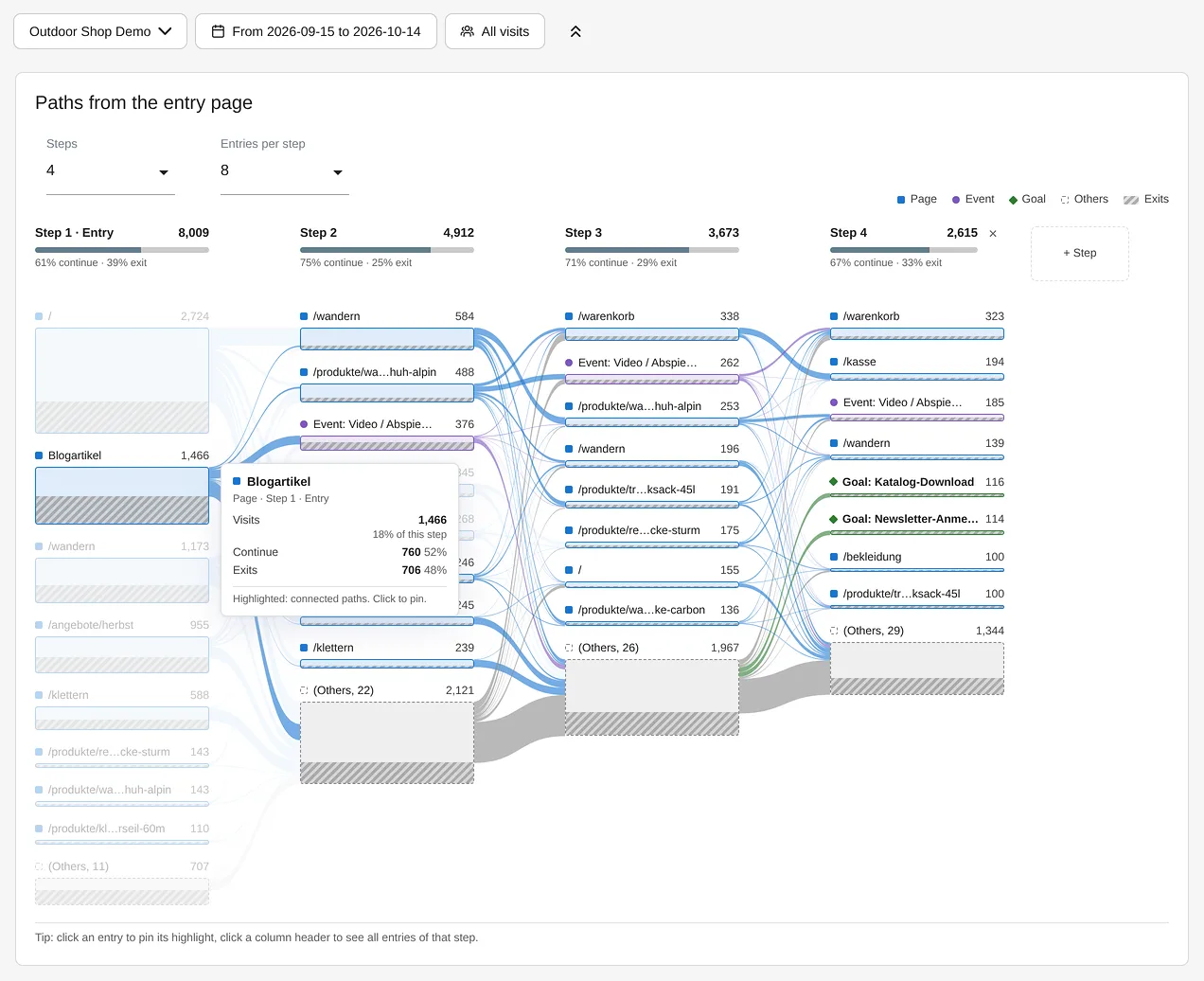
VisitJourney adds the Visit Journey report to the Behaviour menu, with two directions. Paths from the entry page follows visits from their first page, step by step, with the share that continues or exits. Paths to the goal starts from a goal or an ecommerce order and works backwards to show which steps came before. Your tracking stays as it is: the plugin analyses the page views, events and goals that Matomo already records.
Highlight connected paths
Point at an entry and every path through it is highlighted. A click pins the highlight; Esc or a click elsewhere releases it.
Every step in detail
A click on a column header lists up to 500 entries of the step with visits, continue and exit. The CSV export contains all of them.
Readable paths
Rules group pages, such as all articles under /blog/ into "Blog article". Rare paths are summarised as "(Others)".
Together with channels, search terms and sections
With a pre-processed segment, VisitJourney shows the paths of one group of visitors, such as all visits from search engines. For your own marketing channels this works with ChannelGrouping, and SearchReport shows which search terms bring visitors to the entry pages. Analyse sections such as blog or shop with the free PageFilterReport, and let TrackingSpamScore keep out the bots that distort your paths. How to analyse the paths to orders and enquiries is shown in the use case Conversion paths in Matomo.
How it works in four steps
- Install the plugin. Through the Feinwerk connector or as a ZIP file, for Matomo 5.12 or later. No additional tracking code is needed.
- Define pages and events. In the website settings you choose URL or page title, group pages by rule, such as
^/products/or^shop\.example\.com/for a second domain, and enable the event categories that count as steps.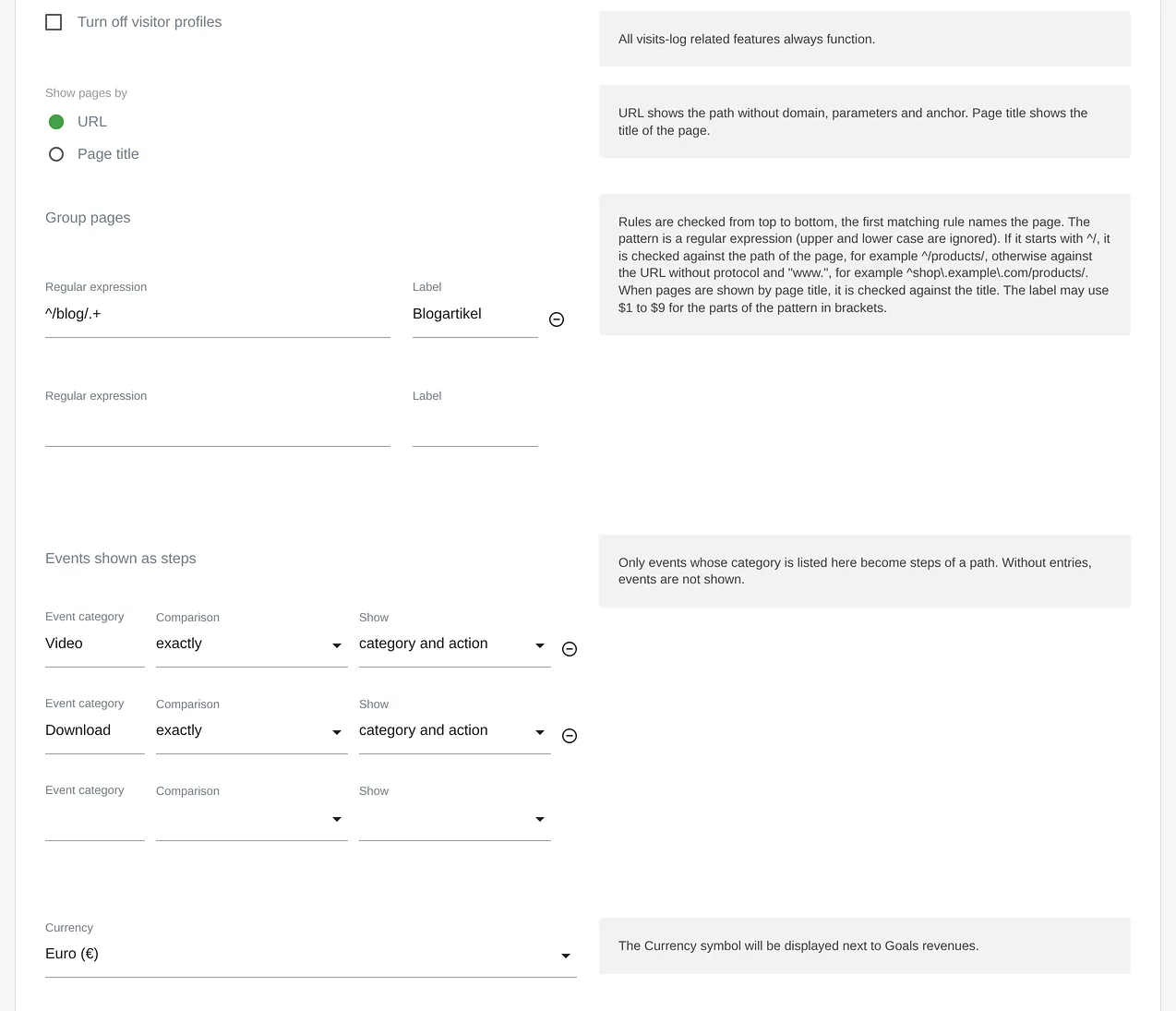
VisitJourney: website settings with rules for page groups and events as steps - Let the archiving run. After saving, the next archiving run calculates the last 30 days, and every new day is added by itself. For older periods the plugin shows the matching command.
- Explore the paths. Under Behaviour → Visit Journey you pick steps and entries per step, highlight paths and open the details of a step.
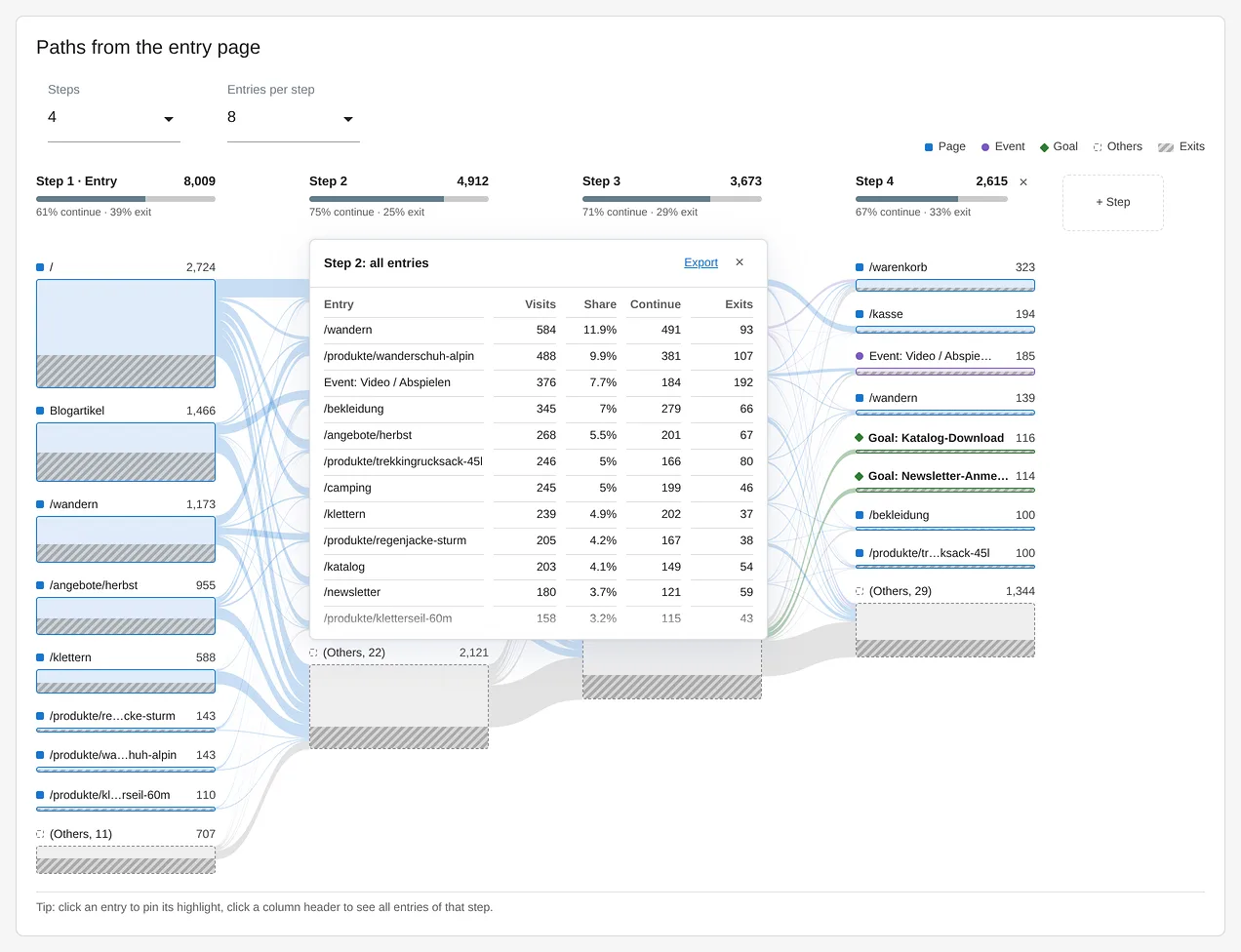
VisitJourney: all entries of a step with visits, share, continued and exits, ready to export as CSV
Every setting and every step is described in the VisitJourney documentation.
Who it is for
Content and UX teams
that want to see where readers go after an article or a landing page, and where they leave.
Shops
that follow the paths from the home page via category and product into the basket.
Marketing teams
that check what visitors from a campaign or a channel do after they arrive.
High-traffic instances
Paths are built during archiving, with size limits and optional sampling.
Frequently asked questions
How is this different from Matomo's Transitions report?
Transitions shows, for a single page, what visitors did directly before and after it. VisitJourney shows whole paths across several steps, from the entry page or backwards from a goal, and includes enabled events and goals as steps of their own.
Do I need additional tracking code?
No. VisitJourney analyses the page views, events, goals and ecommerce orders that Matomo already records. Nothing changes in the tracking on your website.
Which events appear in a path?
Only events whose category you enable in the website settings, either with the category alone or with category and action. Without entries, no events are shown. That keeps frequent scroll or technical events out of your paths.
Can I see past periods?
Yes, as long as Matomo still has the raw data of those days. When you first save the settings, the next archiving run calculates the last 30 days. Older periods can be recalculated with a command on the command line. The plugin shows it already filled in with your website and the date range, and the documentation explains it.
What happens when I change the rules later?
After you save, the next archiving run recalculates the paths of the last 30 days with the new rules. From then on these days show the new names, in weeks, months and years as well. If you need older days to match, use the command the plugin shows after saving.
Does VisitJourney work with segments?
Yes, with segments that Matomo processes in advance. In the segment editor that is the option "segmented reports are pre-processed". For other segments the report shows a notice instead of a chart.
Does VisitJourney show paths across several visits?
No. Every path describes one visit, from its first page to its last step. If a visit had no earlier step before the goal, the path shows "(Start of visit)".