


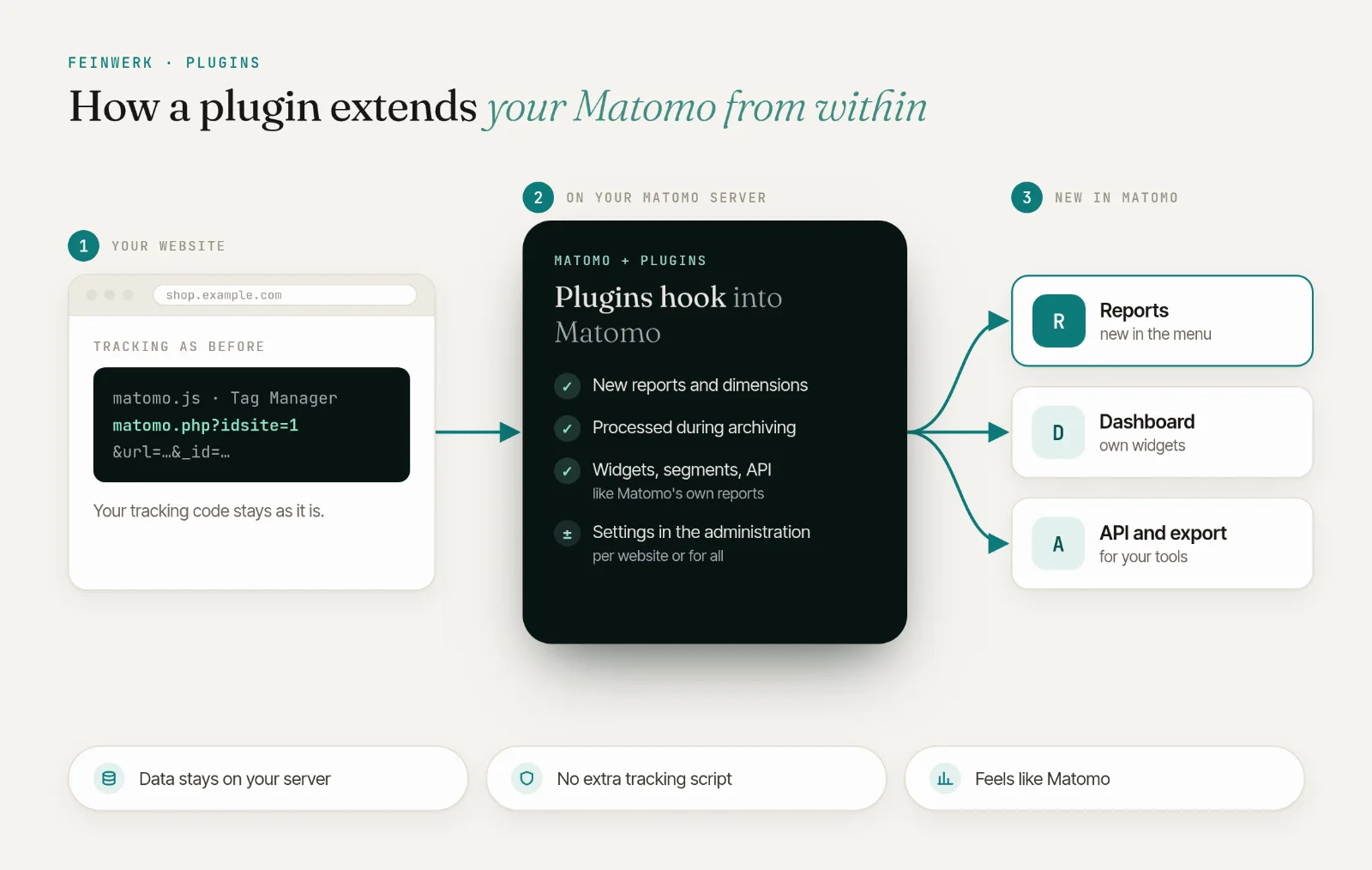
Forecasts for your tracking monitoring: fewer false alarms, earlier warnings
Sentinel Pro adds visit forecasts, public holidays and alarms per channel and conversion rate to the free Sentinel, plus a watchdog that speaks up when Sentinel itself stops.
from €59/month · cancel any time
Latest v0.2.1 · Matomo ≥ 5.0.0
Forecasts that know trends and seasons
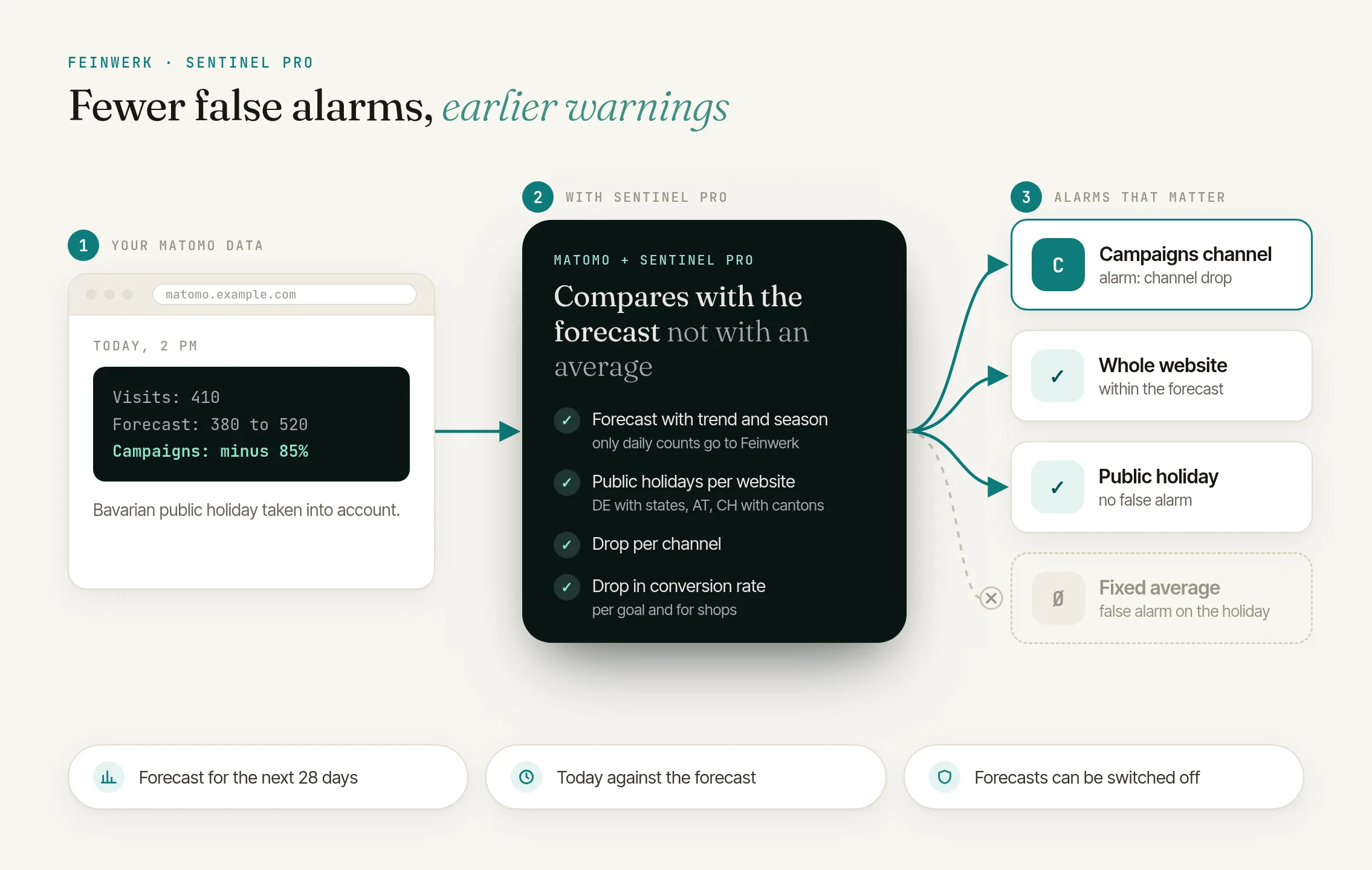
Sentinel compares every day with a forecast built from up to 400 days of history instead of just the usual value of the weekday. When your website grows or a campaign runs, the forecast follows the new level within days. The forecasts come from Timestral, a time series AI model by Mistral AI that Feinwerk runs on its own servers in Germany. Only numbers go to the forecast service, no visitor data.
Public holidays without false alarms
Choose the public holidays of each website: Germany with all 16 states, Austria, or Switzerland with its cantons. A quiet holiday no longer counts as a drop.
An alarm when only one channel drops
"Channel drop" reports when search engines, campaigns, websites, social networks, direct entries or AI assistants bring far fewer visits than usual, for example when campaign parameters get lost after a relaunch.
Conversion rate in view
"Conversion rate drop" reports when a goal or your shop's orders still convert, but far less often than usual on that weekday.
A watchdog for the watchdog
If Sentinel has not run for three hours, for example because Matomo's cron job stopped, the owner of your Feinwerk account gets an email from Feinwerk.
Forecast reports for every day
Under Visitors → Forecast: visits and forecast for 28 days each with the usual range, a projection for the week, the month and the next 4 weeks compared with last year, a forecast per channel and its accuracy.
Today at a glance
"Today against the forecast" shows yesterday, today and tomorrow hour by hour next to the expected visits. A tracking outage stands out at once as hours far below the forecast.
Sparing with data, robust when the service is down
Only visit counts per day go to the Feinwerk forecast service in Germany, and it stores nothing. If it cannot be reached, Sentinel keeps checking without a break.
Click to enlarge
- License for 1 Matomo instance + 3 test instances, all websites and users
- Prices incl. VAT, billed via Paddle
- 14-day trial, cancel before it ends at no cost
- Updates and support included
- Refunds
Yes. Sentinel Pro is an add-on for the free Sentinel and needs Sentinel 0.2.0 or later, plus the Feinwerk Marketplace Connector and a valid license. Without a license Sentinel Pro adds nothing, and Sentinel works as before.
For the forecasts Sentinel Pro sends only visit counts per day to the Feinwerk forecast service (servers in Germany), without website names, addresses or visitor data. The service computes the forecast in memory and sends it back. It does not store the numbers, keeps no request logs and retains nothing between two requests. You can switch the forecasts off at any time; Sentinel then checks with its own baselines. In addition, the license check and the watchdog contact the Feinwerk marketplace (plugins.feinwerk.io), both with the connector's instance token: the license check asks whether your instance holds a license, the watchdog reports the time of the last Sentinel run.
Nothing you need to deal with: no alarm is raised and Matomo is not slowed down. The checks keep using the stored forecasts for up to 31 days, then Sentinel's own baselines. Matomo's System Check shows the outage as information.
Timestral, a pretrained time series AI model by Mistral AI. It is not trained on your data: it reads the daily visits of your website as history and returns a forecast with a usual range for every day. Feinwerk runs the model on its own servers in Germany; your numbers do not go to Mistral AI.
In our tests with real visit counts, the forecast for the next day was closer to the actual visits on average than the usual weekday comparison, especially on websites with campaign phases. The usual range covered about 8 of 10 days, as intended. How well the forecast fits your website is shown by the report "Forecast accuracy".
As soon as a website has at least 14 days with visits. Several months are better, and with a year the forecast also knows the season. Sentinel reads up to 400 days of history from your Matomo's raw data. The first forecast arrives within a few hours of activation, then a new one every 6 hours.
Those of Germany with its 16 states, of Austria and of Switzerland with its cantons. On a holiday of the chosen region the daily checks do not judge the day. "No visits" keeps watching on holidays too.
The two new checks report to the same recipients as Sentinel: by email, Slack, Microsoft Teams or webhook, with the same quiet periods. The watchdog's email goes to the owner of the Feinwerk account your Matomo is connected to.
No. They always show the current state of the whole website, whatever period or segment is selected. As dashboard widgets and in email reports they work like any other report.
Yes, under Administration → System → General settings → FeinwerkSentinelPro with "Use forecasts". Public holidays, the two new checks and the watchdog keep working; only the forecast reports stay empty.
-
01
Download the Feinwerk connector and unzip it into your Matomo's
plugins/directory, then activate it. - 02 Open Feinwerk Plugins and click "Connect with Feinwerk account". If your browser cannot reach the store, enter your instance token in the connector settings instead.
- 03 Open the Feinwerk Plugins screen, find Sentinel Pro, and click Install.
Prefer a manual install? After the purchase you will find the ZIP download in your customer account. · Documentation for Sentinel Pro
Missing a feature in Sentinel Pro? Tell us what you need →
Sentinel Pro
Sentinel watches the tracking data of your websites and alerts you as soon as tracking looks broken. To do so it compares every day with the usual value of the same weekday. That is robust, but it lags behind every change: when a website grows, a campaign runs or it is a public holiday, the baseline no longer fits. And when only one channel or one goal breaks, the total often stays within range and nobody notices.
Sentinel Pro makes Sentinel sharper and more specific.
Forecasts instead of averages
Timestral, a time series AI model by Mistral AI, works out on Feinwerk's servers in Germany from the daily visits of up to the last 400 days what each website can expect over the next 31 days, each day with a usual range. Sentinel's checks "Drop in visits" and "Unusual spike (bots, spam)" then compare with this forecast. In our tests with real visit counts, the forecast for the next day was closer to the actual visits on average than the weekday comparison, especially on websites with campaign phases. Days without tracking are left out, so the forecast does not learn an outage as the new normal.
Public holidays per website
Choose the public holidays of each website: Germany with its 16 states, Austria, or Switzerland with its cantons. On a holiday Sentinel does not compare the day with normal days, so a quiet Whit Monday raises no alarm.
Alarms per channel and goal
- Channel drop: an alarm when the visits of one channel (search engines, campaigns, websites, social networks, direct entries, AI assistants) fall far below the usual value of the weekday. It catches campaign tagging or consent breaking for one source only. A drop of the whole website stays an alarm of Sentinel's "Drop in visits", not one per channel.
- Conversion rate drop: an alarm when the conversion rate of a goal or of shop orders falls far below the usual rate of the weekday although conversions still come in. Sentinel itself only notices goals that stop converting completely.
Both checks appear under Administration → Diagnostic → Sentinel next to Sentinel's own checks: on or off per website, with adjustable sensitivity and the same recipients.
A watchdog from outside
Sentinel runs as a scheduled task inside your Matomo. If the cron job or the server stops, it cannot report that itself. So Sentinel Pro tells Feinwerk on every run that Sentinel is working. If these messages stop for three hours, Feinwerk emails the owner of your Feinwerk account, and sends an all-clear as soon as Sentinel runs again.
Forecast reports
Under Visitors → Forecast:
- Visits forecast: a chart of the last and the next 28 days with the usual range, public holidays and unusual days, plus "Expected tomorrow", "Projection for this month" and "Accuracy".
- Today against the forecast: yesterday, today and tomorrow hour by hour next to the expected visits, and whether today is on track.
- The reports Visits and forecast by day, Projection, Forecast by channel and Forecast accuracy, also as dashboard widgets and in email reports.
Both charts also appear under Visitors → Tracking health next to Sentinel's health score.
Privacy and transparency
For the forecasts Sentinel Pro sends only visit counts per day to the Feinwerk forecast service (servers in Germany), without website names, addresses or visitor data. The service computes the forecast in memory and sends it back. It does not store the numbers, keeps no request logs and retains nothing between two requests. You can switch the forecasts off at any time; Sentinel then checks with its own baselines. Sentinel Pro says so in a note under every forecast chart and report, in the setting and once after activation.
The license check and the watchdog contact the Feinwerk marketplace, both with the connector's instance token: the license check asks whether your instance holds a license, the watchdog reports the time of the last Sentinel run.
Requirements
- Matomo 5 or later with PHP 8.1 or later
- Sentinel 0.2.0 or later (free)
- The Feinwerk Marketplace Connector, connected to your Feinwerk account, and a license for Sentinel Pro
- Matomo's cron job (core:archive) or browser-triggered tasks, as for Sentinel
-
v0.2.1 Oct 20, 2026
- The bar chart "Forecast by channel" now labels every channel.
- German texts use Matomo's own terms, for example "Einbruch der Konversionsrate".
- The forecast reports and the setting name the model behind the forecasts: Timestral, a time series AI model by Mistral AI, on Feinwerk's servers in Germany.
v0.2.0
- Privacy: for the forecasts only visit counts per day leave your Matomo, without website names, time zone or any identifier of the website. The forecast service stores nothing and keeps no request logs. A note under every forecast chart and report, in the setting and once after activation says so.
- If the forecast service is unreachable, slow or returns unusable numbers, no alarm is raised and Matomo is not slowed down. The checks keep using the stored forecasts for up to 31 days.
- Days without tracking no longer distort the forecast: they are left out and marked as unusual days in the charts.
- "Conversion rate drop" also watches the orders of online shops.
- Clear messages instead of empty forecast reports, with a link to the right setting for super users. Without a license the "Tracking health" page shows a hint.
- New entry in Matomo's system check: license, connection to the marketplace and forecast service.