


Matomo has no secondary dimension
Teams moving from Google Analytics to Matomo often miss one thing: the secondary dimension. In Matomo, every report shows the one dimension it was built for. Which browsers do newsletter visitors use? Which events happen on which page? Until now, questions like these need a report of their own, and the numbers only arrive after the next archiving run.
Matomo alone
- Every report shows one fixed dimension
- New combinations need a report of their own
- Numbers only after archiving
With Data Exploration
- A dimension plus a secondary dimension of your choice
- Up to five metrics in one table
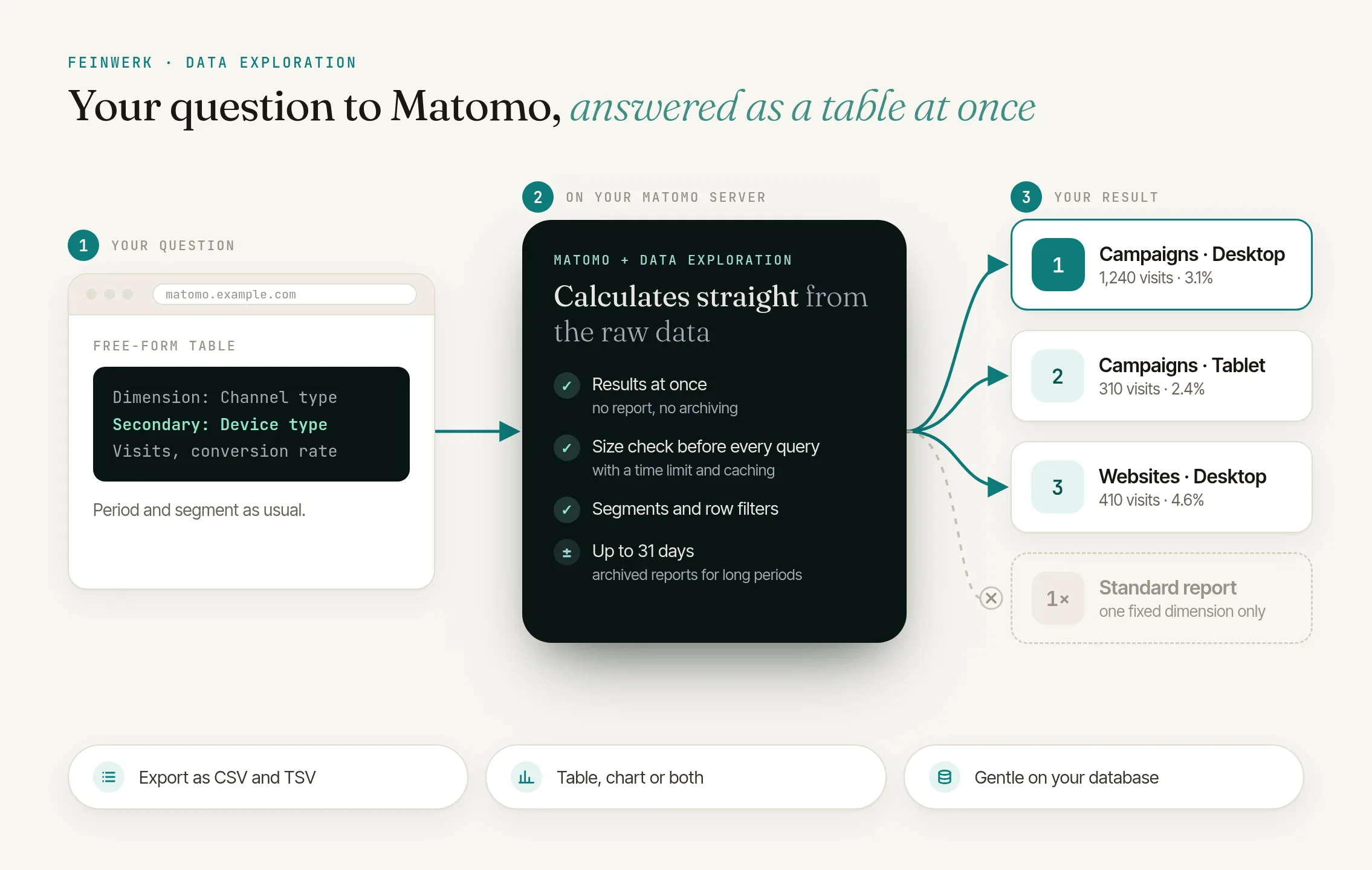
- Results at once, straight from raw data
The solution: explorations on raw data
Data Exploration adds a free-form table to Matomo. Pick a dimension, optionally a second one and up to five metrics, and the table is built at once from the raw data of the chosen period. Nothing is archived, no report is created, and Matomo's own files stay untouched.
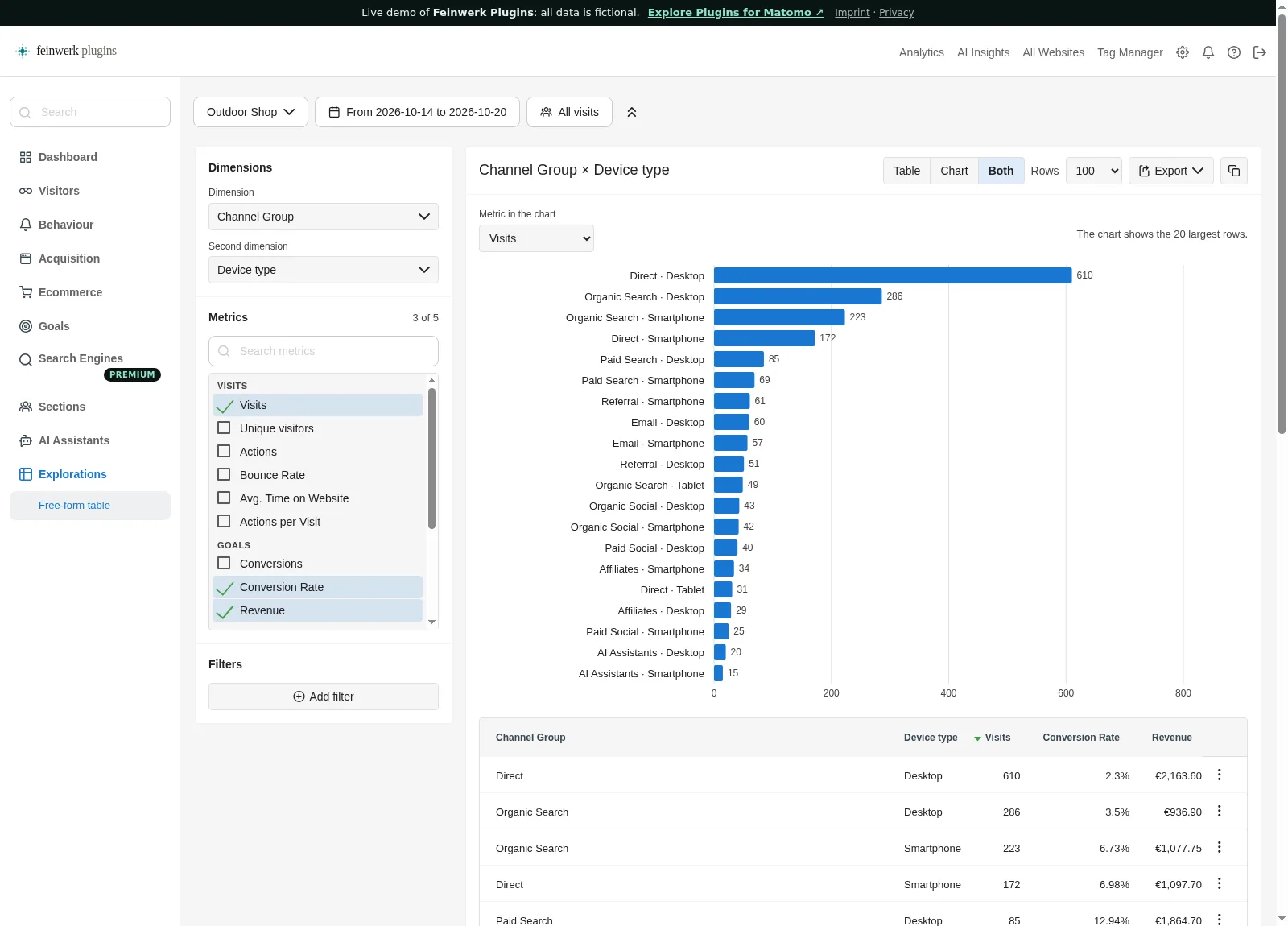
Many dimensions
Channel, referrer, campaign, country, region, city, language, device, browser, date, hour, pages, events, downloads, site search and your Custom Dimensions.
Segments and filters
Every Matomo segment, plus row filters like "contains", "equals" or "greater than".
Chart, table or both
Bars per row, lines over time for date, hour and weekday.
Straight from your reports
The flask icon "Open in exploration" under the standard reports keeps the dimension, period and segment.
Gentle on your database
Size check, time limit, at most two queries at the same time, caching and read replica support.
How it works in three steps
- Open an exploration. From the reporting menu under "Explorations", or with the flask icon "Open in exploration" under a standard report.
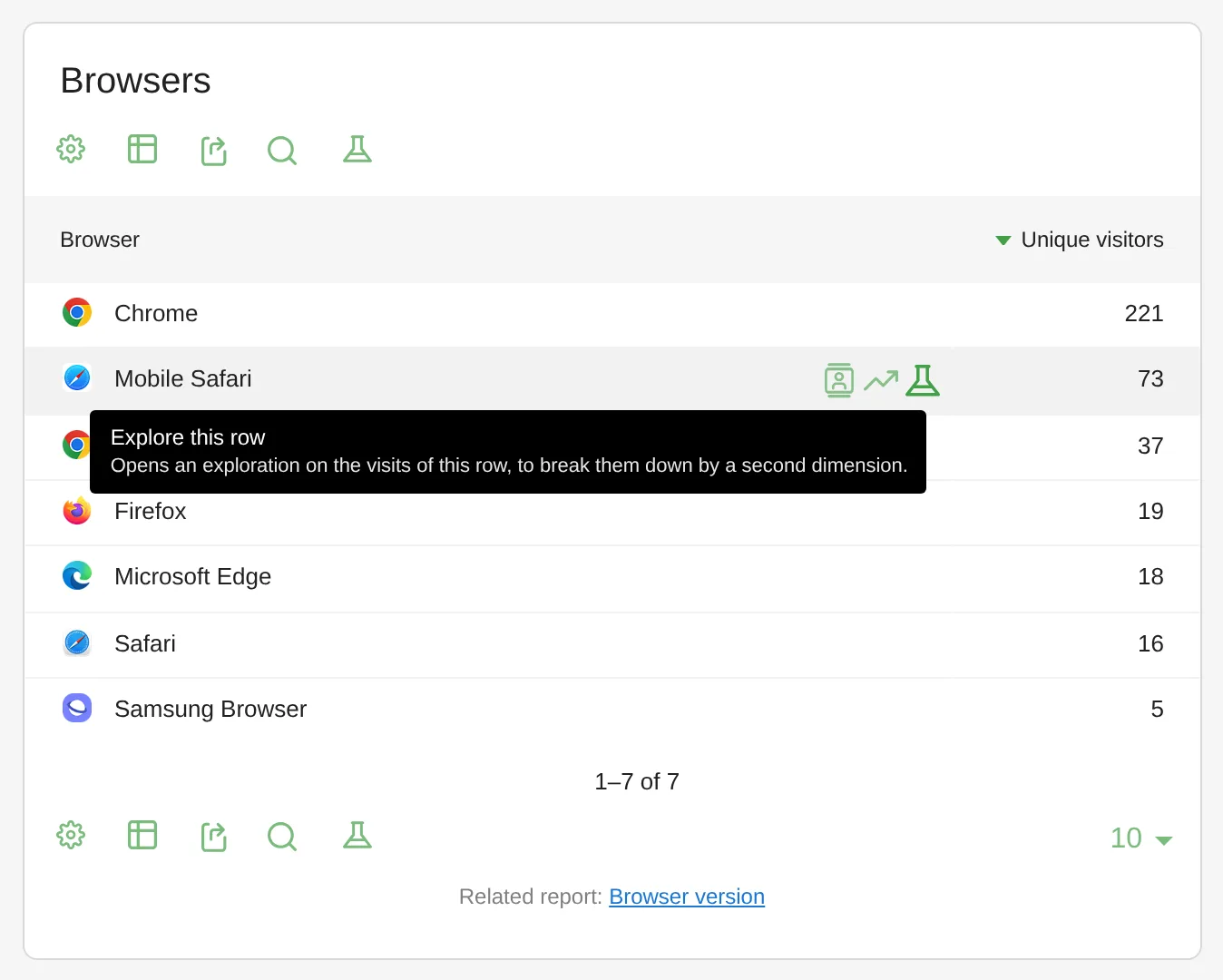
The flask icon on a report row opens its visits as an exploration, in the report footer it opens the whole report. - Combine. Choose the dimension, secondary dimension and metrics, set a segment and filters. The table updates on every change.
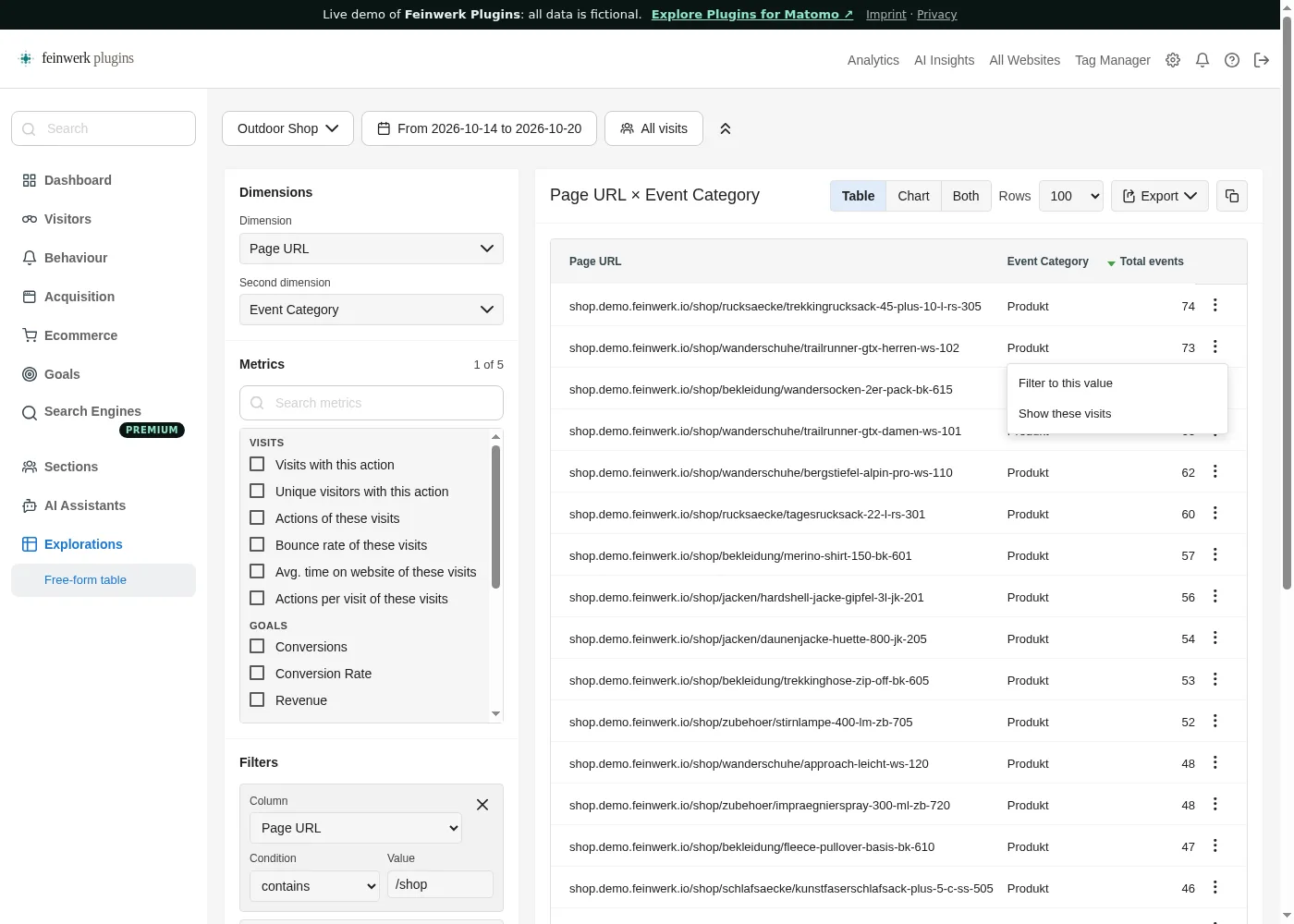
Page URL by event category with the row filter "contains /shop" and the menu of a row. - Share. Export as CSV or TSV, or copy the link: the whole exploration is part of the URL.
Every step is described in the Data Exploration documentation.
Who it is for
Teams coming from Google Analytics
who are used to secondary dimensions and explorations.
Agencies
who answer a client's question quickly, without building a report for it.
Marketing and product teams
who compare campaigns, channels and content on the spot.
Frequently asked questions
Is Data Exploration an alternative to GA4 Explorations?
For the free-form table, yes: a dimension, a secondary dimension and several metrics, filtered and sorted, on your own Matomo data. Funnel and path explorations are not part of it. Paths to the goal and from the entry page are what Visit Journey shows.
How is it different from archived reports?
Archived reports are lasting, have a long history and also appear in dashboards and scheduled email reports. Data Exploration is for questions you ask now or once: no setup, no waiting, at most 31 days.
Does it slow down my Matomo database?
Every exploration checks the number of visits first, warns about large periods, stops queries that run too long where the database supports it, and runs at most twice at the same time. After a slow query the page says how to make it faster. With a read replica, the queries run there. Super users can adjust the limits; 31 days and 1,000 rows are the maximum.
Who can use explorations?
Signed-in users with view access to the website. Super users can require a higher role. Anonymous users never use explorations.
Does it work with campaigns and channel groups?
Yes. With the free Marketing Campaigns Reporting plugin you get campaign source and campaign medium, with Channel Grouping the channel group of every visit.
What does Data Exploration cost?
Nothing. The plugin is free and open source (GPL v3 or later) and runs on Matomo 5.12 and newer.