


The problem: one campaign under three names
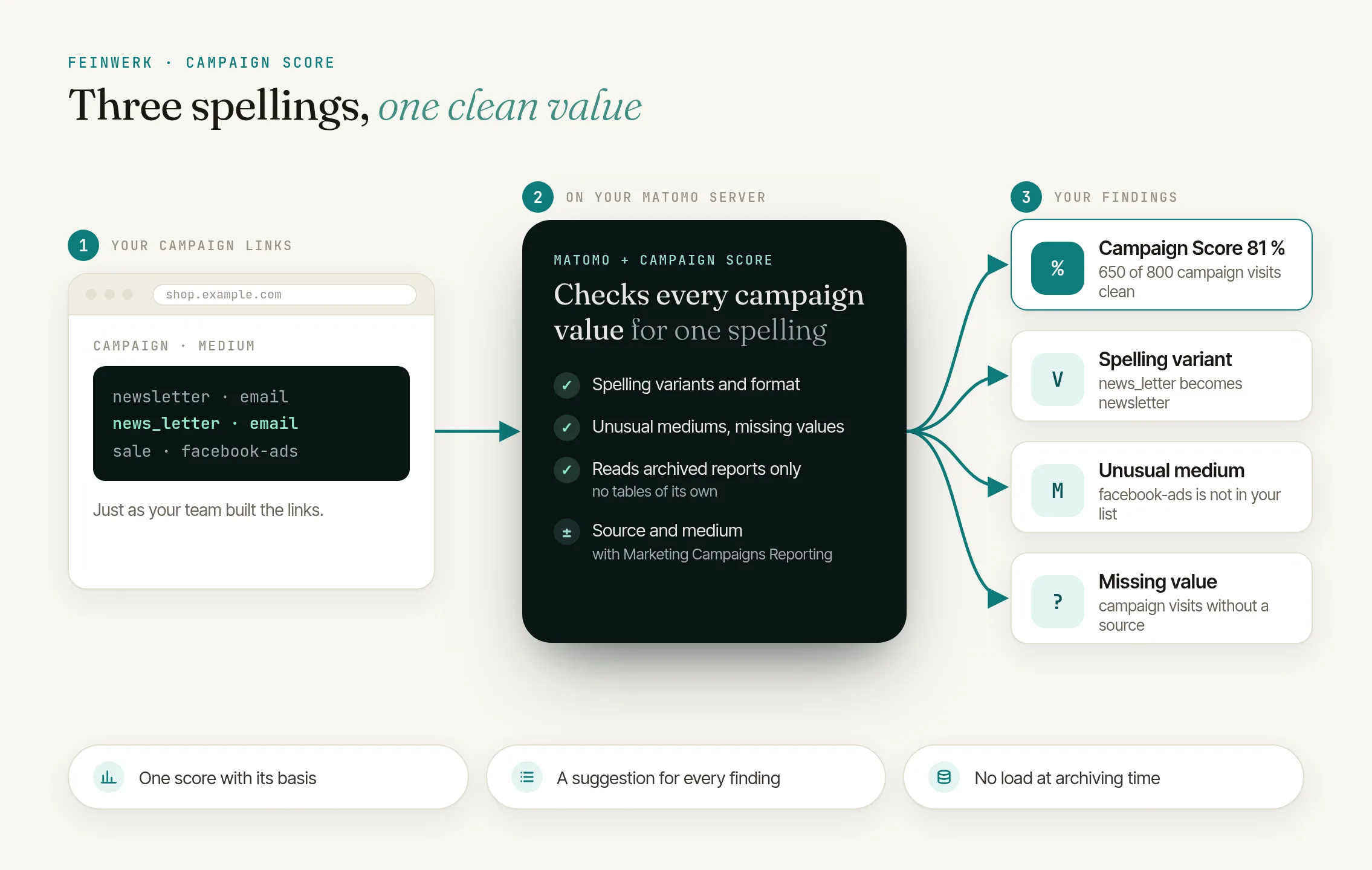
Campaigns only arrive cleanly in Matomo when everybody in the team writes their links the same way. In practice one person builds "Newsletter", another "newsletter" and the agency "news_letter". The campaign report then shows three campaigns instead of one, and none of the numbers is right on its own.
Matomo alone
- "Newsletter", "newsletter" and "news_letter" show up as three campaigns in the report
- Unusual mediums like "Facebook Ads" go unnoticed
- Missing sources only stand out when an analysis does not add up
With Campaign Score
- One score shows the share of campaign visits with clean values
- Every spelling variant with its visits and a suggestion
- Unusual mediums and missing values at a glance
The solution: Campaign Score for Matomo
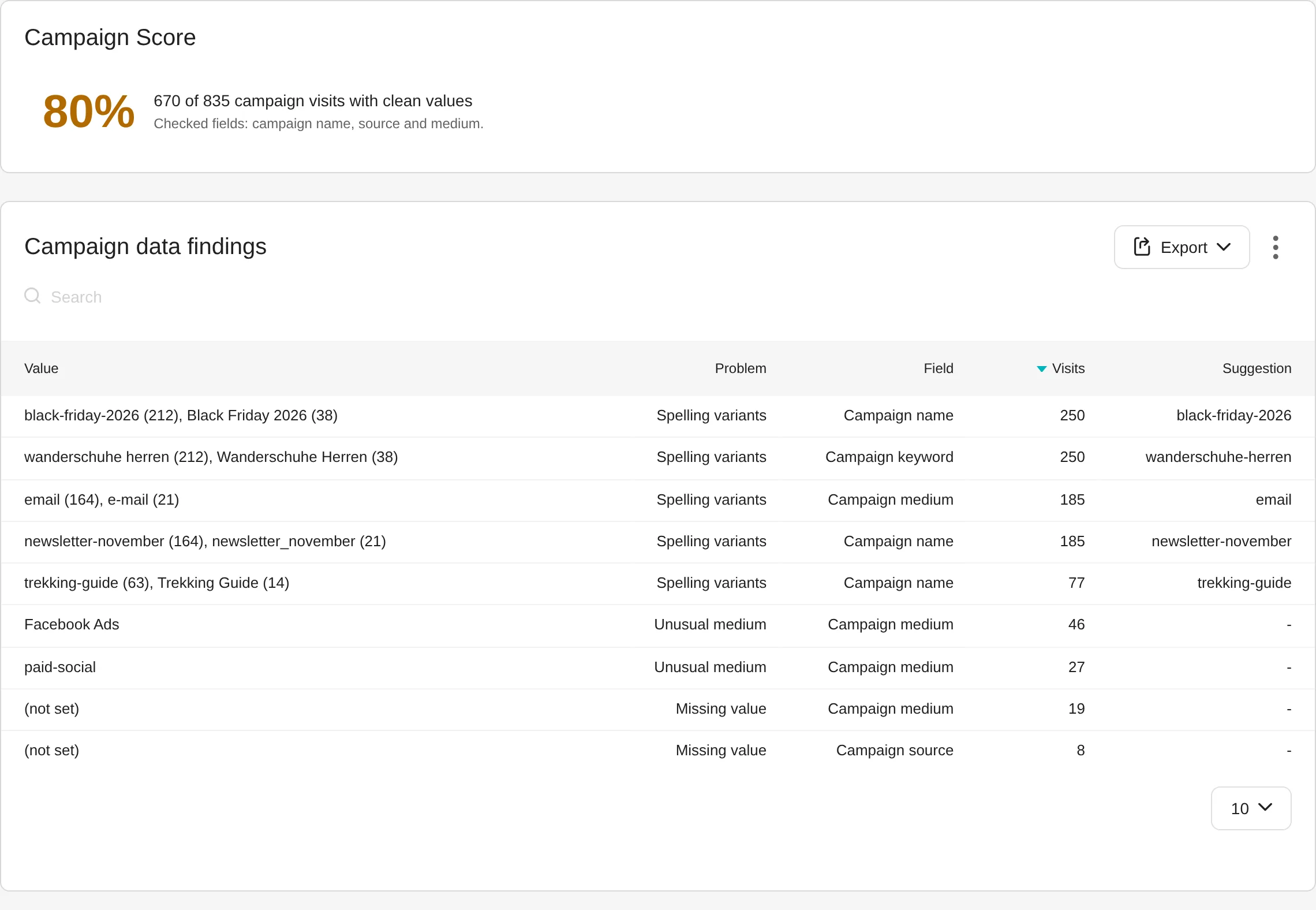
Under Acquisition → Campaign Score you see one score for the website, period and segment: the share of campaign visits with clean values, always with its basis, for example "650 of 800 campaign visits with clean values". Below it, every problem is listed with the visits it affects and the spelling your team should use from now on.
Spelling variants
Values that only differ in case, spaces, underscores, hyphens or full stops. The suggestion is the most visited clean variant.
Format
Values with capital letters, spaces or other characters such as "Black Friday 2026", with the clean form as suggestion.
Unusual medium
A medium that is not in your list of usual mediums.
Missing value
Campaign visits without a campaign name, source or medium.
How to check your campaign data in four steps
- Install. Campaign Score is free. You install it in one click through the connector or upload the ZIP file in Matomo. It needs Matomo 5.0 or later. With the free plugin Marketing Campaigns Reporting it also checks source and medium.
- Look at the score. Under Acquisition → Campaign Score you choose website, period and segment as in every Matomo report.
- Work through the findings. Correct the links where they are made, for example in your newsletter tool or your ad accounts. New visits with clean links raise the score.
- Keep an eye on it. The dashboard widget shows the score and the three largest problems, with a link to the full report.
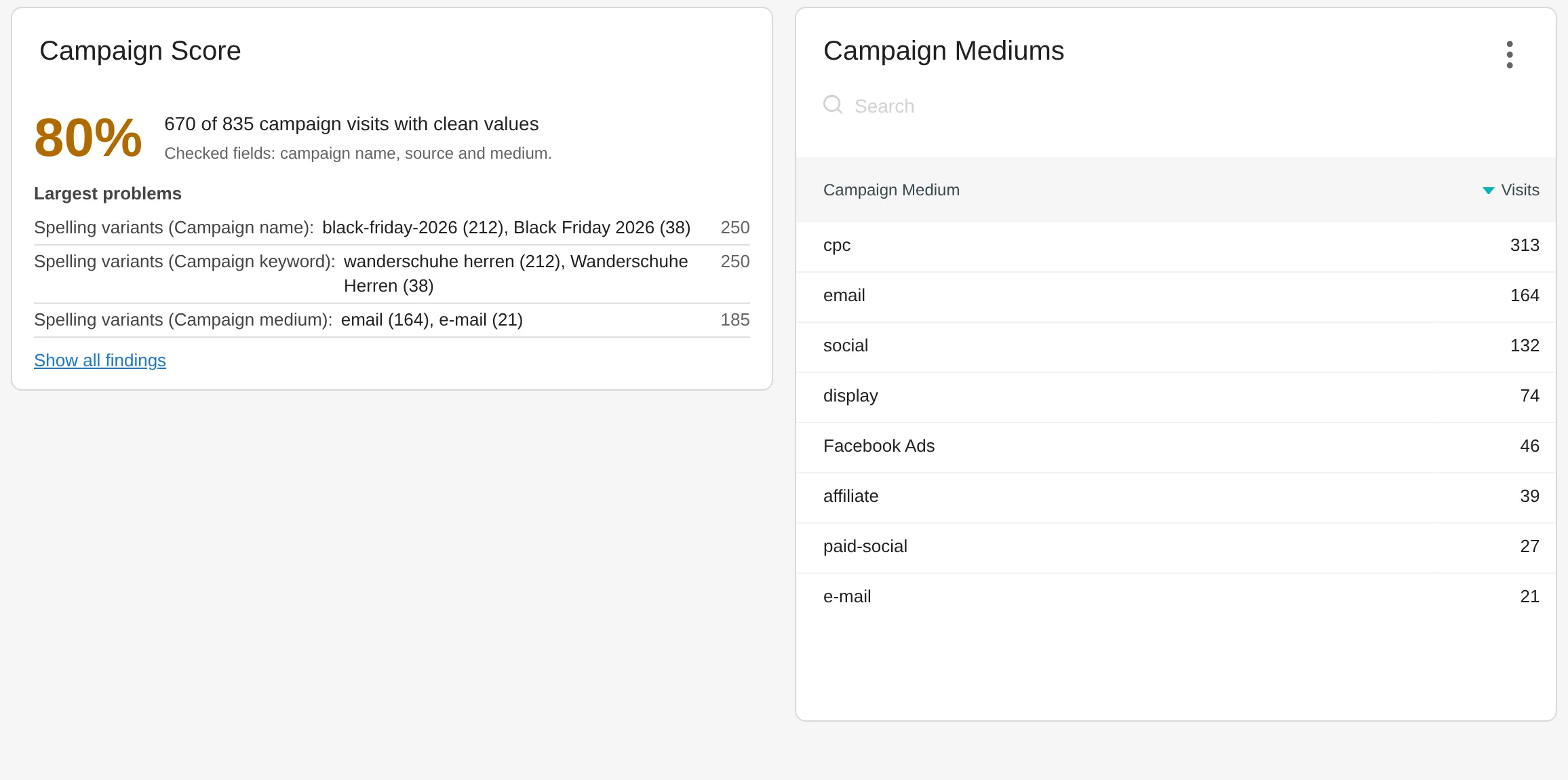
The dashboard widget shows the score and the three largest problems
The steps in detail are in the plugin's documentation.
Clean mediums for clean channels
The list of usual mediums matches the mediums that Channel Grouping assigns to a channel in its default grouping. Both plugins agree on what a clean medium is, and clean mediums end up in the right channel. More in the use case Custom marketing channels in Matomo.
Who it is for
Marketing teams
in which several people build campaign links.
Agencies
that report on their clients' campaigns in Matomo and want to deliver clean data.
Online shops
whose revenue per campaign is only right when every campaign has one consistent name.
Everyone with custom channels
whose channel grouping depends on clean sources and mediums.
Frequently asked questions
Do I need Marketing Campaigns Reporting?
No. Without it, Campaign Score checks the campaign name from Matomo's campaign report. With the free plugin Marketing Campaigns Reporting, source and medium are added, and a visit only counts as clean when all three values are clean.
What is a clean value?
A value in lowercase that only uses a to z, 0 to 9, underscore, hyphen and full stop and is no deviating spelling of another value. A medium is also in the list of usual mediums, which super users adjust in the settings.
Does Campaign Score change my data?
No. Campaign Score only reads the campaign reports Matomo has already archived. It creates no tables, stores nothing and corrects no past visits. You apply the suggestions in your links, and new visits then arrive clean.
Does the plugin slow down my Matomo?
No. Campaign Score queries no log tables and does nothing at archiving time. When you open the report, it reads a fixed number of existing reports, whatever the amount of data.
Why do some campaign visits not count?
Matomo groups rare rows of large reports as "Others", and their values are unknown. The same applies to masked values and to visits from before Marketing Campaigns Reporting was active. The report lists these visits separately as "could not be checked".