


Matomo's email reports often go unread
An online shop wants to see every Monday morning how last week went: visits, conversions and revenue with the change against the week before, which channels brought more or less, and which products sold. Matomo's own email reports deliver the numbers, but plainly: short tables, simple charts, hardly any comparisons. Multi level reports are hard to read, and Matomo alone decides how the email looks.
Matomo's email reports
- Fixed tables and simple charts
- Comparisons only in some reports
- Multi level reports hard to read
With Email Reports Pro
- A report made of building blocks, in your order
- Every key figure compared with the previous period or last year
- Sub rows grouped, goals as columns of their own
The solution: reports from building blocks
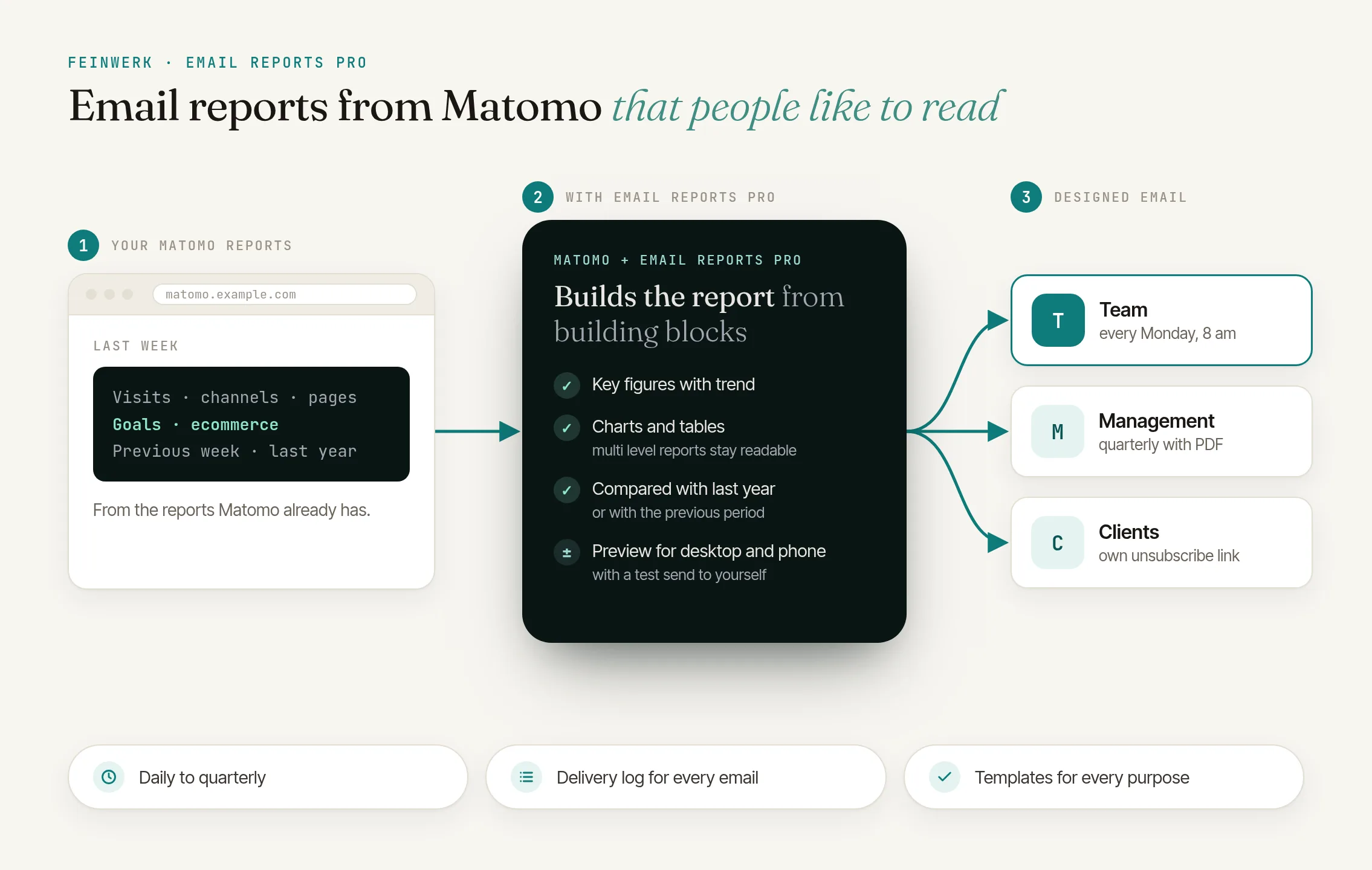
Email Reports Pro turns your Matomo data into designed email reports. You build every report from building blocks and see in the preview right away how the email arrives on desktop and on a phone.
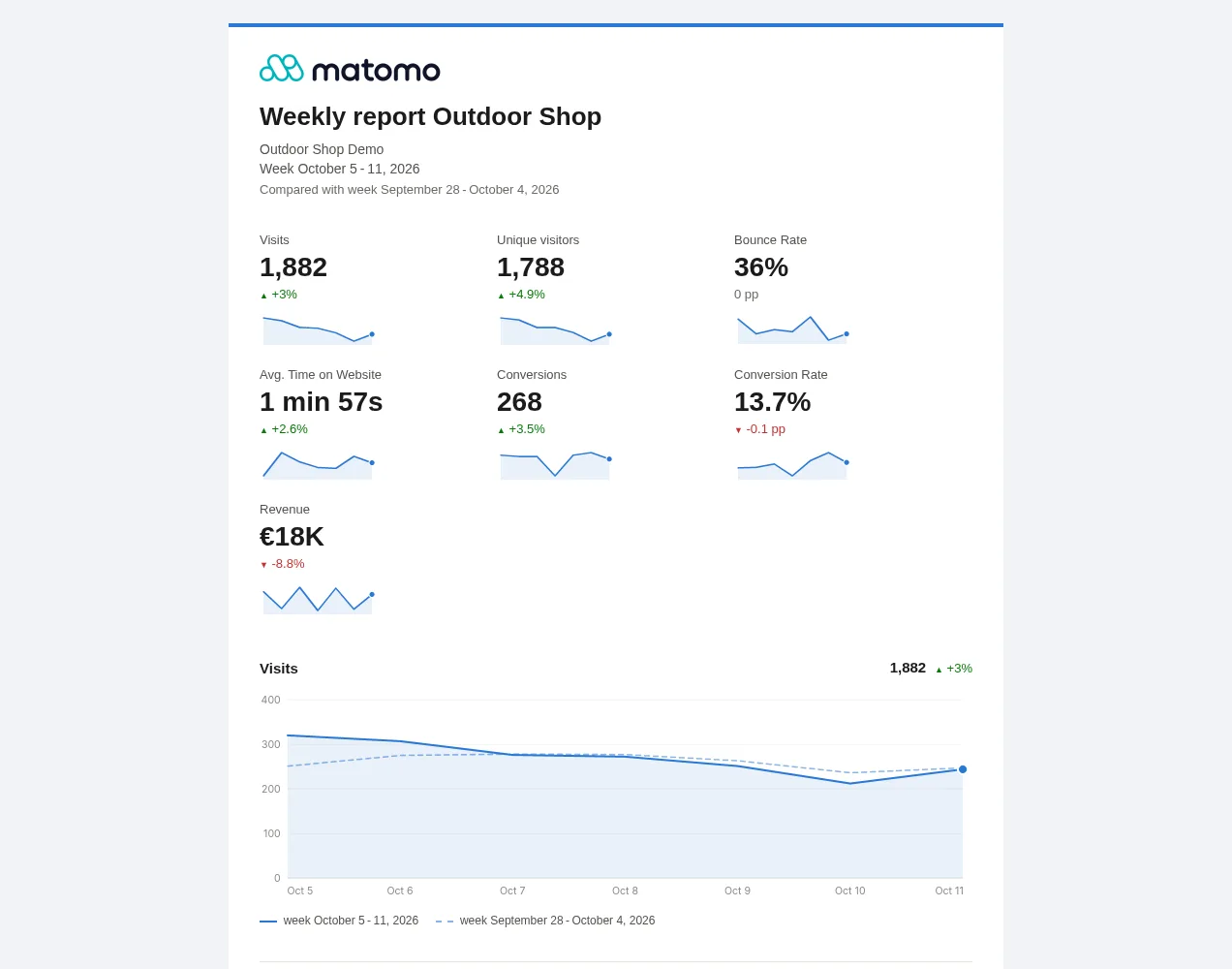
Key figures with trend
Visits, conversions, revenue or any other figure, with the change and a small trend, coloured by meaning.
Charts with a comparison line
The trend of the period next to the previous period or last year.
Tables you can read
Bars, totals and an "Others" row, sub rows grouped under each row or one column per level.
Goals as columns
Conversions, conversion rate and revenue per goal next to any report with goal metrics.
Biggest changes
Which channels, pages or products gained or lost the most.
Segments
For the whole report or for single blocks.
How it works in four steps
- Pick a template. Management overview, marketing, content or ecommerce, or an existing Matomo email report as a starting point.
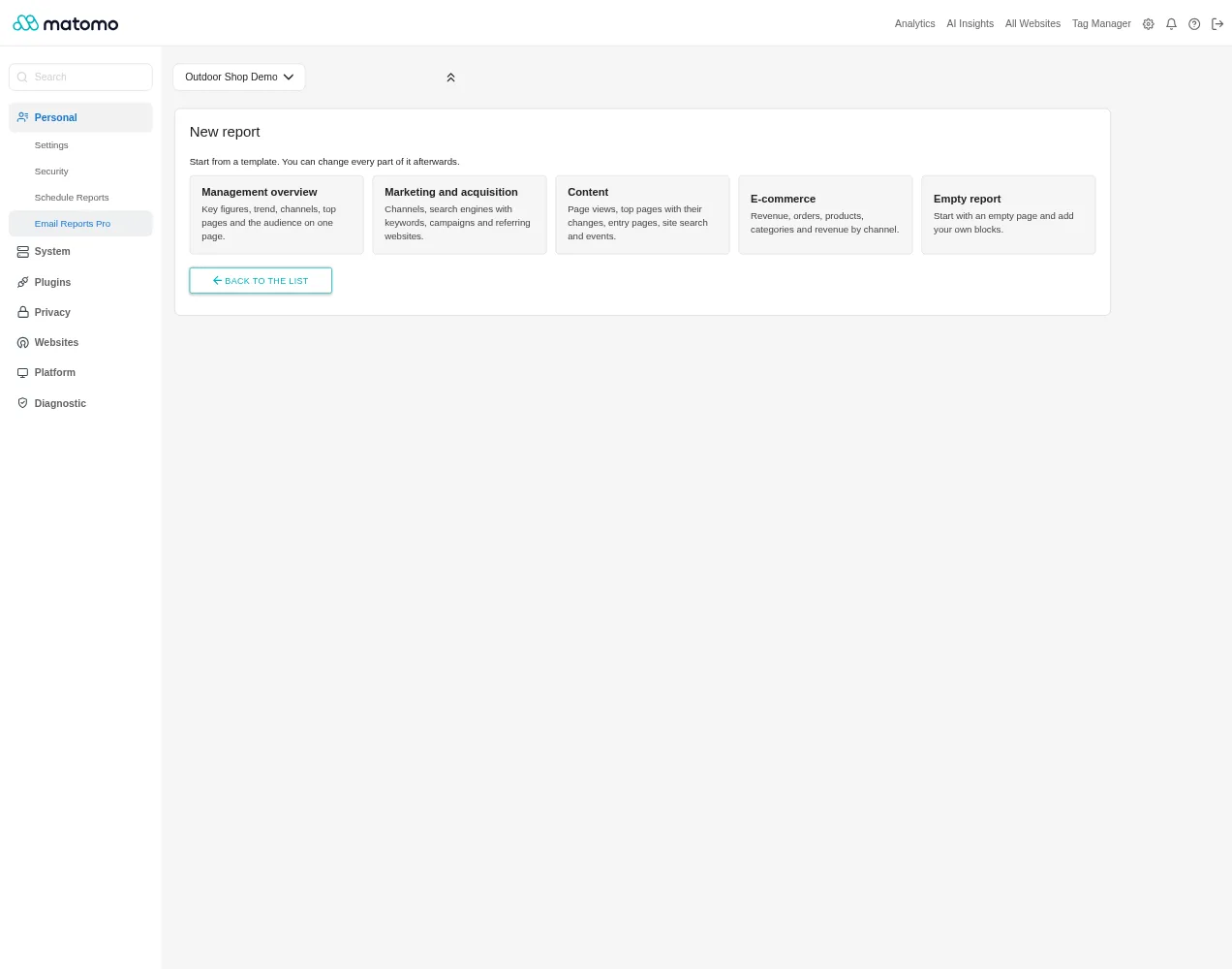
New report: templates for management, marketing, content and e-commerce, or an existing Matomo email report as a starting point. - Adjust the blocks. The blocks on the left, the preview with real data on the right. A test send to yourself shows the email in your own inbox.
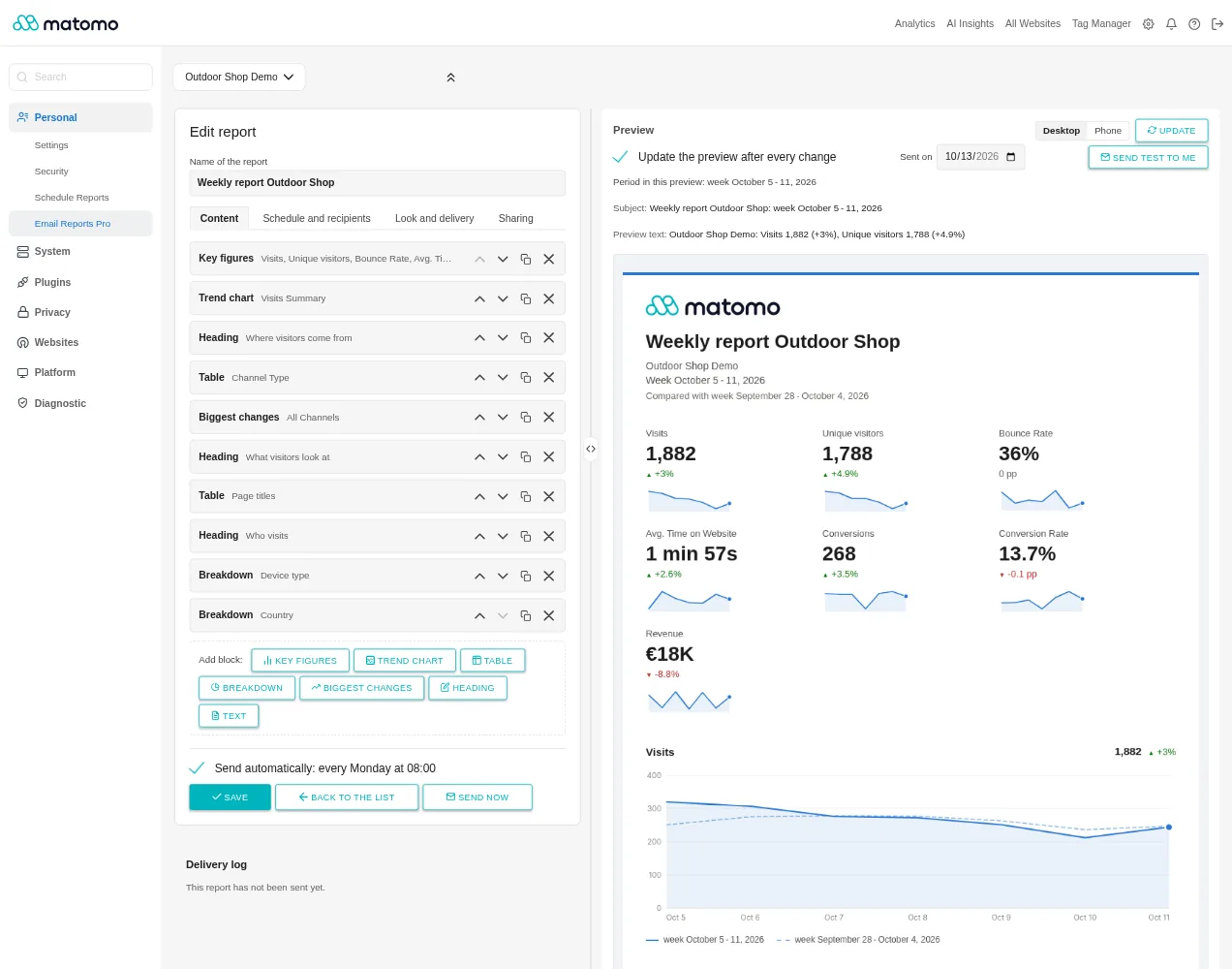
The editor: the report's blocks on the left, the preview of the email with last week's data on the right. - Schedule and recipients. Daily, weekly, monthly or quarterly, to Matomo users and external addresses, each with an own unsubscribe link, with a PDF if you like.
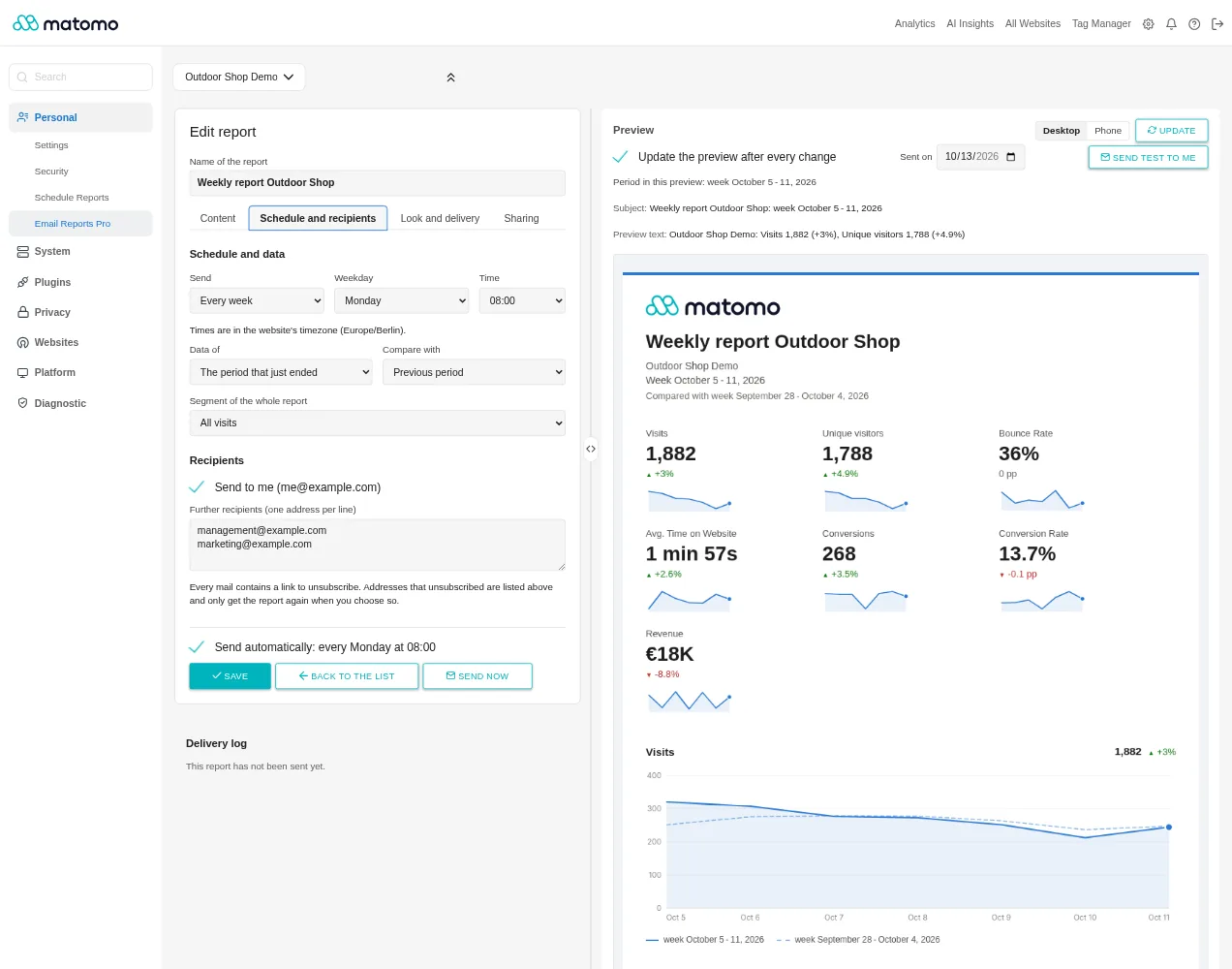
Schedule and recipients: quarterly on the last day of the month, Matomo users and external addresses. - Share with your team. With all users of the website or with selected users. They can look at, test and copy the report; they do not see the recipients.
Every step is described in the Email Reports Pro documentation.
One report for every recipient
The shop team
gets last week every Monday: key figures against the week before, channels and products sold.
The marketing agency
gets the same report with a table of the campaigns.
The management
gets a quarterly overview, compared with last year and as a PDF.
Frequently asked questions
Does Email Reports Pro replace Matomo's email reports?
It comes in addition; your existing reports keep running. You take an existing report over as a template and switch the old one off yourself.
How are the emails sent?
Through your Matomo's mail setup, like Matomo's own reports. The schedule is run by Matomo's scheduled tasks, so the cron job (core:archive) or browser archiving.
What happens when a recipient unsubscribes?
They get no more emails from this report. When editing, you see the addresses that unsubscribed and can add them again on purpose.
Which data goes to Feinwerk?
Only the license check through the Feinwerk Marketplace Connector and, if you give feedback below the preview, your answer with the plugin and Matomo version, the browser and the interface language. Report data, recipients and visitor data never leave your Matomo.
What do I need?
Matomo 5.0 or newer with PHP 8.1 or newer, for the charts the PHP extension GD with FreeType, plus the Feinwerk Marketplace Connector and a license. You can try Email Reports Pro free for 14 days.